
LogicWeb • AI comparison guide
ChatGPT vs Claude is often framed as a choice between an all-purpose assistant and a better writer. That shortcut is too broad to be reliable. Both can assist with serious knowledge work, and the value of either depends on your brief, the available tools and how much revision you need. A better comparison asks what you are trying to deliver: a WordPress article, a tested app, an editable diagram or a finished image.
The quick answer
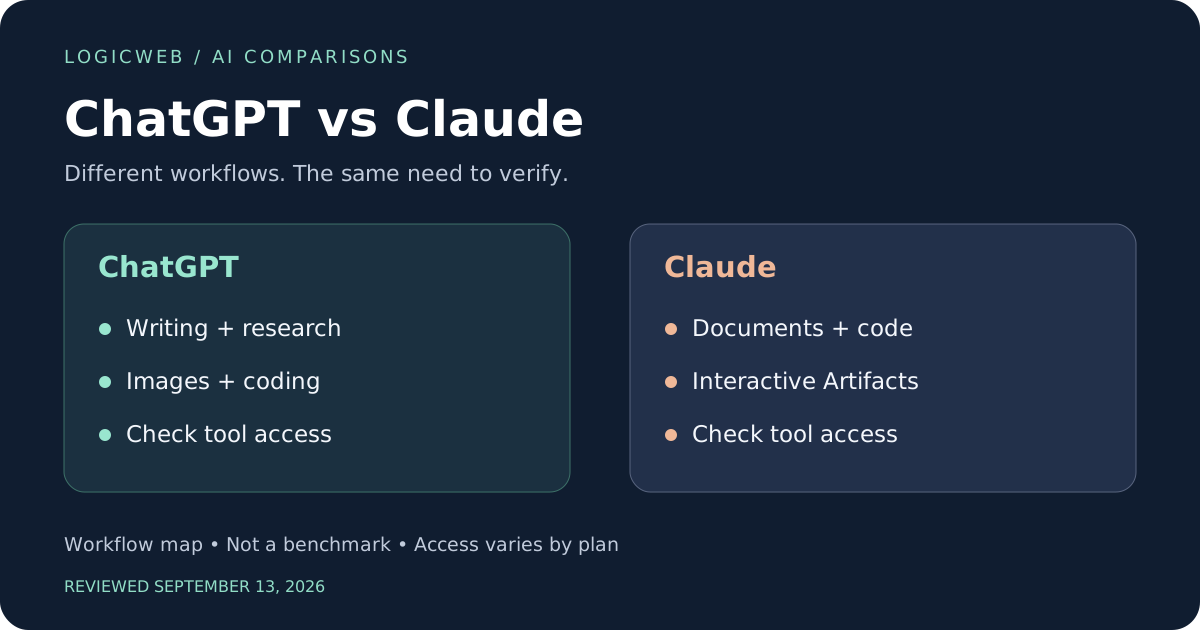
Consider ChatGPT when generated images belong in the same workflow as writing and analysis. Consider Claude when your priority is iterating on documents, code and interactive Artifacts. Neither choice establishes a universal winner in accuracy or writing quality.
In this guide
ChatGPT vs Claude: comparison at a glance
Claude documents Artifacts for standalone content such as HTML, SVG and React components, including interactive experiences. Its image help page distinguishes these code-based visuals from generated photos. ChatGPT’s plans include image, research and coding tools. These are different production paths, not interchangeable checkmarks. Claude Artifacts documentation; Can Claude produce images?; ChatGPT plan comparison
| Task | ChatGPT | Claude | What matters |
|---|---|---|---|
| Writing and editing | Drafting and revision | Drafting and revision | Blind-review against a defined style guide |
| Research | Research tools | Web search; Research access varies | Check citations against the actual claim |
| Photos and illustrations | Image generation | No native photo generation per help page | Code-based SVG visuals are a different category |
| Apps and games | Code and development tools | Code and interactive Artifacts | Prototype completion needs testing |
| Video work | Scripts; Sora consumer product ended | Scripts and planning; no native video claim here | External media tools must be identified |
| Monthly example | Plus: US$20 | Pro: US$20 | Same sticker price, different allowances |
How this comparison was prepared
This is a source-based comparison reviewed on September 13, 2026. It does not claim hands-on testing of every service, publish synthetic benchmark scores or guarantee that any assistant is always correct. Official documentation supports capability statements; the recommendations are editorial judgments about workflow fit. The examples below are realistic, reproducible briefs, not customer case studies or measured outputs.
The comparison concerns the consumer assistant experience unless a separate developer tool is explicitly named. A model name, a chat subscription, an API and a third-party connector are different layers of a product. Access can vary with plan, region, account settings and rollout. Check the feature in your account before committing to a workflow that depends on it.
ChatGPT vs Claude pricing: compare the full workflow
ChatGPT Plus and Claude Pro are both listed at US$20 when billed monthly. Claude also lists a US$200 annual Pro subscription and Max plans from US$100 per month. Annual billing changes commitment as well as cost. These are consumer examples, not business-seat or API quotations. ChatGPT Plus details; Claude plans and pricing
At equal monthly prices, the meaningful question is the cost of a completed deliverable. Suppose you prepare four long articles each month. Record how long you spend correcting structure, confirming references and repairing formatting after export. A preference based only on the opening paragraph may miss the work that determines your actual budget.
Free access is useful for a first trial, but it may not expose the tools or volume you need. Paid access can still have limits. A chatbot subscription should not be treated as a hosting budget or an unlimited allowance for a customer-facing application. If you plan an integration, price the relevant developer product separately.
ChatGPT and Claude: detailed pros and cons
ChatGPT: advantages
- An integrated image tool makes ChatGPT a candidate for assignments combining text and original visual assets.
- A range of research and coding tools can suit general business production, subject to access and usage limits.
- If an existing project already works well in ChatGPT, switching costs belong in the comparison alongside output quality.
ChatGPT: limitations
- Its broad scope does not prove that it will follow your house style with fewer revisions than Claude.
- Generated pictures are not a substitute for exact diagrams or accessible, editable interface components.
- Video production needs a separate plan now that the Sora web and app product has ended.
Claude: advantages
- Artifacts provide a documented workspace for reusable content and interactive components.
- An editable HTML or SVG visual can be more appropriate than a generated bitmap for exact labels and data relationships.
- Claude’s paid offering includes development-oriented products; evaluate those separately from ordinary chat when they matter to your work.
Claude: limitations
- Claude’s help page does not describe native photo or illustration generation; adding an external image service changes the workflow and cost.
- A runnable Artifact is not proof that the application is robust, secure or suitable for your hosting environment.
- A preference for its prose should be demonstrated on your actual drafts rather than treated as a universal quality advantage.
These advantages and limitations explain fit for the tasks in this guide. They do not claim that either product wins every writing, coding, research or creative assignment.
Real-life example: write a sourced WordPress buying guide
Illustrative scenario, not a measured test. A publisher needs a buying guide about choosing a hosting setup. Provide an audience, a short editorial style sheet and a fact sheet that contains only approved product claims. Ask for an outline first, because repairing the structure after a full draft can take longer than fixing sentences.
Run the same assignment in both assistants. Remove the tool names before having an editor score the drafts. Evaluate whether each explains tradeoffs, avoids unsupported superlatives and answers the reader’s real purchasing questions. This is a proposed evaluation, not a claim that one product has already won it.
Try this prompt
Draft an outline for a hosting buying guide for a small online store. Use only the attached approved facts. Mark missing evidence instead of filling it in. Include backup recovery, support, growth and total cost. Avoid claiming any provider is the best.
Next ask for one section, then request a revision that cuts it by a third without losing a caveat. Compare what disappears. Good editing preserves conditions and evidence; weak editing retains marketing phrases while deleting the information a reader needs to make a decision. Publish only after verifying every product claim against its source.
Real-life example: create a hosting cost calculator
Illustrative scenario, not a measured test. A sales team wants a calculator with a base hosting price, optional services and an annual total. Use made-up prices and label them as sample data. Define whether the annual number is twelve monthly payments or a separate discounted plan.
Claude Artifacts offers a documented route to an interactive component. ChatGPT can be evaluated on the same code-generation task in its available development environment. Compare the exported behavior, not simply how impressive the in-chat preview looks.
Try this prompt
Build an accessible hosting cost calculator using sample prices: base $15/month, backup add-on $4/month, and email add-on $3/month. Annual total is twelve times monthly total with no discount or tax. Include reset and explain every calculation.
The default annual result should be $180; with both add-ons it should be $264. These are arithmetic checks of the fictional brief, not LogicWeb prices. Try every option combination, keyboard navigation and a narrow screen. Make sure labels remain clear and a screen reader can identify changes. Exportability matters if you intend to embed the result in WordPress.
Real-life example: create an educational DNS quiz game
Illustrative scenario, not a measured test. A teacher wants a small game that asks learners to match a networking term with an explanation. Prepare the correct answers independently before asking for code. A functional interface can still teach incorrect information if the answer key was invented during generation.
Give both tools the same six approved questions and ask for randomized order, explanations after each answer and a final review screen. In Claude, an Artifact may provide a useful place to iterate. In either tool, check the final exported file in a normal browser.
Try this prompt
Create a browser quiz from the supplied questions and answer key. Randomize question order without changing answer mappings. Show an explanation after every answer, allow a restart, and make all controls keyboard accessible. Do not add questions.
Test repeated answers, restarting halfway through and refreshing the page. Check that score cannot exceed the number of questions and that shuffling has not attached an explanation to the wrong answer. The best choice for this job is whichever produces the correct, maintainable game with less repair. A single attractive screen is insufficient evidence.
Real-life example: choose between a diagram and an illustration
Illustrative scenario, not a measured test. A technical article needs two visuals: an exact diagram of a backup workflow and a decorative hero illustration. These assignments should be separated before comparing the assistants, because they require different forms of control.
For the hero illustration, ChatGPT offers an image-generation path. Claude’s documentation says it does not generate photos or illustrations in the same way; it can build HTML and SVG visuals. A connector to a separate image service should be disclosed as that service, not treated as native Claude output. Can Claude produce images?
Try this prompt
Create an SVG diagram with three labeled stages: source files, backup copy, restore test. Use a high-contrast palette, readable text and a logical reading order. Do not imply that a backup has passed verification until the restore test completes.
Evaluate the diagram by label accuracy and editability. Evaluate the illustration by composition and visual consistency. A code-generated graphic is often the more controllable choice for a precise process. This does not make it a replacement for a photo-style image. You may reasonably use different tools for the two assets instead of forcing one product to do everything.
Real-life example: plan a product explainer video
Illustrative scenario, not a measured test. A small agency wants a one-minute explanation of a fictional customer portal. Supply approved screenshots and a list of features that actually exist. Ask for a script, shot list and caption draft, with the narrator’s lines separated from editing instructions.
Both assistants can be tried on the planning task. This guide does not verify native Claude video generation. It also does not treat Sora as a current ChatGPT consumer benefit: OpenAI documents the end of its web and app experiences. OpenAI: Sora discontinuation
Try this prompt
Write a one-minute explainer using only these approved portal features. Divide it into timed scenes. For each scene include narration, the screenshot to show, and a caption. Flag any scene that requires footage we have not supplied.
Read the script aloud to test duration. Check that a screenshot really supports the claim made while it is visible. If the assistant invents an automatic refund feature or a performance guarantee, the draft fails even if its pacing is excellent. A separate editor or media service is needed to turn the plan into a finished video.
Where to see documented product examples
Explore Claude’s official Artifact examples and instructions for provider-published examples. These are vendor demonstrations or documentation, not independent performance tests. They show a workflow to investigate; they do not establish success rates on your own material.
The comparison graphics accompanying this article are original editorial illustrations. They are not screenshots, model-generated samples or measured rankings. The prompts in the examples are provided so you can build your own evidence with the account and features you actually have.
How to run a fair comparison on your own work
Choose three tasks from your own week and define success before opening either assistant. One should have a verifiable answer, one should involve revision and one should produce something you can open or run. Give both the same input files, the same deadline and comparable paid or free access. Record the date, selected model, tools enabled and any important account limitation.
| Measure | What to record | Why it matters |
|---|---|---|
| Correctness | Claims supported; calculations and rules checked | Fluent wording can hide factual errors |
| Completion | Requirements satisfied in the exported result | A preview alone may omit important behavior |
| Revision effort | Minutes spent fixing and verifying | The first answer is not the final deliverable |
| Source quality | Original references and claim-level support | Many citations can still be irrelevant |
| Practical cost | Subscription, extras and unusable attempts | Advertised price is only part of production cost |
Repeat a difficult task at least once if the first result would determine a purchase. Keep unsuccessful outputs in your notes instead of selecting only the nicest example. Do not compare a powerful paid tool in one service with an inaccessible feature on the other’s free account and present the result as a general verdict. Where access differs, report that difference as part of the result.
For writing, ask another person to review anonymized drafts. For code, use explicit acceptance checks and open the exported files. For imagery, compare both initial output and a requested correction. For research, inspect whether every important claim follows from the cited material. These checks make the evaluation useful even when the underlying products change.
Privacy and business data: compare the exact account
Use fictional or redacted information for the first trial. Before introducing business data, identify the exact account type and examine its current retention, training, sharing and connector controls. A consumer subscription and an organization-managed account should not be assumed to have identical arrangements. Check where generated files and shared links can be accessed.
OpenAI documents an option to disable use of new conversations for model improvement through ChatGPT’s data controls. That setting is not a universal promise about every connected service or every form of retention. Review the other provider’s applicable settings and terms separately. ChatGPT Data Controls FAQ
For a practical evaluation, replace customer names, email addresses, access tokens and billing records with sample data. A helpful assistant can draft a checklist without receiving your live credentials. If an app needs an external integration, document what it reads and writes before connecting a production account. Human review should be part of the workflow whenever an error could affect a customer.
From AI prototype to a working WordPress site
For readers building a WordPress site, the assistant is one part of the production process. A generated game or calculator may need its own JavaScript, stylesheet or plugin wrapper. An interactive preview hosted by an AI provider does not automatically become a portable WordPress component. Decide whether the final result should be embedded, exported as static files or rebuilt against your own backend.
Keep server credentials and API secrets out of browser code. Use a test environment to check forms, loading behavior and mobile layouts before making a tool public. Confirm how data is saved and recovered, and who maintains the application when a dependency changes. A small static widget and a multi-user app have different hosting and operational needs.
When choosing infrastructure, start with the application’s actual runtime, storage and traffic requirements. Visit LogicWeb to discuss hosting needs once those requirements are clear. This comparison makes no unverified claim about a particular LogicWeb plan, price or included feature.
Which should you choose: ChatGPT or Claude?
Choose using two or three deliverables you actually publish. ChatGPT is a logical candidate when photos or illustrations are part of that work. Claude is a logical candidate when reusable documents and interactive Artifacts dominate. If both produce usable results, prefer the workflow that makes revision, export and review simpler for your team.
There is no promise of perfect accuracy, permanent feature availability or better results from a brand name alone. Keep the prompts, results and review notes from your trial. Revisit the decision when a feature you rely on changes, rather than switching merely because a new model name appears.
ChatGPT vs Claude: frequently asked questions
Is Claude better than ChatGPT for writing?
There is no universal answer in this guide. Compare drafts with the same brief, evidence and editor, and measure how much revision each needs.
Can Claude create images?
Its documentation distinguishes HTML and SVG visuals from native generated photos or illustrations. It can also analyze uploaded images. An external image connector is a separate service.
Can both assistants make apps and games?
Both can assist with code. Claude documents interactive Artifacts. A generated prototype still needs functional testing and a deployment plan.
Does paying for chat include API usage?
Do not assume so. Chat subscriptions and developer API arrangements are distinct products. OpenAI explicitly states that Plus excludes API usage; check the other provider’s current developer billing before integration.
Sources and update notes
Official sources checked September 13, 2026. Recheck pricing, availability and account conditions before purchasing or republishing. Source pages are living documents and may later describe different features.
- ChatGPT plan comparison
- ChatGPT Plus details
- OpenAI: Sora discontinuation
- Claude plans and pricing
- Claude Artifacts documentation
- Can Claude produce images?
- ChatGPT Data Controls FAQ
Editorial scope: a documented-capability comparison with original practical scenarios. No undisclosed numerical scoring or claimed hands-on benchmark results are used.