
LogicWeb • AI comparison guide
ChatGPT vs Gemini is as much a workflow decision as a model decision. A freelancer working across several services may value a flexible assistant, while a team that spends its day in Google documents may care more about where the assistance appears. The question is not which brand has the longest feature list. It is which product helps you produce a correct, usable result without creating extra work.
The quick answer
Consider Gemini if Google app workflows and direct AI video creation are priorities. Consider ChatGPT if its combination of research, writing, images and development tools fits your existing projects. Check the exact account and license before treating any integration as included.
In this guide
ChatGPT vs Gemini: comparison at a glance
Google documents Canvas for interactive creation and lists Google app benefits in its AI subscriptions. Its video help page describes video creation in Gemini Apps for eligible accounts. ChatGPT lists image, research and development features. This table compares documented workflows, without asserting equal access on every device. Gemini Canvas overview; Google AI subscription comparison; Generate videos with Gemini Apps; ChatGPT plan comparison
| Task | ChatGPT | Gemini | What matters |
|---|---|---|---|
| Writing and research | Writing and research tools | Writing and research tools | Check claims rather than judging confidence |
| Images | Image generation | Image generation | Compare the same brief and edit request |
| Generated video | Sora consumer experience ended | Gemini Apps video creation for eligible accounts | Check license, age and region restrictions |
| App prototypes | Code and development tools | Canvas apps and interactive content | Test the exported result |
| Google workflows | Check available connections | Google app benefits on eligible plans | Consumer and Workspace licenses differ |
| Monthly example | Plus: US$20 | Google AI Pro: US$19.99 | Storage and other benefits change bundle value |
How this comparison was prepared
This is a source-based comparison reviewed on September 13, 2026. It does not claim hands-on testing of every service, publish synthetic benchmark scores or guarantee that any assistant is always correct. Official documentation supports capability statements; the recommendations are editorial judgments about workflow fit. The examples below are realistic, reproducible briefs, not customer case studies or measured outputs.
The comparison concerns the consumer assistant experience unless a separate developer tool is explicitly named. A model name, a chat subscription, an API and a third-party connector are different layers of a product. Access can vary with plan, region, account settings and rollout. Check the feature in your account before committing to a workflow that depends on it.
ChatGPT vs Gemini pricing: compare the full workflow
The monthly examples are ChatGPT Plus at US$20 and Google AI Pro at US$19.99 on the reviewed pages. Google also lists other AI tiers. Check the localized checkout rather than assuming the displayed dollar amount, storage allocation or offer applies to your account. ChatGPT Plus details; Google AI subscription comparison
A one-cent monthly difference is not a useful basis for choosing. Examine whether a bundle replaces an expense you already have, and whether its included tools are available under your account type. Google’s help page describes compute-based Gemini usage limits that depend on the work performed. Do not compare plans solely by the number of short prompts you can send. Gemini usage limits
Free access is useful for a first trial, but it may not expose the tools or volume you need. Paid access can still have limits. A chatbot subscription should not be treated as a hosting budget or an unlimited allowance for a customer-facing application. If you plan an integration, price the relevant developer product separately.
ChatGPT and Gemini: detailed pros and cons
ChatGPT: advantages
- A candidate for work that mixes research, documents, images and coding across different projects.
- An established ChatGPT project or review process may reduce the cost of switching context between tasks.
- Image creation can sit alongside copy development, which is useful when the brief evolves during production.
ChatGPT: limitations
- Do not assume that a particular Google app action is included or configured in your ChatGPT account.
- The Sora consumer shutdown matters if your buying decision depends on direct video creation.
- An assistant that covers many tasks may still require external tools to finish a specialized workflow.
Gemini: advantages
- Google app benefits may be valuable when those apps are already central to your work; verify the exact subscription.
- Gemini Apps documents video creation, providing a current path to footage rather than just a written storyboard.
- Canvas is designed for documents and interactive prototypes, making it a candidate for lightweight apps and games.
Gemini: limitations
- Feature availability varies by account type and license, so a demonstration on someone else’s account may not be reproducible on yours.
- A broad subscription bundle is only valuable if you use its extras; unused benefits should not inflate your comparison.
- Media and complex research work can consume allowances differently from short chats; avoid budgeting around a universal prompt count.
These advantages and limitations explain fit for the tasks in this guide. They do not claim that either product wins every writing, coding, research or creative assignment.
Real-life example: turn project notes into a client update
Illustrative scenario, not a measured test. A project manager has a document of meeting notes, a list of completed tasks and a few unresolved questions. The deliverable is a concise client update with a clear distinction between work completed and work merely planned.
Gemini is worth evaluating within an eligible Google workflow. For ChatGPT, use the available connection or provide a controlled export of the same material. Keep the input equivalent: one assistant should not receive the full project history while the other receives a short summary.
Try this prompt
Using only these project notes, draft a client update with completed work, next actions and blockers. Name an owner or date only when explicitly supplied. Put uncertain details in a separate questions section. Do not send the message.
Review each sentence against the notes. A common failure to watch for is converting a proposal into a commitment. Then measure the time spent moving material between apps and fixing formatting. A slightly less polished first draft may still fit better if the completed, reviewed message takes fewer steps to produce.
Real-life example: generate a social video concept
Illustrative scenario, not a measured test. A fictional retailer wants a short clip of a desk accessory in a minimal studio setting. Use your own reference image and specify the camera movement. Start with a simple scene so you can evaluate consistency before requesting a complex multi-shot story.
Google’s current help page names Gemini Omni for video creation and requires a Google AI plan for personal accounts or a qualifying Workspace license. It also lists age and regional restrictions, including restrictions on uploaded-video editing. OpenAI’s Sora consumer experience has ended. Generate videos with Gemini Apps; OpenAI: Sora discontinuation
Try this prompt
Create a short product concept from this owned reference image. Use a slow lateral camera move, soft daylight and a plain background. Preserve the object’s shape and color. Include no invented logo, text or feature claim.
ChatGPT can help prepare the same creative brief; that does not make it an equivalent native footage-generation workflow. To compare output from different video services, name the actual service behind each clip. Review object stability, camera motion and distracting artifacts. Record unsuccessful attempts too, because they affect the cost of obtaining a usable clip.
Real-life example: create a set of campaign images
Illustrative scenario, not a measured test. A publisher needs three coherent illustrations for a series about maintaining a website. Draft a compact style guide that specifies color, composition, aspect ratio and the level of detail. Compare whether each tool can maintain the requested style across the series.
Both product families advertise image creation. Test the initial generation and an edit, such as moving a focal object while preserving the rest of the composition. An excellent first result may still be inconvenient if every small revision changes the entire scene.
Try this prompt
Create an editorial illustration for website maintenance: a tidy workstation with abstract status panels, navy and amber colors, soft geometric forms, no logos and no readable text. Use this same visual style for later images in the series.
Inspect the three results together, then at thumbnail size. Check that the color system and visual emphasis remain coherent. For exact labels or numerical comparisons, create an editable diagram instead of trusting image lettering. If a campaign uses a product photo, confirm that edits do not misrepresent the product’s actual appearance.
Real-life example: build an interactive learning game
Illustrative scenario, not a measured test. A course creator wants a timed sorting game where learners place six supplied items into two categories. The categories and answer key are given in the brief. The game should work on a phone as well as a desktop.
Gemini Canvas is a documented route for apps and games. ChatGPT can be evaluated as a coding assistant for the same deliverable. Use tap or button controls as well as any drag-and-drop interface so the interaction can be tested without a mouse. Gemini Canvas overview
Try this prompt
Build a single-page sorting game from this approved answer key. Include tap controls, keyboard controls, progress, restart and an untimed mode. Do not rely on dragging alone. Keep the rules visible while playing.
Test the untimed mode, the last item, the restart button and an incorrect choice. A visible celebration should happen only after the right condition is met. If a timer is present, verify that it stops on completion. Compare readable, correct behavior on a small screen rather than relying on the tool’s demonstration view.
Real-life example: prototype a website launch checklist
Illustrative scenario, not a measured test. An agency wants a small checklist app for a fictional site launch. Tasks include checking navigation, verifying contact forms and reviewing image descriptions. The prototype needs completion tracking and a way to reset sample data.
Try Gemini Canvas and ChatGPT’s available development tools with the same task list. Decide up front whether the assignment is a local demonstration or a shared application. Browser storage and a real multi-user database solve different problems and should not receive the same score.
Try this prompt
Create a local launch checklist with the supplied tasks, category filters, a completion count and a reset button. Save progress in this browser only. Clearly label that it is not shared across devices and contains sample project data.
Close and reopen the file, complete every item and reset it. Ask a second person to explain where progress is stored after reading the interface. If the answer is unclear, the prototype needs better wording. Before turning it into a team tool, define user access, shared storage, backups and error handling; the initial demo has not solved those requirements.
Where to see documented product examples
Explore Google’s official Canvas examples for provider-published examples. For video creation, also see Generate videos with Gemini Apps. These are vendor demonstrations or documentation, not independent performance tests. They show a workflow to investigate; they do not establish success rates on your own material.
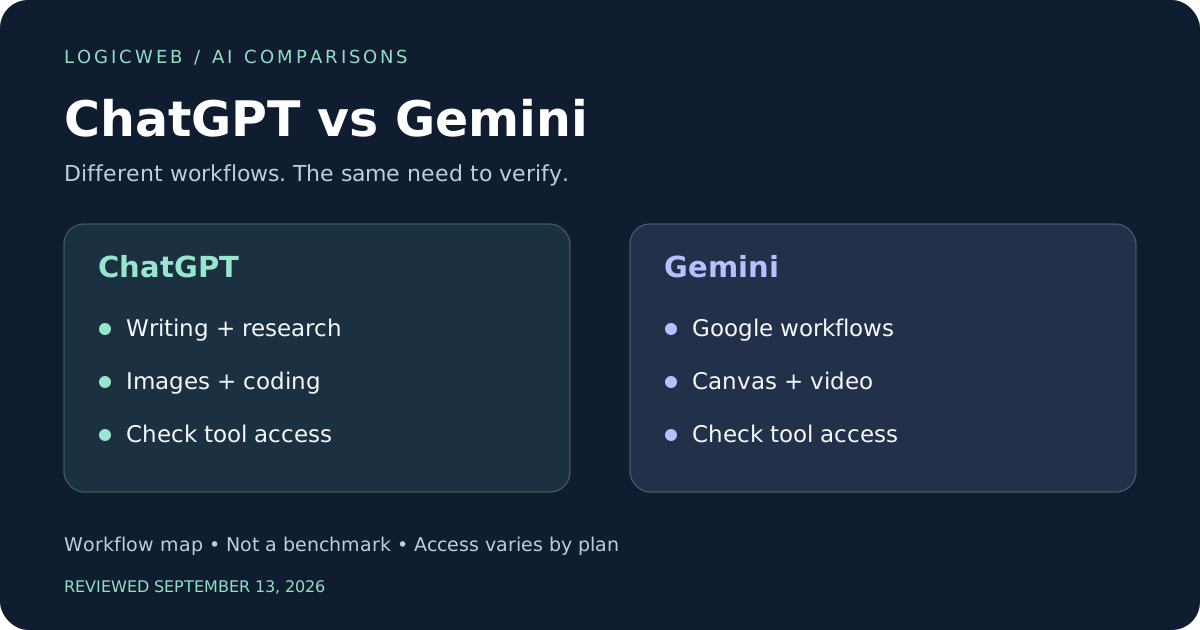
The comparison graphics accompanying this article are original editorial illustrations. They are not screenshots, model-generated samples or measured rankings. The prompts in the examples are provided so you can build your own evidence with the account and features you actually have.
How to run a fair comparison on your own work
Choose three tasks from your own week and define success before opening either assistant. One should have a verifiable answer, one should involve revision and one should produce something you can open or run. Give both the same input files, the same deadline and comparable paid or free access. Record the date, selected model, tools enabled and any important account limitation.
| Measure | What to record | Why it matters |
|---|---|---|
| Correctness | Claims supported; calculations and rules checked | Fluent wording can hide factual errors |
| Completion | Requirements satisfied in the exported result | A preview alone may omit important behavior |
| Revision effort | Minutes spent fixing and verifying | The first answer is not the final deliverable |
| Source quality | Original references and claim-level support | Many citations can still be irrelevant |
| Practical cost | Subscription, extras and unusable attempts | Advertised price is only part of production cost |
Repeat a difficult task at least once if the first result would determine a purchase. Keep unsuccessful outputs in your notes instead of selecting only the nicest example. Do not compare a powerful paid tool in one service with an inaccessible feature on the other’s free account and present the result as a general verdict. Where access differs, report that difference as part of the result.
For writing, ask another person to review anonymized drafts. For code, use explicit acceptance checks and open the exported files. For imagery, compare both initial output and a requested correction. For research, inspect whether every important claim follows from the cited material. These checks make the evaluation useful even when the underlying products change.
Privacy and business data: compare the exact account
Use fictional or redacted information for the first trial. Before introducing business data, identify the exact account type and examine its current retention, training, sharing and connector controls. A consumer subscription and an organization-managed account should not be assumed to have identical arrangements. Check where generated files and shared links can be accessed.
OpenAI documents an option to disable use of new conversations for model improvement through ChatGPT’s data controls. That setting is not a universal promise about every connected service or every form of retention. Review the other provider’s applicable settings and terms separately. ChatGPT Data Controls FAQ
For a practical evaluation, replace customer names, email addresses, access tokens and billing records with sample data. A helpful assistant can draft a checklist without receiving your live credentials. If an app needs an external integration, document what it reads and writes before connecting a production account. Human review should be part of the workflow whenever an error could affect a customer.
From AI prototype to a working WordPress site
For readers building a WordPress site, the assistant is one part of the production process. A generated game or calculator may need its own JavaScript, stylesheet or plugin wrapper. An interactive preview hosted by an AI provider does not automatically become a portable WordPress component. Decide whether the final result should be embedded, exported as static files or rebuilt against your own backend.
Keep server credentials and API secrets out of browser code. Use a test environment to check forms, loading behavior and mobile layouts before making a tool public. Confirm how data is saved and recovered, and who maintains the application when a dependency changes. A small static widget and a multi-user app have different hosting and operational needs.
When choosing infrastructure, start with the application’s actual runtime, storage and traffic requirements. Visit LogicWeb to discuss hosting needs once those requirements are clear. This comparison makes no unverified claim about a particular LogicWeb plan, price or included feature.
Which should you choose: ChatGPT or Gemini?
Choose Gemini when the verified Google workflow or eligible video capability directly matches your recurring work. Choose ChatGPT when its available tools and your existing projects make the full process simpler. For near-equal example subscription prices, compare completed tasks and correction time instead of treating the sticker price as decisive.
There is no promise of perfect accuracy, permanent feature availability or better results from a brand name alone. Keep the prompts, results and review notes from your trial. Revisit the decision when a feature you rely on changes, rather than switching merely because a new model name appears.
ChatGPT vs Gemini: frequently asked questions
Is Gemini better than ChatGPT because it connects to Google apps?
That can be a workflow advantage for eligible accounts, but it does not establish better answers. Verify the connection, permissions and license that your actual task requires.
Can Gemini generate videos?
Google documents video generation in Gemini Apps for eligible accounts, with account, age and regional conditions. Consult its current help page before purchasing for that feature.
Can both products build browser games?
Both can assist with code, and Google documents Canvas for interactive creation. A prototype must still be tested for rules, accessibility and export behavior.
Is Google AI Pro cheaper than ChatGPT Plus?
The reviewed monthly examples are US$19.99 and US$20 respectively. Currency, tax, promotions and bundle benefits affect the real comparison; check local checkout terms.
Sources and update notes
Official sources checked September 13, 2026. Recheck pricing, availability and account conditions before purchasing or republishing. Source pages are living documents and may later describe different features.
- ChatGPT plan comparison
- ChatGPT Plus details
- OpenAI: Sora discontinuation
- Google AI subscription comparison
- Gemini Canvas overview
- Generate videos with Gemini Apps
- Gemini usage limits
- ChatGPT Data Controls FAQ
Editorial scope: a documented-capability comparison with original practical scenarios. No undisclosed numerical scoring or claimed hands-on benchmark results are used.