This article will teach you how to build a DIY home router gives you complete control over your network. You save on ISP rental fees (often $10–15/month), boost privacy and security, add features like ad-blocking, VPNs, and VLANs, and customize performance far beyond consumer routers. This thorough yet concise tutorial covers two popular, reliable options: a low-power Raspberry Pi with OpenWRT (ideal for beginners and efficiency) and a mini-PC with OPNsense (for higher speeds and more ports). Both run on Linux-based or FreeBSD systems and work great in 2026.
Why Build a DIY Home Router?
- Save money — Stop renting your ISP’s router.
- Better privacy & security — No vendor backdoors, frequent updates, and full firewall control.
- Advanced features — Ad-blocking (AdGuard Home), VPN (WireGuard/OpenVPN), QoS, VLANs, traffic monitoring, and parental controls.
- Performance & customization — Handle gigabit+ speeds, multi-gigabit with the right hardware, and learn networking.
- Eco-friendly options — Raspberry Pi uses ~5–10W vs. 20–60W+ for old PCs or ISP gear.
Pro tip: Start simple. Test the new router behind your existing one before replacing it fully.
Choosing Your Platform
Option 1: Raspberry Pi (Low Power, ~$80–150 total) Best for most homes: compact, silent, low electricity (~5–10W). Use a Pi 5 for best performance.
Option 2: Mini-PC or Old PC with OPNsense (Higher Performance) Great for gigabit+ or many devices. Mini-PCs with 4–8 Ethernet ports are common and use 10–30W.
Other options Orange Pi 5 Plus or similar SBCs with native dual 2.5GbE ports; plain Linux (Debian/Ubuntu) on any hardware for advanced users.
Tutorial 1: Raspberry Pi Router with OpenWRT (Recommended for Beginners)
Hardware Needed
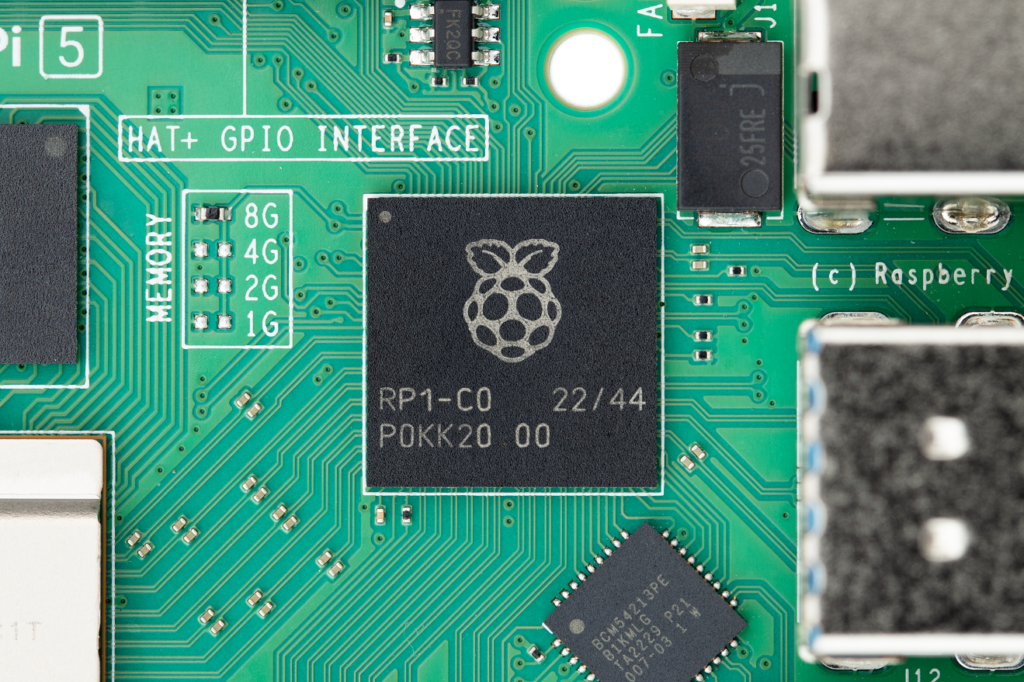
- Raspberry Pi 5 (4GB or 8GB model) + official 27W USB-C power supply
- 32GB+ microSD card (Class 10 or better)
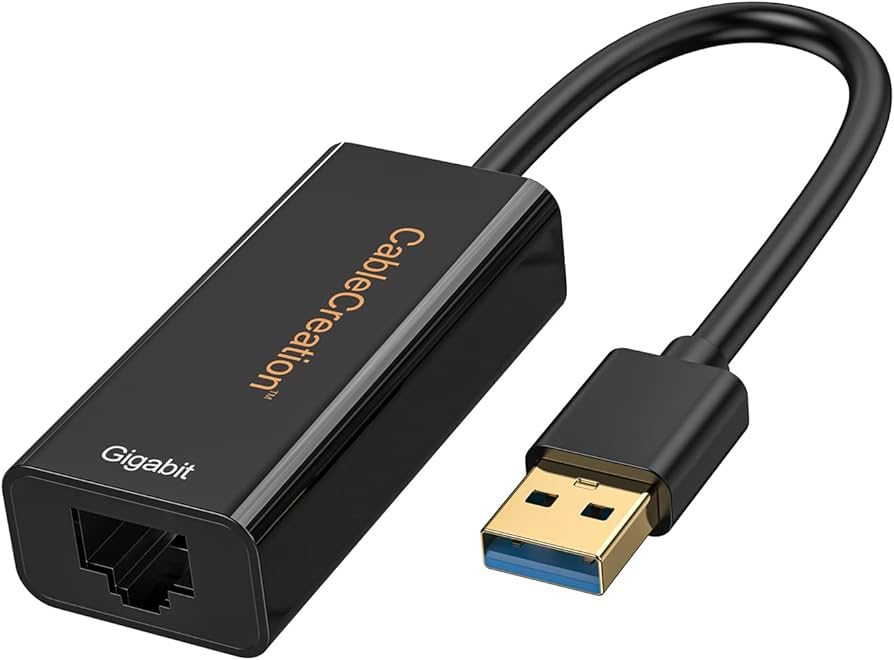
- USB 3.0 Gigabit Ethernet adapter (or 2.5G for future-proofing) — use onboard Ethernet as LAN, USB as WAN (or vice versa)
- Optional: unmanaged Gigabit switch for more LAN ports, heatsink/fan, case
Step 1: Download and Flash OpenWRT
- Go to the official OpenWRT Firmware Selector.
- Search for “rpi-5” (or your exact model) → choose latest snapshot or stable release (snapshots are fine and often more up-to-date for Pi 5 in 2026).
- Download the factory or ext4 image (.img.gz).
- Download Balena Etcher (free).
- Insert SD card → open Etcher → select image → flash.
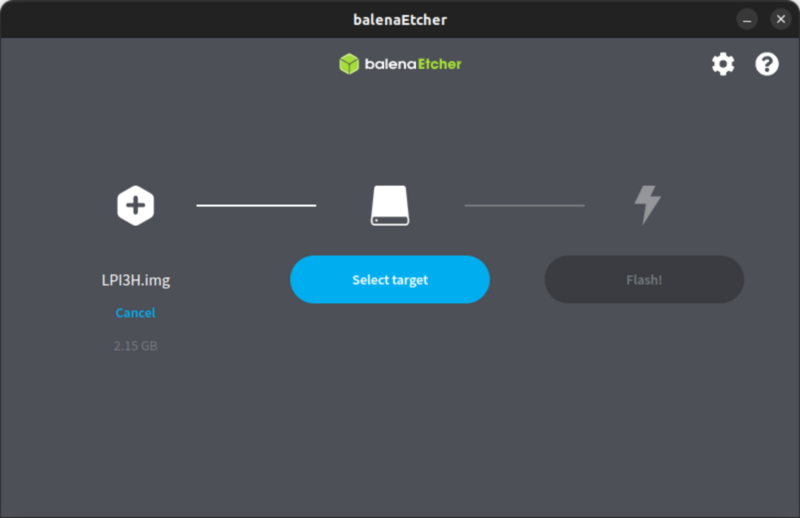
Burn images – Sipeed Wiki
Step 2: First Boot & Basic Setup
- Insert SD card, connect Ethernet (LAN port to your computer or switch), power on.
- Default IP: 192.168.1.1 (username: root, no password).
- If IP conflict with your current router: connect directly or use a separate switch. Set a static IP on your PC (192.168.1.10).
- In the web interface (LuCI) → System → Administration → set a strong root password.

Demonstration – new Interface web LuCI OpenWrt
Step 3: Configure as a Full Router (WAN + LAN)
- WAN setup (internet from modem): Network → Interfaces → Edit WAN → Protocol: DHCP client → Save & Apply. Connect your modem to the USB Ethernet adapter.
- LAN setup: Onboard Ethernet stays as LAN (192.168.1.1, DHCP server enabled by default).
- Add a switch for more ports: connect LAN port to switch, then all devices to the switch.
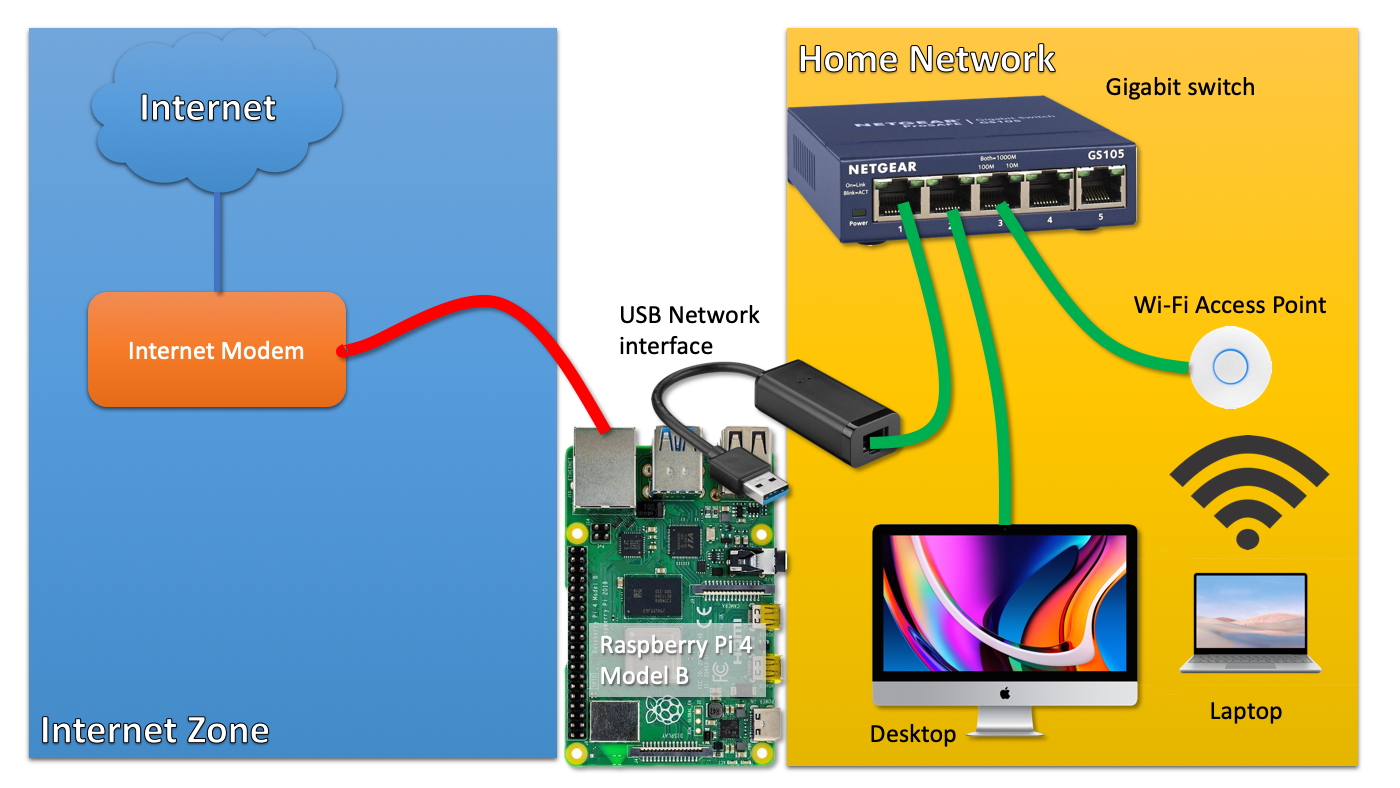
Raspberry Pi as a router using a single network interface
Step 4: Optional Wi-Fi Access Point
Network → Wireless → Scan → join your existing Wi-Fi (for travel router) or create your own SSID.
Step 5: Essential Packages & Features
System → Software → Update lists → install:
- luci-app-adblock or AdGuard Home (for network-wide ad blocking)
- luci-app-wireguard (easy VPN)
- luci-app-sqm (smart queue management for bufferbloat)
Reboot and enjoy your custom router!
Tutorial 2: Powerful OPNsense Router on Mini-PC
Hardware Needed
- Mini-PC with at least 2 Intel Gigabit/2.5G Ethernet ports (many cheap “soft router” models on Amazon/AliExpress)
- 8–16GB RAM, 128GB+ SSD (optional but recommended)
- USB drive for installer
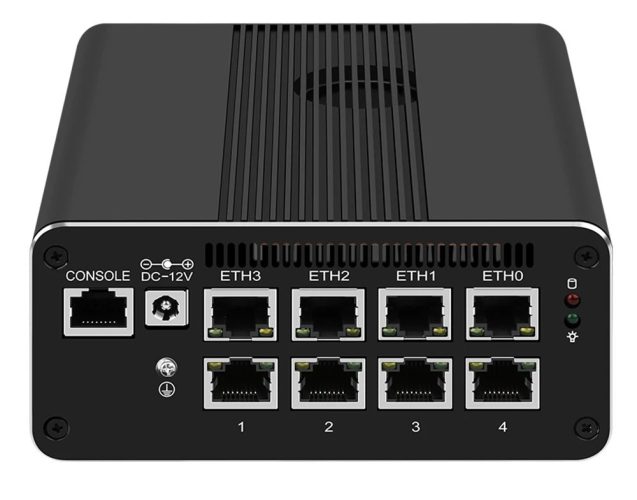
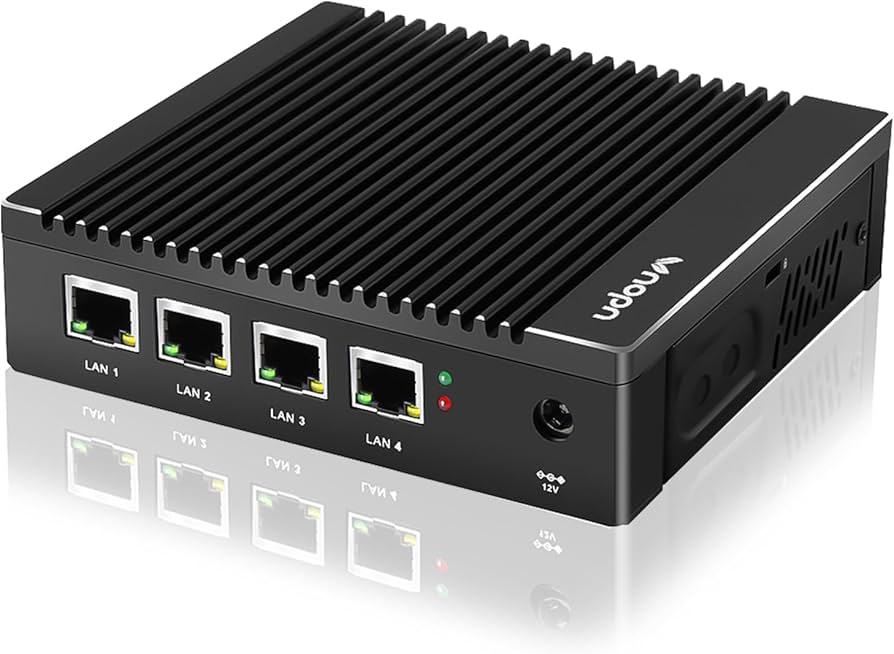
Step 1: Install OPNsense
- Download latest OPNsense .iso from opnsense.org/download.
- Flash to USB with Balena Etcher.
- Boot the mini-PC from USB (enter BIOS with Del/F2).
- Follow installer: choose Install (ZFS) → select drive → complete.
Step 2: Basic Configuration
- After reboot, login: root / opnsense.
- Menu option 2 → set LAN IP (e.g., 192.168.1.1) to avoid conflict.
- Connect a laptop directly to LAN port → set static IP (192.168.1.10).
- Open browser → https://192.168.1.1 → login root/opnsense → run wizard:
- Set new password
- WAN: usually auto-detects DHCP from modem
- Enable Unbound DNS


Step 3: Add Features
- Firewall → Rules (defaults are secure)
- Services → Install plugins: AdGuard Home, WireGuard, Suricata (IDS), etc.
- Interfaces → Assignments for extra ports
Advanced Features for Both Platforms
- Network-wide ad blocking → AdGuard Home or Pi-hole
- VPN server/client → WireGuard (fastest) or OpenVPN
- VLANs → Separate IoT, guest, kids networks (needs managed switch)
- Traffic shaping → SQM (OpenWRT) or Limiters (OPNsense)
- Monitoring → Netdata, Telegraf + Grafana, or built-in graphs
Plain Linux Alternative (Advanced)
Install Debian/Ubuntu Server on any hardware. Enable IP forwarding (sysctl net.ipv4.ip_forward=1). Use nftables for firewall rules, dnsmasq or kea for DHCP, isc-dhcp-server or systemd-networkd. Many excellent guides exist — start with nftables examples on the Arch Wiki.
Final Tips & Troubleshooting
- Backup your ISP router settings before switching.
- Power — Raspberry Pi is the most efficient; measure with a kill-a-watt meter.
- Heat — Add heatsinks/fans for 24/7 use.
- Updates — Check weekly; OpenWRT snapshots update often.
- Performance — Pi 5 + USB 2.5G adapter easily handles 1–2 Gbps. Mini-PC with Intel NICs can do 10 Gbps+.
- Reverting — Keep your old router handy for 24 hours after switch.
You now have a professional-grade, fully customizable DIY home router that outperforms most ISP gear while teaching you real networking skills. Start with the Raspberry Pi version — it’s the easiest and most rewarding first project.
Enjoy your new network freedom! Questions? Drop them in the comments.
Related searches: raspberry pi openwrt router 2026, opnsense mini pc build, diy gigabit router, network ad blocker setup, wireguard home vpn.
Happy routing! 🚀