DNS is the internet’s directory lookup. Before your browser connects to a site, it usually asks a resolver for the IP address associated with a hostname. Traditional DNS can expose those questions to anyone positioned to observe or tamper with the network path. Encrypted DNS changes that first hop — but it does not turn the whole connection into a privacy tunnel.
The three terms most people encounter are DNS over HTTPS (DoH), DNS over TLS (DoT), and Oblivious DNS over HTTPS (ODoH). They all aim to improve DNS confidentiality. They differ in transport, deployment model, and which party can see the client address and the DNS question at the same time.
DoH vs DoT vs ODoH at a glance
| Protocol | Transport idea | Resolver sees client IP? | Resolver sees DNS query? |
|---|---|---|---|
| DoH | DNS carried inside HTTPS | Usually yes | Yes |
| DoT | DNS over a dedicated TLS connection | Usually yes | Yes |
| Oblivious DoH | Encrypted DNS relayed through a proxy | Target resolver does not see original client IP | Target resolver decrypts the query |
The table is intentionally simplified. Privacy depends on who operates the client, proxy, resolver, browser, network, and destination. The protocol can reduce one party’s visibility without eliminating metadata elsewhere.
DNS over HTTPS: blends into normal HTTPS
DoH maps DNS requests into HTTPS exchanges. To a network observer, the traffic looks like an HTTPS connection to the chosen resolver rather than readable DNS queries. That makes DoH easy to integrate into browsers and applications and can make it harder for simple network rules to distinguish DNS from other HTTPS traffic.
The resolver still normally sees the client IP address and the query it is resolving. You have moved trust away from the local network or ISP DNS path and toward the DoH provider. That can be a good trade, but it is still a trust choice.
DNS over TLS: same privacy goal, dedicated channel
DoT protects DNS using TLS on a dedicated connection, conventionally port 853. The separation is operationally useful on managed networks because DNS traffic remains identifiable as DNS even though the query contents are encrypted. A firewall can permit or block the service explicitly.
That makes DoT attractive for routers, operating systems, and administrators who want encrypted DNS without disguising the traffic as ordinary web requests. It also means restrictive networks can block it more easily than DoH.
Oblivious DoH: split the knowledge
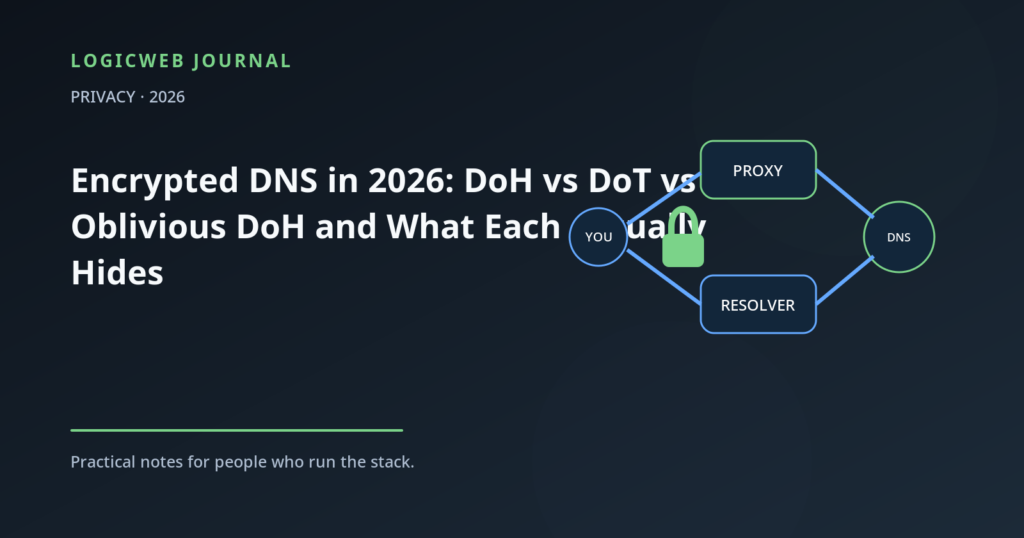
ODoH adds a proxy between the client and the target resolver. The client encrypts the DNS message for the target. The proxy can see where the request came from but cannot read the DNS question; the target can read the question but receives it from the proxy rather than directly from the original client. The design tries to prevent any single server from seeing both identity-by-IP and query contents.
This only works as intended when the proxy and target do not collude and the implementation is correct. It is a stronger privacy architecture than simply encrypting the client-to-resolver hop, but it introduces more components and is not as universally available.
What encrypted DNS does not hide
- The destination connection itself. Your device still has to connect to an IP address unless another privacy layer proxies or tunnels the traffic.
- Traffic timing and volume. Encryption hides contents, not the fact that packets exist.
- Everything from your VPN provider. If you use a VPN, the VPN may operate the resolver or carry your encrypted DNS to another resolver. The trust model changes again.
- Browser or account telemetry. DNS privacy does not undo what a signed-in service learns from your account, cookies, or application behavior.
Which should you use?
Home user
Use the encrypted DNS option built into your operating system, browser, or trusted router and choose a resolver whose privacy policy you understand. The practical win is preventing casual local-network observation and tampering with DNS queries.
Business network
Centralized encrypted DNS is often better than every application choosing its own resolver. You may need internal zones, malware filtering, logging, split DNS, and incident-response visibility. DoT can be easier to govern because it remains a distinct network service; managed DoH can also work if policy is enforced at the endpoint.
High-privacy workflow
Consider a design that separates resolver knowledge, such as ODoH where supported, and combine it with the right tunnel or proxy for the rest of the traffic. Remember that DNS is only one metadata source.
LogicWeb note: “Encrypted” and “anonymous” are not synonyms. DoH and DoT encrypt the DNS hop; they do not by themselves hide your IP address from the resolver or destination website.
Test what your device is really using
Privacy settings can fail open, fall back, or be bypassed by another application. Verify the configured resolver, check for DNS leaks when using a VPN, and test both IPv4 and IPv6. A privacy setup that only protects one address family is an incomplete setup.
FAQ
Is DoH better than DoT?
Neither is universally better. DoH is convenient for applications and blends into HTTPS; DoT is easier for networks to identify and manage as a dedicated encrypted DNS service.
Does encrypted DNS hide websites from my ISP?
It hides the DNS query from on-path observers between you and the resolver, but the ISP may still infer destinations from IP traffic and other metadata unless additional privacy technology is used.
Is Oblivious DoH a standard?
RFC 9230 defines Oblivious DoH as an experimental protocol. Its key idea is to separate the party that sees the client IP from the party that can read the DNS query.
Written at the desk
ChadBe the first to weigh in.