
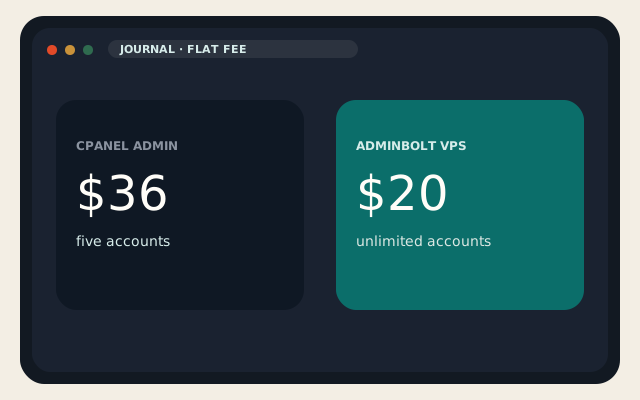
cPanel vs AdminBolt is an invoice argument. AdminBolt is a commercial Linux hosting panel — not open source — at $20 per VPS per month, $45 for bare metal, and $7 for a partner standalone SKU limited to two user accounts. The $20 and $45 plans do not add a fee per hosting account. cPanel still does: Solo $29.99, Admin $35.99 for five accounts, Pro $53.99 for thirty, Premier $69.99 for a hundred plus $0.49 after that.
If you actually run 80 accounts on one guest, the arithmetic is obvious. If you run twelve, it is a much smaller gap, and you still have to operate a panel that is not WHM. Most people who paste AdminBolt’s competitor table have twelve.
What “flat fee” means
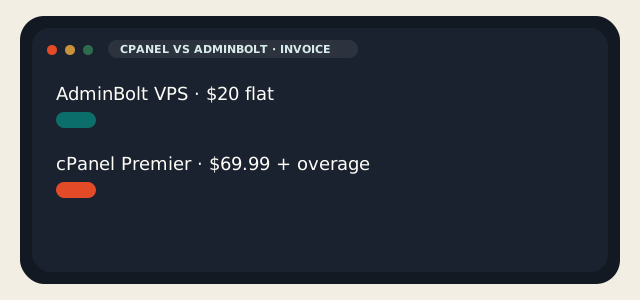
AdminBolt’s public comparison uses early-2026 cPanel Store figures: Starter at $20 versus $35.99, Growing at $20 versus $53.99, Scale at $20 versus $69.99, and a 200-account thought experiment at $20 versus about $119. The math holds if those accounts really live on one VM. Add a second VM and you add another $20. cPanel would add another license too.
| cPanel | AdminBolt | |
|---|---|---|
| License | Per account (Solo / Admin / Pro / Premier) | Flat per server |
| VPS list | $29.99–$69.99 + $0.49 over 100 | $20 / server / month |
| Bare metal | Premier Metal on the Premier SKU | $45 / server / month |
| Partner SKU | Host/NOC pricing, not the public Store | $7 standalone, max 2 accounts |
| Account cap | Tiered; overage on Premier | Unlimited on $20 / $45 |
| Open source | No | No |
| Windows | No | No |
A price lock is a contract, not a landing page. cPanel’s Store has raised list prices more than once since the account-tier era. AdminBolt is younger. Youth is not a discount on reading the term.
LogicWeb shared hosting does not become AdminBolt because a blog post did math. Shared here is cPanel because restore, reseller, and the free account copy all assume WHM. If you want the flat fee, you want a VPS you control, not a shared node we already licensed.
Hostinger and Vultr marketplace templates that mention AdminBolt are selling you a virtual machine with the panel preinstalled. That coupon is not AdminBolt’s $20 license. Do not mix the two invoices.
Stack, WordPress, mail, multi-server
AdminBolt 1.8.0, published August 2026, is the current line: Node.js, Python, and Ruby apps on CloudLinux, PostgreSQL, and a cPanel importer inside the panel. The documented install is curl -sSL https://get.adminbolt.com/install.sh | bash on AlmaLinux 9. Hostinger’s template is AlmaLinux 9 with AdminBolt preinstalled. Vultr’s listing puts the UI on port 8443.
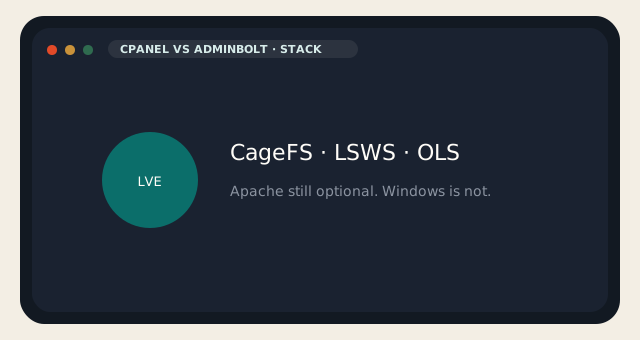
Web servers: Apache, LiteSpeed Enterprise, or OpenLiteSpeed, switchable in the panel. Multi-PHP via REMI, CloudLinux Alt-PHP, and LSPHP. CageFS and LVE are the CloudLinux isolation story — the same reason cPanel shops buy CloudLinux. Mail is Postfix, Dovecot, and Rspamd, with DKIM, SPF, DMARC, autodiscovery, and an optional separate mail node. DNS clustering can talk to Plesk and DirectAdmin zones. WordPress Toolkit is included. Native WHMCS, a REST API, and MCP are the automation pitch. Multi-server is a Hub with SSO rather than twenty WHM logins. Imunify360 is listed as a native integration.
cPanel vs AdminBolt on features is not “AdminBolt cannot do mail.” It can. The gap is gravity: Imunify already on our nodes, Softaculous muscle memory, years of WHM answers, and a migration pack every host already runs. AdminBolt’s importer is a feature. It is not our free shared migration. The cPanel copy we do is still cPanel-to-cPanel.
AdminBolt — strengths and limits
- Flat fee, unlimited accounts on the $20/$45 SKUs, CloudLinux isolation, LSWS/OLS, Hub, WHMCS.
- Commercial and young; Linux only; you support the panel.
- The $7 SKU is two accounts, not unlimited.
- “Price locked” is only as good as the contract.
cPanel — strengths and limits
- Industry restore path, WHM, partner discounts for hosts, a UI clients already know.
- The meter, the list-price raises, and no Windows.
Should you move
Move if you run many accounts on machines you own and cPanel overage is a real line item. Stay if you sell cPanel accounts to people who expect cPanel. That is reseller hosting; AdminBolt will not give you WHM. Stay on shared if you wanted us to hold the license — Go is still $5, still cPanel, still LiteSpeed.
For a single WordPress site, cPanel vs AdminBolt is usually the wrong fight. Hestia or CyberPanel is the $0 version of that sentence. AdminBolt is for people who wanted a commercial panel that does not tax the 101st account. Snapshot the guest first. Do not install it on a box that already has a half-finished aaPanel.
If you needed Windows, stop. Neither product will help. If you needed Docker apps rather than hosting accounts, look at 1Panel instead of either license.
cPanel vs AdminBolt is a poor title for a single brochure site. The $20 fee is cheap next to Premier overage and expensive next to Hestia at $0. Match the panel to the number of accounts you actually create, not the number you might create if a launch goes well.
Multi-server is the other honest reason to look. If you already run several VMs and you are tired of logging into WHM on each, AdminBolt Hub is the pitch. Test the importer on a copy, not on production. cPanel vs AdminBolt migrations fail when someone skips the snapshot and then discovers PHP handlers do not map one-to-one.
We will still license cPanel on shared. That is not a slight against AdminBolt. It is the restore path we already staff. Put AdminBolt on a VPS you own, keep backups you have restored once, and do not expect WHM packages to appear because the UI looks modern.
Read the partner SKU before you quote $7 in a spreadsheet. Two accounts is a lab or a tiny shop. Unlimited accounts start at $20. Mixing those numbers is how cPanel vs AdminBolt threads go wrong.
Reader discussion
Join the conversation.
Questions, corrections, and useful context are welcome.