
People search cPanel vs CyberPanel when they want LiteSpeed cache without a cPanel invoice. CyberPanel with OpenLiteSpeed is free on the vendor’s pricing page: unlimited sites, SSL, mail, DNS, backups. The current stable they publish is v3.0.2. Optional extras exist: a .htaccess compatibility module at $59 a year, CyberPanel add-ons at $59 a year, and LiteSpeed Enterprise licenses from $0 for a tiny starter up to $97 a month for Web Host Elite.
cPanel is still Solo $29.99, Admin $35.99, Pro $53.99, Premier $69.99. Different companies, different meters, same WordPress files. Our shared nodes already run LiteSpeed next to cPanel, so you do not have to pick CyberPanel to get LSCache on a $5 Go plan.
What is actually free
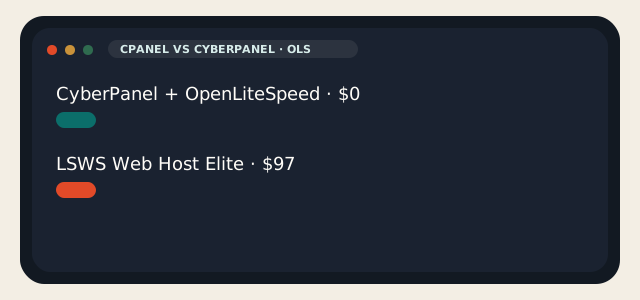
OpenLiteSpeed is GPLv3. CyberPanel is the sysadmin package that sits on it. That combination is $0. LiteSpeed Enterprise is not $0 once you outgrow the free starter SKU. Site Owner is $11, Site Owner Plus $17, Web Host Lite $28, Essential $38, Professional $48, Enterprise $70, Elite $97 — LiteSpeed’s own CyberPanel license list. The store is the authority if a number moved.
| cPanel | CyberPanel | |
|---|---|---|
| Panel license | $29.99–$69.99 + overage | $0 (OLS stack) |
| Web server | Apache; LSWS as a host add-on | OpenLiteSpeed default; LSWS optional |
| Cache | LSCache if the host put LSWS on the node | LSCache is the point |
| Mail / DNS / SSL | Yes | Yes, in the free panel |
| Optional paid | Imunify and company on many hosts | .htaccess $59/yr; add-ons $59/yr; LSWS $11–$97 |
| Windows | No | No |
| WHM | Yes | No |
| Best fit | Accounts, resellers, shared | One or a few WordPress boxes you own |
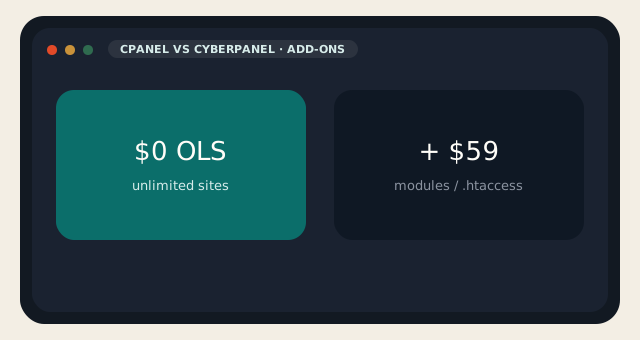
CyberPanel add-ons at $59 a year bundle SSL V2, WordPress Manager Pro, Backup V2, Rspamd Manager plus an email debugger, and a root file manager. The .htaccess module at $59 a year is Apache compatibility for OpenLiteSpeed: headers, CORS, php_value / php_flag, brute-force rules. Neither SKU is LiteSpeed Enterprise. That is a separate invoice.
cPanel hosting with LiteSpeed is the product on shared. CyberPanel is what you install when you own the guest and you did not want the cPanel meter.
LSCache, mail, and the installer
LSCache plus QUIC.cloud is why WordPress people try CyberPanel: page cache, image extras, a crawler, the LiteSpeed plugin as first-party. cPanel vs CyberPanel on TTFB is usually “did the host put LiteSpeed on cPanel” versus “did you put OLS on a VPS.” On LogicWeb shared, that fight is already over. On a VPS, CyberPanel is the short path to the same cache without buying cPanel Admin.
The free panel includes Postfix, Dovecot, Rspamd, DKIM/SPF/DMARC, DNS, FTP, databases, Docker, one-click n8n, ModSecurity, CSF, fail2ban, and an AI malware scanner for WordPress. Mail still generates tickets when it does not send. Snapshot first. Put a PTR on the address. Do not announce a blog on a prefix you cannot explain on a looking glass.
CyberPanel — strengths and limits
- $0 panel, OLS, LSCache, WordPress-shaped, active project, Docker toggle.
- You are support. Enterprise LSWS is a second invoice if you need it.
- Mail is a project. A bad installer day is two web servers.
cPanel — strengths and limits
- WHM, pack copy, UI clients know, Imunify on our nodes, LiteSpeed already there.
- The meter, no Windows, a commercial lease.
Which one to pick
Pick cPanel if you wanted us to run the stack — shared, WordPress hosting, reseller. Pick CyberPanel if you wanted LSCache on a VPS you will snapshot, and you can live without WHM. Pick Hestia if you wanted free and calmer than CyberPanel’s LiteSpeed focus. Pick nothing if you wanted Caddy and a timer.
cPanel vs CyberPanel is not a reason to migrate a live shop on a Friday. The free cPanel copy is for people staying in cPanel. CyberPanel is a VPS conversation. Take a snapshot. Take another after it works.
If the site is already on our shared LiteSpeed nodes, installing CyberPanel somewhere else does not make WordPress faster. It makes you the sysadmin. That is a valid choice. It is not a required one.
cPanel vs CyberPanel on mail is the usual VPS story. The panel will create mailboxes. Delivery still depends on rDNS, volume, and the prefix. If you needed reliable mail for a shop, shared cPanel on a prefix we announce is calmer than a brand-new OLS box with a souvenir IP.
QUIC.cloud is optional. LSCache still works without it. People mash the CDN into the panel decision and then wonder why TTFB did not change. Cache the page first. Then argue about the edge. cPanel vs CyberPanel does not replace a slow theme or a 40-plugin stack.
Installer hygiene: one web server. If Apache is already listening, stop it before OLS claims port 80. CyberPanel’s docs assume a clean Alma or Ubuntu guest. A VPS that used to be aaPanel is not clean. Reinstall the OS from Virtualizor if you are unsure.
For resellers, cPanel vs CyberPanel is not close. You needed WHM, packages, and a UI your customers already understand. CyberPanel will not give you that tree. Use reseller hosting or stay on shared. Use CyberPanel when the box is yours and the site count is small.
PHP on CyberPanel is a selector, not a mystery. OLS and LiteSpeed both speak LSPHP. The trap is leftover Apache modules after a botched conversion, or a site that still needs RewriteRule semantics OLS does not share with Apache. That is what the $59 .htaccess module is for. If most of your sites are WordPress with the LiteSpeed plugin, you will not miss Apache. If you inherited a decade of custom .htaccess, read that file before you pick the panel.
cPanel vs CyberPanel on backups is the same rule as any VPS panel. CyberPanel can snapshot sites and talk to remote storage. Configure the remote target. A local copy next to OLS is lost with the guest. On our shared nodes the cPanel dump is already a product. On a VPS, the snapshot in Virtualizor is the first restore; the panel backup is the second.
Do not install CyberPanel because a benchmark screenshot showed 2 ms TTFB on a hello-world PHP file. Real WordPress is plugins, object cache, and a database. LiteSpeed helps. It does not replace Redis for WooCommerce or a theme that prints 80 queries before the header.
Reader discussion
Join the conversation.
Questions, corrections, and useful context are welcome.