
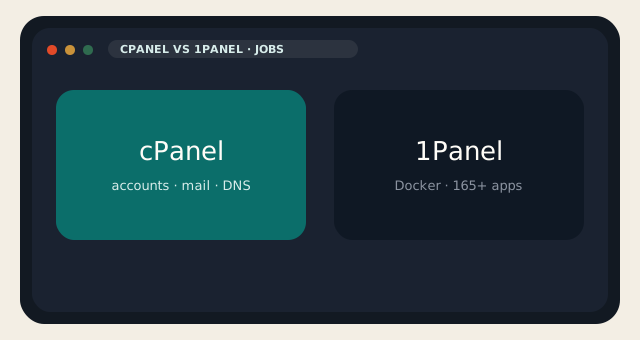
cPanel vs 1Panel glues two different jobs together. cPanel is a hosting control panel: accounts, mail, DNS, SSL, PHP, WHM. 1Panel is a modern open-source Linux server panel — Go, Docker, an app store with 165-plus one-click installs, WordPress as an application, GPU notes, and AI agents they call OpenClaw. GitHub shows on the order of 36,700 stars. The OSS edition is GPL v3 and they say it stays free. Pro and Ent add multi-node, extra WAF, unlimited agents, and a KVM web UI on Ent. None of that is WHM.
If you needed to sell hosting accounts, stop. That is WHM. If you needed to run WordPress, n8n, Halo, and an LLM next to each other, keep reading.
Two jobs, not two skins
| cPanel | 1Panel | |
|---|---|---|
| License | Paid account tiers | GPL v3 OSS; Pro/Ent paid |
| Unit of tenancy | cPanel accounts | The server (plus Pro multi-node) |
| First-class | Not the product | |
| DNS hosting | First-class | Not a WHM DNS cluster |
| WordPress | WP Toolkit on the account | One-click app, container-shaped |
| Docker | Not the center of gravity | The center of gravity |
| AI extras | Sitejet on many hosts | OSS: 5 OpenClaw agents; Pro: unlimited |
| Windows | No | No |
| Best fit | Shared, reseller, classic hosting | VPS app box, homelab, AI stack |
cPanel Solo is $29.99 for one account. 1Panel OSS is $0. That comparison is a category error with a dollar sign. You still pay for the VPS. You still pay if you wanted Pro. You still pay when a container fills the disk because the app store made it easy.
OSS, Pro, Ent, and what is missing
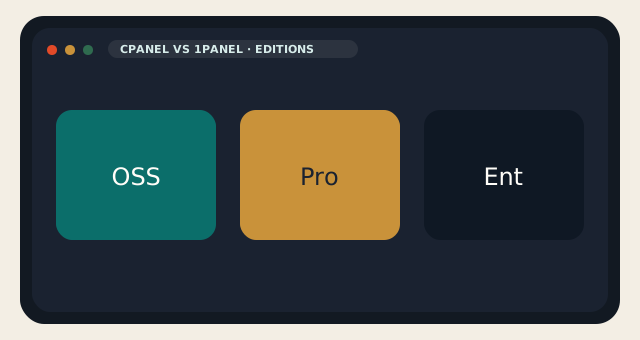
OSS: one-click apps, host monitoring, files, databases, containers, WordPress-style site deploy with a certificate, backups to cloud targets, a basic WAF, five AI agents. Pro: unlimited agents, stronger WAF and tamper protection, uptime monitoring, multi-node, branding. Ent: KVM web UI, AI gateway, priority support. That split is from their current README. If a row moved, believe GitHub.
Missing on purpose: a hosting-company mail stack. Missing: WHM. Missing: Softaculous-as-identity. Present: Docker. Present: an MCP server in the ecosystem if you wanted agents to touch the panel. cPanel vs 1Panel on “can I host WordPress” is yes and yes. On “can I give a client a mailbox and a branded cPanel” it is yes and no.
1Panel — strengths and limits
- GPL core, modern UI, containers, app store, AI extras, large community.
- Not a mail host, not WHM, Pro/Ent upsell, one-click culture that skips snapshots.
cPanel — strengths and limits
- Accounts, mail, DNS, the pack we copy, LiteSpeed on our shared.
- The meter, Linux only, a lease, Docker as an afterthought.
When 1Panel is the right box
Put 1Panel on a KVM guest when the job is apps, not mailboxes. Keep cPanel when the job is a site plus mail plus a human who was trained on cPanel. That human is most of the internet. The GitHub star count does not retrain them.
cPanel vs 1Panel is a cousin of Coolify versus WHM. Different aisle, same parking lot. If you needed both, you needed two machines or a very honest architecture. Do not run 1Panel on the same guest as a half-installed CyberPanel. Snapshot. Then pick one cockpit.
Shared web hosting stays cPanel. 1Panel stays a VPS you chose. We would rather restore a snapshot than explain why two Dockers are fighting over port 80.
If you only needed WordPress plus mail, 1Panel is extra moving parts. Use WordPress hosting or Hestia. Save 1Panel for the box that is actually running containers.
cPanel vs 1Panel fails in procurement when someone copies a GitHub star count into a reseller RFP. Stars measure interest. They do not measure Autodiscover, paper statements, or a client who only knows how to log into cPanel. Keep the jobs in separate columns.
Compose files and bind mounts will fill a 25 GB disk faster than a classic document root. Watch Docker’s directory. Snapshot before you click the app store. The same advice applies to Coolify; 1Panel is not unique in making it easy to run too much on a small guest.
OpenClaw agents on OSS are capped at five. That is enough to experiment and not enough to pretend you bought an operations team. Pro’s unlimited agents still run on your server, with your keys. cPanel vs 1Panel on “AI extras” is a sidebar. The main plot is mail versus containers.
If you needed both a mailbox product and a container product, use two machines or put mail on shared cPanel and apps on a VPS with 1Panel. One guest doing both is how a container restart takes the MX record with it.
We will restore the VPS if you ask. We will not debug a compose stack we did not install. That is the support boundary, and it is why cPanel vs 1Panel should be decided before you paste the installer.
Certificates on 1Panel are Let’s Encrypt for the apps you expose. That is not AutoSSL for a book of addon domains, parked domains, and webmail hostnames. If you have twelve marketing sites and twelve mailboxes, you wanted cPanel. If you have a Traefik-shaped set of containers and a couple of hostnames, 1Panel’s cert job is enough.
cPanel vs 1Panel on firewalls is also a different picture. cPanel shops usually inherit CSF or Imunify on the node. 1Panel gives you a WAF toggle and whatever you put in iptables or nftables yourself. That is fine on a box you understand. It is not the same as a host who already tuned Imunify around PHP and mail. Do not confuse a dashboard switch with a neighborhood reputation.
Database backups in the app store are per-container. Dump them somewhere that is not the same volume. People lose Postgres because they snapshotted the VM after Docker filled the disk and the snapshot captured the full disk. Watch inode and byte usage the first week. The app store will not do that for you.
If a client still needs a cPanel URL to upload a brochure PDF, 1Panel is the wrong product even if GitHub loves it. Train the client or keep them on shared hosting. The panel decision is often a people decision wearing a license.
Reader discussion
Join the conversation.
Questions, corrections, and useful context are welcome.