
The Linux command line is a powerful tool for managing systems efficiently. Whether you’re using AlmaLinux (a Red Hat Enterprise Linux alternative), Ubuntu, or Debian, these commands form the foundation for everyday tasks like file manipulation, system monitoring, and networking. This article compiles the top 100 essential commands, categorized for clarity. We’ve focused on commands that work across these modern distributions, noting any distro-specific variations (e.g., package managers: apt for Ubuntu/Debian, dnf for AlmaLinux).
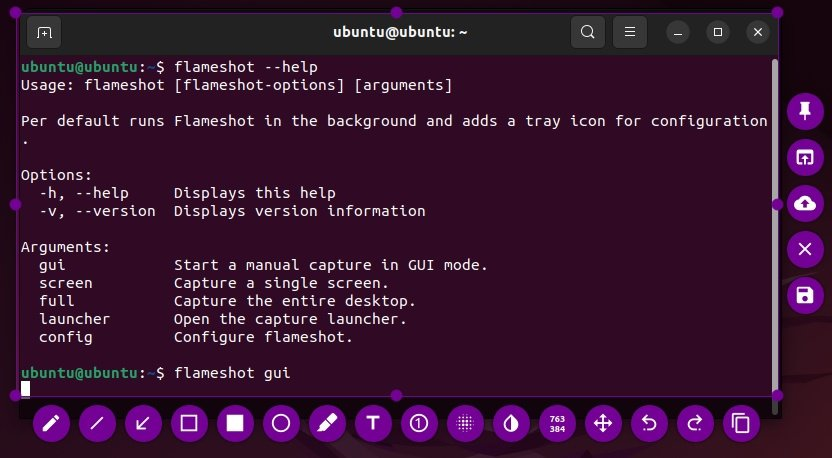
Each category includes a table with the command, a brief description, and an example usage. Examples assume you’re in a terminal; use sudo where elevated privileges are needed.
1. File and Directory Management (Commands 1-20)
These commands handle navigation, creation, and manipulation of files and directories.
| # | Command | Description | Example |
|---|---|---|---|
| 1 | ls | Lists directory contents. | ls -la (detailed list including hidden files) |
| 2 | pwd | Prints current working directory. | pwd |
| 3 | cd | Changes directory. | cd /etc |
| 4 | mkdir | Creates a new directory. | mkdir new_folder |
| 5 | rmdir | Removes an empty directory. | rmdir empty_folder |
| 6 | rm | Deletes files or directories. | rm -r folder (recursive) |
| 7 | cp | Copies files or directories. | cp file.txt /backup/ |
| 8 | mv | Moves or renames files/directories. | mv old.txt new.txt |
| 9 | touch | Creates empty files or updates timestamps. | touch newfile.txt |
| 10 | ln | Creates hard or symbolic links. | ln -s source link (symbolic) |
| 11 | find | Searches for files in a directory hierarchy. | find . -name "*.txt" |
| 12 | locate | Finds files by name (uses database). | locate config.file |
| 13 | du | Estimates file/directory space usage. | du -sh /folder (human-readable summary) |
| 14 | df | Displays disk space usage. | df -h (human-readable) |
| 15 | file | Determines file type. | file image.jpg |
| 16 | stat | Displays file or filesystem status. | stat file.txt |
| 17 | tree | Lists directory contents in a tree-like format. | tree /path |
| 18 | dir | Lists directory contents (alternative to ls). | dir -l |
| 19 | fd | Fast alternative to find for file searching. | fd pattern |
| 20 | dd | Copies and converts files (e.g., for disk images). | dd if=input of=output |
2. Text Processing and Viewing (Commands 21-35)
Commands for viewing, editing, and manipulating text files.
| # | Command | Description | Example |
|---|---|---|---|
| 21 | cat | Concatenates and displays file contents. | cat file.txt |
| 22 | less | Views file contents page by page. | less longfile.log |
| 23 | more | Similar to less, paginates output. | more file.txt |
| 24 | head | Displays the first lines of a file. | head -n 5 file.txt |
| 25 | tail | Displays the last lines of a file. | tail -f /var/log/syslog (follow) |
| 26 | grep | Searches for patterns in files. | grep "error" log.txt |
| 27 | egrep | Extended grep (supports more regex). | egrep "pattern1|pattern2" file |
| 28 | fgrep | Fixed-string grep (no regex). | fgrep "string" file |
| 29 | sed | Stream editor for filtering/transforming text. | sed 's/old/new/g' file.txt |
| 30 | awk | Pattern scanning and processing language. | awk '{print $1}' file.txt |
| 31 | sort | Sorts lines of text files. | sort -n numbers.txt (numeric) |
| 32 | uniq | Removes duplicate lines from sorted input. | sort file | uniq |
| 33 | cut | Extracts sections from lines of files. | cut -d':' -f1 /etc/passwd |
| 34 | tee | Reads from stdin and writes to stdout and files. | ls | tee output.txt |
| 35 | tr | Translates or deletes characters. | tr 'a-z' 'A-Z' < file.txt |
3. System Information and Monitoring (Commands 36-45)
Tools to check system status, resources, and logs.
| # | Command | Description | Example |
|---|---|---|---|
| 36 | uname | Prints system information. | uname -a (all details) |
| 37 | uptime | Shows system uptime and load average. | uptime |
| 38 | free | Displays memory usage. | free -h (human-readable) |
| 39 | top | Interactive process viewer. | top |
| 40 | htop | Enhanced interactive process viewer. | htop |
| 41 | vmstat | Reports virtual memory statistics. | vmstat 1 5 (every second, 5 times) |
| 42 | iostat | Reports CPU and I/O statistics. | iostat |
| 43 | dmesg | Prints kernel ring buffer messages. | dmesg | grep error |
| 44 | journalctl | Queries systemd journal logs. | journalctl -u service (Distro note: systemd-based like Ubuntu, Debian, AlmaLinux) |
| 45 | who | Shows who is logged in. | who |
4. Process Management (Commands 46-55)
Commands for viewing and controlling processes.
| # | Command | Description | Example |
|---|---|---|---|
| 46 | ps | Displays current processes. | ps aux (all users) |
| 47 | pstree | Displays processes in a tree. | pstree |
| 48 | kill | Terminates processes by PID. | kill -9 1234 (force kill) |
| 49 | killall | Kills processes by name. | killall firefox |
| 50 | nohup | Runs commands immune to hangups. | nohup script.sh & |
| 51 | bg | Sends a job to the background. | bg %1 |
| 52 | fg | Brings a job to the foreground. | fg %1 |
| 53 | jobs | Lists active jobs. | jobs |
| 54 | nice | Runs commands with modified priority. | nice -n 10 command |
| 55 | renice | Alters priority of running processes. | renice -n 5 -p 1234 |
5. Networking (Commands 56-70)
Essential for network configuration, testing, and file transfer.
| # | Command | Description | Example |
|---|---|---|---|
| 56 | ip | Manages network interfaces and routing. | ip addr show |
| 57 | ifconfig | Displays/configures network interfaces (deprecated in some distros). | ifconfig |
| 58 | ping | Tests network connectivity. | ping google.com |
| 59 | traceroute | Traces route to a host. | traceroute google.com |
| 60 | netstat | Displays network connections (deprecated). | netstat -tuln |
| 61 | ss | Investigates sockets (modern alternative). | ss -tuln |
| 62 | nslookup | Queries DNS name servers. | nslookup google.com |
| 63 | dig | DNS lookup utility. | dig google.com |
| 64 | host | Performs DNS lookups. | host google.com |
| 65 | wget | Downloads files from the web. | wget https://example.com/file |
| 66 | curl | Transfers data with URLs. | curl https://example.com |
| 67 | ssh | Securely connects to remote hosts. | ssh user@host |
| 68 | scp | Securely copies files over SSH. | scp file user@host:/path |
| 69 | rsync | Syncs files/directories locally or remotely. | rsync -av /src/ /dest/ |
| 70 | iptables | Configures firewall rules. | iptables -L (list rules) |
6. Package Management (Commands 71-75)
Distro-specific: Use apt for Ubuntu/Debian, dnf for AlmaLinux (or yum as alias).
| # | Command | Description | Example |
|---|---|---|---|
| 71 | apt | Manages packages on Debian/Ubuntu. | apt install package |
| 72 | dnf | Manages packages on AlmaLinux/Fedora. | dnf install package |
| 73 | yum | Older package manager (alias to dnf on AlmaLinux). | yum update |
| 74 | rpm | Handles RPM packages (low-level). | rpm -ivh package.rpm |
| 75 | apt-get | Older alternative to apt on Debian/Ubuntu. | apt-get upgrade |
7. User and Permission Management (Commands 76-85)
For managing users, groups, and access rights.
| # | Command | Description | Example |
|---|---|---|---|
| 76 | useradd | Adds a new user. | useradd -m newuser |
| 77 | usermod | Modifies user accounts. | usermod -aG sudo user |
| 78 | userdel | Deletes a user. | userdel user |
| 79 | passwd | Changes user passwords. | passwd user |
| 80 | su | Switches user. | su - user |
| 81 | sudo | Executes commands as superuser. | sudo apt update |
| 82 | whoami | Displays current user. | whoami |
| 83 | chown | Changes file owner/group. | chown user:group file |
| 84 | chmod | Changes file permissions. | chmod 755 script.sh |
| 85 | chgrp | Changes group ownership. | chgrp group file |
8. Disk and Filesystem Management (Commands 86-95)
For partitions, mounting, and filesystem checks.
| # | Command | Description | Example |
|---|---|---|---|
| 86 | fdisk | Manipulates disk partition tables. | fdisk -l (list partitions) |
| 87 | parted | Creates/manipulates partitions. | parted /dev/sda |
| 88 | mkfs | Builds a filesystem. | mkfs.ext4 /dev/sdb1 |
| 89 | fsck | Checks and repairs filesystems. | fsck /dev/sdb1 |
| 90 | mount | Mounts a filesystem. | mount /dev/sdb1 /mnt |
| 91 | umount | Unmounts a filesystem. | umount /mnt |
| 92 | blkid | Locates/prints block device attributes. | blkid |
| 93 | lsblk | Lists block devices. | lsblk |
| 94 | partx | Tells kernel about disk partitions. | partx -a /dev/sda |
| 95 | ncdu | Disk usage analyzer. | ncdu / |
9. Archiving and Compression (Commands 96-100)
For compressing and archiving files.
| # | Command | Description | Example |
|---|---|---|---|
| 96 | tar | Archives files. | tar -czvf archive.tar.gz /dir |
| 97 | gzip | Compresses files. | gzip file.txt |
| 98 | gunzip | Decompresses gzip files. | gunzip file.txt.gz |
| 99 | zip | Creates zip archives. | zip archive.zip files |
| 100 | unzip | Extracts zip archives. | unzip archive.zip |
These commands will empower you to handle most tasks on AlmaLinux, Ubuntu, or Debian. For more details, use man command or --help. Practice in a virtual machine to build confidence!