
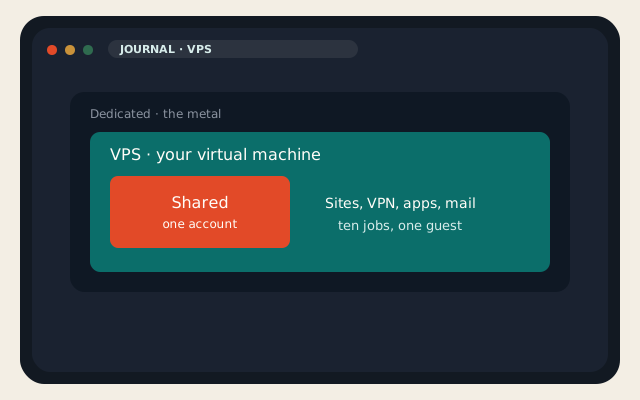
A VPS is a virtual private server: a virtual machine with its own kernel, a public IP, and root. It is not a faster shared hosting account. It is not a dedicated server with a smaller invoice. People search “VPS uses” after they outgrew cPanel, after they wanted WireGuard, or after a tutorial said “spin up a droplet.” This is the 1 September 2026 list of jobs a VPS is actually good at — and the jobs where you should stay on shared or jump to metal.
LogicWeb’s KVM VPS is the shape I will talk about because it is the shape we sell: NVMe, root, two IPv4 on the $5 plan, Virtualizor, six cities. The uses below work on any honest KVM guest. They fail on a container sold as a VPS, and they fail if you never take a snapshot. OpenVZ folklore is how people lose a week.
What a VPS actually is
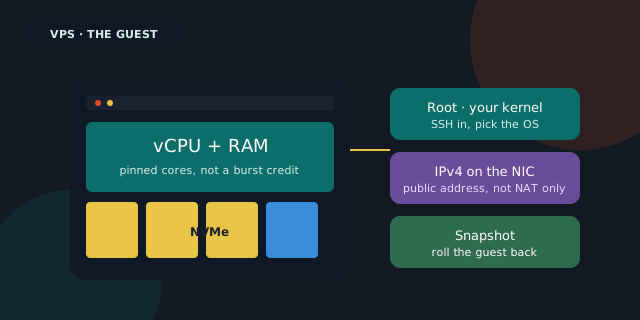
Shared hosting is an account on someone else’s stack. You get PHP, mail, and a file manager. You do not get a kernel, a firewall you own, or the right to run Docker. A dedicated server is the physical machine: IPMI, ISO, no noisy neighbor because there is no neighbor. A VPS sits in the middle. The hypervisor carves out vCPU, RAM, and a disk image. You SSH in as root. You pick the OS. You break it, you snapshot back.
That is why VPS uses cluster around “I needed a computer that is always on, on a public IP, that I am allowed to ruin.” A laptop sleeps. A shared account forbids the daemon. A hyperscaler VM can do the same job at a different price and a different support desk. Here the question is what to put on the guest once the hypervisor is honest KVM, not a container with a VPS sticker.
| Shared hosting | VPS | Dedicated | |
|---|---|---|---|
| You get | An account | A virtual machine | The physical box |
| Root | No | Yes | Yes, plus IPMI |
| Good at | One or two sites, mail | Always-on jobs you specified | Noisy isolation, GPUs, lots of disks |
| Wrong at | Docker, custom kernels | A five-page site you will not SSH | A $5 WordPress blog |
| Restore | Account backup | Snapshot the guest | Image the disks, still test it |
Ten jobs a VPS is good at
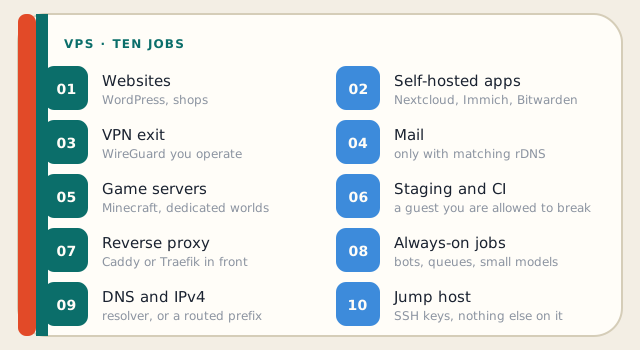
1. A website that outgrew shared hosting
The most common move onto a guest is still a site: WordPress, Laravel, a static origin, a small shop. You moved because PHP workers were queued, because you needed Redis, because a plugin needed a daemon, or because you wanted SSH and a real cron. On LogicWeb, a lot of those sites should have stayed on WordPress hosting with LiteSpeed Cache. A VPS is the right move when you can name the thing shared forbade. It is the wrong move when you wanted a control panel and no Linux.
If you do put WordPress on the guest, pick a panel you will actually patch — Hestia, CyberPanel, or none, just Caddy and php-fpm — and snapshot before every plugin binge. The cPanel checklist still applies to the app. The virtual machine adds a kernel you can freeze.
2. Self-hosted apps (Nextcloud, Immich, Bitwarden, n8n)
This is the 2026 job that ate the homelab forum. Photos off Google. Files off Dropbox. A password vault you hold. An automation box that is not Zapier. All of those want a computer that is on, reachable, and backed up. A VPS is that computer without the NAT fights of a residential ISP. Put the app behind Caddy, lock SSH to a key, and copy the data off-box. Immich without a second copy is a future funeral.
3. A VPN exit you control
WireGuard on a guest is how a VPN works when you do not want to trust a consumer brand with both halves of the story. You are the operator. The logs are yours. The exit IP is an address you pay for. That is a good use of a $5 instance in a city you travel through. It is a bad use if you then torrent from a datacenter prefix and act surprised about the abuse ticket. Read how a VPN works before you treat the guest as invisibility.
4. Mail, if you will own rDNS and reputation
Mail on a virtual machine is possible. It is not beginner content. You need a matching reverse DNS, SPF, DKIM, DMARC, a warm reputation, and the stomach for a DNSBL listing the first time a forwarded newsletter looks like spam. Shared hosting already has the server’s rDNS. A VPS makes you the postmaster. Do it for a domain you care about, or pay someone who already has the PTR. Custom rDNS is a conversation we will have on VPS and dedicated. It is not a toggle on shared.
5. Game servers
Minecraft, a small CS server, a Valheim world for six friends: a guest is cheaper than leaving a gaming PC on, and the IP does not change when the cable modem reboots. Watch RAM. Watch the game’s CPU pattern. A bursty Java server on a two-core $5 plan will hitch. This is a job that should start one plan larger than you wanted.
6. Staging, CI, and a place to break things
A second instance that is allowed to be ugly is how grown-ups ship. Clone production, run the migration, take a snapshot, test, destroy the clone. GitHub runners can live here too if you did not want to burn Actions minutes. Staging on the same guest as production is how people take the shop down at 4 p.m. Two guests, or at least two snapshots with names you will understand at 2 a.m.
7. Reverse proxy for a handful of private apps
Caddy or Traefik on the front door, Let’s Encrypt, one public IP, many internal names: this is the pattern behind most self-hosted stacks. The VPS is that front door. The apps can be Docker on the same guest or on a LAN you reach through WireGuard. Do not expose every container’s port to the world. The proxy is the point.
8. Always-on jobs: bots, scrapers, queues, small models
A laptop cannot be the cron. A virtual machine can. Discord bots, invoice watchers, RSS filters, a small GGUF model that a team hits internally — these are always-on jobs that look like nothing on a status page and everything in a week of uptime. Pin the process in a compose file. Log it. Snapshot before you “just pip install” at midnight.
9. DNS, extra IPv4, and a BGP edge
Authoritative DNS, a recursive resolver for your own network, or a guest that announces a prefix: this is a job for people who already know why they wanted it. LogicWeb will route a subnet to a VPS up to a /22. That is not a WordPress feature. It is an addressing feature. If you do not know what an LOA is, this is not your item yet.
10. A jump host for a small team
One hardened guest, SSH keys only, maybe WireGuard, maybe a tiny web SSO, and every other box listens only on the private path. That jump host saves you from opening SSH to the world on twelve machines. Keep it boring. Keep the OS current. Do not also run the shop on it.
When a VPS is the wrong box
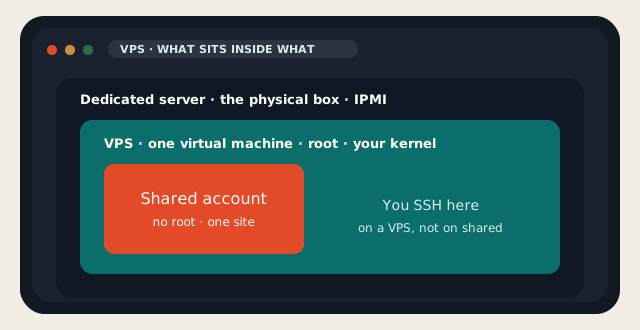
Stay on shared if the job is one WordPress site, mail for a few people, and you did not want to SSH. That is what cPanel hosting is for, and it is cheaper than a VPS you will neglect. A neglected VPS is an open recursive resolver waiting to happen.
Buy dedicated if you needed the whole machine: a noisy GPU, a disk layout the hypervisor will not give you, compliance that wants a cage, or a neighbor you can prove is absent. A VPS shares a host. Honest KVM isolates well. It does not make the other guests vanish.
- A five-page marketing site: shared. You will not SSH at 2 a.m. and you should not have to.
- A 70-billion-parameter training run: not a VPS. Not ours. That is a different industry.
- Mail for 40,000 cold leads: not a VPS, and not a host who wants to keep an ASN.
- Windows RDS for an office: possible on a VPS, miserable on the cheap SKUs. Size RAM honestly.
The practical test: can you name the process that shared hosting would refuse? If yes, a VPS is the tool. If no, you wanted a faster theme. If the process is “I need sixteen NVMe drives and a GPU,” skip the VPS page and talk to dedicated. Ten common VPS uses all assume you will log in, patch, and snapshot. That is the real product. The hypervisor is just how the guest boots.
We will keep selling the boring size: NVMe, two IPv4 on the floor, humans on tickets, the same rate at renewal. Put one of the ten jobs on it. Do not put all ten on a $5 guest and then ask why RAM died. Split, snapshot, and leave the laptop out of the always-on path.
Reader discussion
Join the conversation.
Questions, corrections, and useful context are welcome.