
WordPress security in 2026 is not a suite. It is a short list you actually do: keep core, themes, and plugins current; throw away the ones you do not need; turn on 2FA; put the site behind a host firewall; keep a backup you have restored. Optimization is the same energy: current PHP, a real page cache, images that are not 4 MB, and no stack of speed plugins fighting each other.
On LogicWeb shared and WordPress hosting, Imunify and LiteSpeed are already on the node. WP Toolkit will stage and clone. That does not make you immortal. It makes the floor higher.
On this page
Harden
Update. The majority of compromised WordPress sites we see are running a plugin with a named CVE and an ignored notice. Auto-updates for minor core are fine. Major core and plugins: staging first via WP Toolkit, then production. Delete unused themes and plugins — inactive is still PHP on disk.
Accounts: unique emails, long passwords in a manager, Two Factor or a passkey plugin on every administrator. Do not use SMS as the only factor. xmlrpc.php can go if Jetpack is not in the picture. Discourage directory listing. Prefix tables if you are greenfield; it is not magic on an already-scanned site. Limit login attempts. Wordfence’s free firewall plus Imunify on the host is enough WordPress security for a normal brochure site. Two firewalls plus “AI malware scanner Pro” is theatre.
- Least plugins. Every extra one is an auth surface.
- Administrators are named people, not “dev.”
- SFTP or SSH, not FTP. Keys, not “Password123.”
- wp-config.php not writable by the web user if you can help it.
- A backup that is off the web root and has been restored once this quarter.
Forms and PII are WordPress security too. If you collect anything you would not print on a postcard, you need HTTPS (you have it), a retention idea, and no copies in email. See also identity theft protection if the form is the product.
Cache and PHP
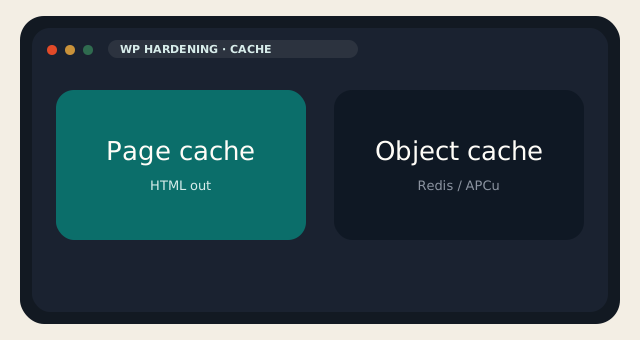
Page cache turns PHP into HTML for anonymous visitors. On LiteSpeed, that is LiteSpeed Cache — free, and the one you should use here. Do not add WP Super Cache or WP Rocket on top of it. Object cache (Redis, APCu) helps logged-in and dynamic bits. We will enable Redis on a VPS if you ask and the guest has RAM. On shared, do not install a Redis plugin that talks to nothing.
PHP 8.3 or 8.4 in the selector. 7.4 is nostalgia and a scanner target. Images: WebP/AVIF, sized to the slot, lazy-loaded. Rank Math for SEO, not five SEO plugins. Query Monitor on staging, never as a personality on production. The homepage should not load 40 requests of demo-import leftovers. WordPress security and speed meet in the plugin list: fewer is faster and smaller.
| Lever | Do | Do not |
|---|---|---|
| Page cache | LiteSpeed Cache on LiteSpeed | Two cache plugins |
| PHP | 8.3 / 8.4 | 7.4 “for a plugin” |
| Firewall | Imunify + Wordfence free | Three security suites |
| CDN | Optional in front of origin | CDN as a substitute for cache |
| Images | Compress, right size | 4000 px heroes in a sidebar |
| Backup | Offsite + restore drill | A plugin zip in uploads/ |
When it is already on fire
White screen, mystery admin user, PHP in uploads: snapshot or host backup first. Then you can think. Rotate every password, every nonce salt in wp-config, every FTP account. Replace core files from a known-good copy. Do not “reinstall WordPress” over a live database from a random zip. Our desk would rather restore than archaeology. That is WordPress security after the fact, and it is slower than the boring weekly updates.
Optimization after a hack is not a cache plugin. It is a clean tree. Then LiteSpeed Cache. Then you measure. Then you stop.
If you wanted a managed floor — panel, LiteSpeed, Imunify, WP Toolkit, backups — that is the WordPress product we sell. If you wanted root, that is a VPS and these same steps are yours. WordPress security does not change because you have sudo. It just fails louder.
Headers: HSTS once you know HTTPS will not flap. Disable XML-RPC if you do not need it. Hide wp-login with a plugin only if you will remember the new URL; obscurity is not WordPress security, but it cuts the stupid scans. Application passwords for integrations, not the owner’s main login pasted into a SaaS. Rotate them when a contractor leaves.
File integrity: Wordfence can alert. Git can alert better if the site is in git. Most WordPress is not. On a VPS you can tripwire. On shared you can look at the weekly backup diff if you are a masochist, or you can keep the plugin list short so there is less to watch. WordPress security at small scale is still “fewer things to review.”
Performance budgets: 100 ms TTFB is a host and cache story. 2 MB of tag-manager soup is a marketing story. LiteSpeed will not save you from seven A/B pixels. Optimization that ignores third-party scripts is a blog post, not a result. Measure with the cache on, logged out, from a city near the origin. Ours are listed on the data center page.
Do this quarterly: update, delete unused, restore a backup onto staging, click a form, log in with 2FA, look at Query Monitor once. That is more WordPress security and more speed than a new plugin you saw on YouTube. Then close the laptop.
Shared vs VPS for WordPress security: on shared, you get Imunify and our restore. On a VPS you get sudo and the chance to leave port 22 on passwords. Same CMS, different blast radius. If you wanted the floor done for you, stay on the panel product. If you wanted root, take the snapshot first. WordPress security is the habit either way.
Reader discussion
Join the conversation.
Questions, corrections, and useful context are welcome.