
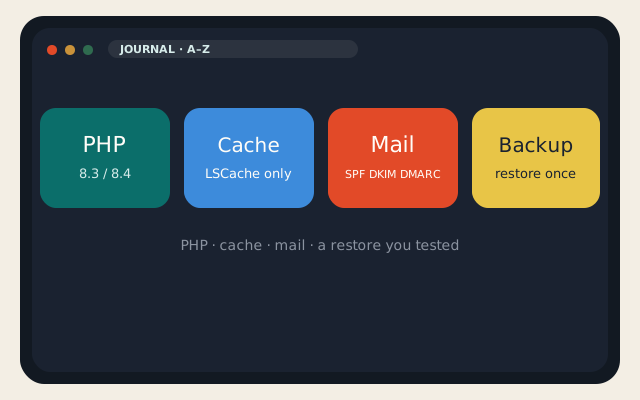
Search “optimize cPanel hosting” and you get twenty plugins and a CDN coupon. The A-to-Z that still works on 1 September 2026 is shorter: current PHP, one page cache, images that are not 4 MB, mail that is signed, AutoSSL that actually issued, and a backup you have restored. On LogicWeb shared and WordPress hosting, LiteSpeed and Imunify are already on the node. That raises the floor. It does not mow the plugin jungle for you.
cPanel hosting is an account: files, MySQL, mail, cron, DNS. Optimizing it is operations, not a theme setting. If you wanted a panel you SSH into on a guest you own, that is a VPS. This page is the shared and reseller account — the one we copy for free on a cPanel-to-cPanel migration.
On this page
PHP, cache, and WordPress
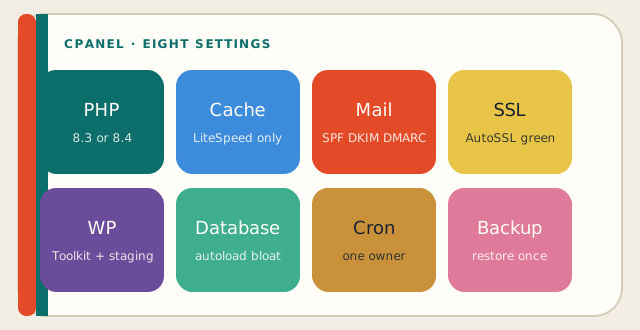
Start with PHP. In MultiPHP Manager, put the account on 8.3 or 8.4 unless a dusty plugin forbids it — in which case replace the plugin. Old PHP is an attack surface and a slow interpreter. cPanel hosting on a current selector is the cheapest performance win you will get this afternoon. Restart is a PHP-FPM recycle, not a server reboot. You do not have root on shared. You do not need it for this.
Page cache: one owner. On our cPanel hosting that owner is LiteSpeed Cache (and AccelerateWP where it applies). Do not install WP Rocket, Super Cache, and a “booster” next to it. They fight. Object cache (Redis/APCu) is a different layer for wp_options and transients; it does not replace HTML cache. The WordPress hardening essay is the cousin. Here the rule is: one page cache, current PHP, fewer plugins.
| Layer | Do this | Do not |
|---|---|---|
| PHP | 8.3 or 8.4 via MultiPHP Manager | Leave 7.4 because a nulled theme whined |
| Page cache | LiteSpeed Cache only | Stack Rocket + Super Cache + a booster |
| Images | Compress, right size, WebP when it helps | Hero PNGs at 4000 px |
| Plugins | The job list, then stop | A “security suite” plus Imunify plus Wordfence plus two fire walls |
| Updates | Core, theme, plugins; WP Toolkit staging first if it is scary | Never update because “it works” |
WP Toolkit will stage, clone, and bulk-update on our cPanel hosting. Use staging for the theme change. Do not experiment in public_html and then ask for a restore of “just the CSS.” Inodes fill up from backups inside backups, session files, and thumbnail factories. Disk space and inodes are different graphs. cPanel’s Disk Usage tool tells you which. Empty the File Manager trash. It still counts.
Mail, SSL, and the neighborhood
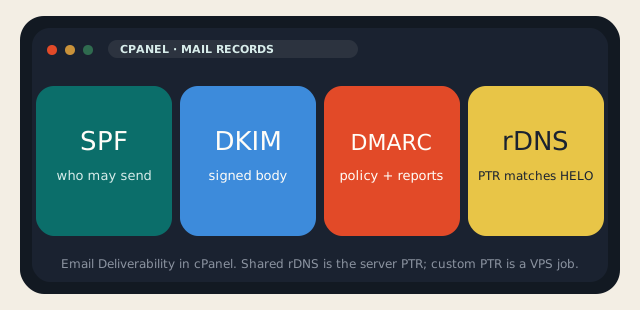
Email on cPanel hosting is still where accounts go to die in reputation. Turn on SPF, DKIM, and DMARC in Email Deliverability. Set a sensible DMARC policy after you have seen the reports; do not jump to p=reject on a domain that still sends from a newsletter vendor you forgot. Reverse DNS on shared is the server’s. If you needed custom rDNS, that is a VPS conversation. Confirm the prefix on an IP lookup before you blame cPanel for a Spamhaus listing.
AutoSSL / Let’s Encrypt needs port 80 for HTTP-01. Do not “force HTTPS” in a plugin in a way that breaks the challenge, then open a ticket that the certificate is expired. cPanel hosting already redirects; one redirect is enough. Mixed content is leftover http:// in the HTML, not a broken lock. HSTS is a later conversation. Do not enable it for a week and then change hostnames.
Hotlink protection, directory privacy, and two-factor for the cPanel user are the unfashionable three. SFTP, not FTP. Disable CGI if you do not use it. Imunify will catch a lot of obvious shells; it will not catch a plugin you installed from a Google ad. cPanel hosting is not a reason to collect random zips.
Backups, cron, and what to turn off
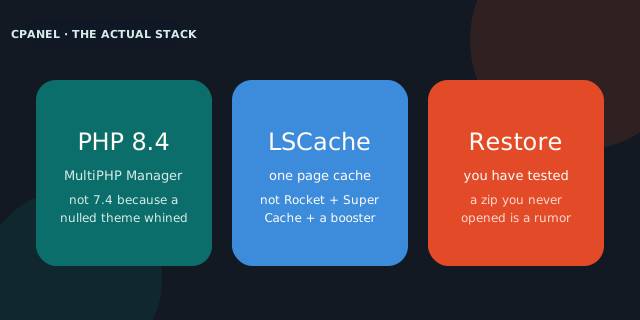
A backup you have not restored is a rumor. JetBackup (or the backup tool on the account) should produce a copy you can stand up on staging. Download one offsite if the site is a business. Optimizing cPanel hosting includes deleting old copies that fill the quota until the live site cannot write. Rotate. Do not keep fourteen full zips in home/ because it felt safe.
- Cron: one wp-cron or real cron, not both hammering. Disable wp-cron in wp-config if you added a real cron.
- Database: wp_optimize-style cleaners are optional; autoload bloat is not. Measure wp_options before you “repair.”
- Error logs: read them. A 500 is often a plugin you just updated. Turning off display_errors on production is correct; turning off logging is not.
- Unused: parked domains you forgot, old addon domains, FTP users for contractors who finished in 2022.
Softaculous and WP Toolkit should not both install WordPress into /wordpress “for now.” The document root is the document root. cPanel hosting is fast when the tree is simple. It is slow when there are three copies of wp-content and a staging subdomain that still runs cron.
The A-to-Z, as a checklist you can finish: PHP current, LiteSpeed Cache alone, images sane, plugins few, 2FA on, SFTP only, SPF/DKIM/DMARC on, AutoSSL green, staging for scary changes, backup restored once, trash emptied, contractors’ FTP gone. That is how you optimize cPanel hosting without buying a new suite. If the account still feels small after that, the next product is a VPS, not a fourth cache plugin. The cPanel plans stay $5 / $10 / $15. The invoice is not the bottleneck. The tree is.
Two more habits that keep cPanel hosting honest after the checklist: look at Metrics → Visitors and Errors after a deploy, and keep a text file of what you changed. “It was slow on Tuesday” is not a ticket we can act on. A timestamp, a plugin name, and a TTFB number are. When you outgrow the account, say so. We would rather move you to a VPS on a calendar than watch you install a cache plugin that fights LiteSpeed.
Reader discussion
Join the conversation.
Questions, corrections, and useful context are welcome.