
You can build apps and websites using AI in an afternoon. You cannot skip the part where a hostname has to resolve, a certificate has to issue, and a backup has to restore. 2026’s tools — Grok Build, Claude Code, Codex, Cursor, v0-class UI generators, Replit Agent, and cPanel Sitejet — make the first half cheap. The second half is still operations.
This is the order that works: pick the job, pick the agent, get a preview, put it on an origin you control, then point DNS. Reverse the order and you will demo on localhost until the laptop sleeps.
On this page
Pick the job and the agent
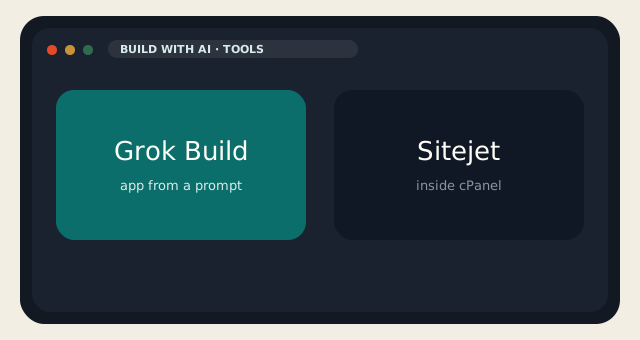
| If you needed | Agent | You still need |
|---|---|---|
| A new web app from a paragraph | Grok Build (SuperGrok $30) | A host, a domain, a snapshot |
| Edits to an existing repo | Claude Code or Codex | Git, CI, the same host |
| An IDE with an agent in the sidebar | Cursor (or Copilot) | The same |
| A brochure WordPress / marketing site | Sitejet in cPanel, or Gutenberg + a human | LiteSpeed, backups, mail |
| A form-to-sheet toy | Any model plus n8n on a VPS | Secrets not in the web root |
To build apps and websites using AI, stop starting in a generic chat tab. Open the tool that can touch files. Grok Build is the one that gives you a running preview from a prompt. Claude Code and Codex are the ones that live in a repository you already have. Cursor is the IDE. Sitejet is already on LogicWeb web hosting if the job is a site a client will edit in a panel, not a custom app.
Do not paste production database passwords into any of them. Do not let an agent hold AWS root. Do not “just make it work” with FTP. The agent is a junior with infinite stamina. Juniors do not get production keys on day one.
From preview to origin
Preview URLs expire, in product or in practice. Export the code. Put it in git. Deploy to a KVM VPS if you needed Node, Docker, or a worker. Deploy to cPanel if you needed PHP, mail, and a file manager a human already knows. Run HTTPS. Put the app behind a real hostname. Take a snapshot before the first “improvements.”
When you build apps and websites using AI, the failure mode is not bad CSS. It is an agent rewriting .env, committing secrets, and opening port 3000 to the world. Firewall the origin. Rotate the keys it saw. Keep the agent’s write access in a branch, not on main, until you have read the diff. That paragraph is the whole security model.
Mail is not an afterthought. A generated contact form that sends from a random VPS will land in spam. If the site needs mail, use the cPanel stack we already tuned, or a real transactional provider with SPF, DKIM, and a prefix you can explain. Check the path on an IP lookup before you blame the framework.
WordPress, Sitejet, and when not to generate
WordPress is still how a lot of real sites ship. You can build apps and websites using AI around WordPress — generate a theme, generate a plugin, generate copy — and you can also destroy the site in one “helpful” edit to wp-config.php. Use WP Toolkit staging on WordPress hosting. Merge only after you clicked the staging URL. LiteSpeed Cache stays. Rank Math stays. The mystery plugin the agent installed from a gist does not.
Sitejet is the non-repo path: AI site builder included with cPanel here. It is the right answer when the client will never open VS Code. It is the wrong answer when you needed a custom app with a queue and a worker. Mixing Sitejet, Elementor, and a generated theme is how you get three design systems and a 4 MB homepage.
- Generate in a branch or a preview.
- Read the diff. Especially anything named config, env, htaccess, or sql.
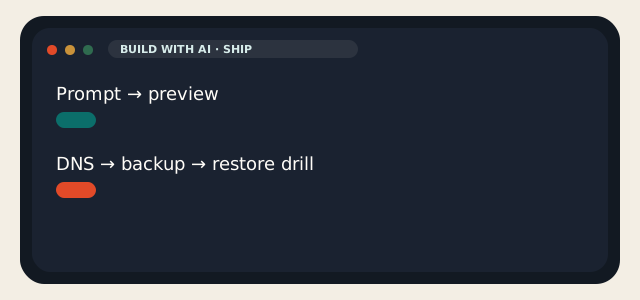
- Deploy to staging. Then production. Then a restore drill.
- Keep the agent off mail routing and off DNS until you understand both.
The people who successfully build apps and websites using AI in 2026 are boring. They have git. They have a host. They have a snapshot from Tuesday. The people who fail have a beautiful localhost and a domain that still points at a parking page. Be boring. Then be fast.
If you want the short version: use Grok Build or Claude Code to make the thing, use LogicWeb to host the thing, and do not confuse the two invoices. That is how you build apps and websites using AI without learning DNS on launch day.
Content still counts when you build apps and websites using AI. Generated filler is recognizable in 2026 the way stock photos were recognizable in 2014. Use the model to draft, then write the sentences a customer would believe. Rank Math will not save a page of slop. Neither will a faster theme.
Design systems: pick one. Tailwind or whatever the agent emitted is fine if you keep it. Do not let a second session restyle the first. When you build apps and websites using AI across three chats, you get three button radii. Put the tokens in a file. Make the agent read the file. That is the whole design-ops talk.
Legal: you still need a privacy page if you collect emails. You still need to know whether the model provider trains on your prompts. xAI’s SuperGrok table lists “no training” on higher plans; read the current terms, not this sentence in December. Clients who asked you to build apps and websites using AI will still ask where the data went. Have an answer that is not “the chat.”
When it works, it looks boring: a repo, a staging hostname, a production hostname, a snapshot, a transcript of the prompt that built v1. When it fails, it looks like a genius localhost and a DNS record that still points at the old host. You already know which one you wanted. Go take the snapshot.
Reader discussion
Join the conversation.
Questions, corrections, and useful context are welcome.