In the fast-evolving landscape of digital content creation, AI has revolutionized how we produce videos. Gone are the days when video editing required expensive software, steep learning curves, and hours of manual labor. Today, free AI-powered tools—often referred to as “bots” in the context of automated assistants—enable anyone from hobbyists to small business owners to generate professional-quality videos with minimal effort. These tools leverage machine learning to handle tasks like text-to-video conversion, automated editing, and even lip-syncing, making video production accessible and efficient.
As of October 2025, the demand for such tools has surged, driven by the rise of social media platforms like TikTok, Instagram Reels, and YouTube Shorts. According to recent industry reports, AI video generation is expected to grow exponentially, with free options playing a key role in democratizing content creation. This article dives deep into the top 5 free AI bots for video creation, selected based on their generous free tiers, user-friendly interfaces, and robust features. We’ll explore each one’s capabilities, use cases, pros and cons, and provide practical tips to get started. Whether you’re creating marketing videos, educational content, or viral shorts, these tools can help you achieve impressive results without a subscription fee—though keep in mind that free tiers often include watermarks or usage limits to encourage upgrades.
Our selection prioritizes tools with meaningful free access, such as credit-based systems or unlimited basic features with watermarks. These recommendations are drawn from comprehensive reviews of current AI video generators, ensuring they align with the latest advancements in generative AI.
1. Runway: Advanced Generative AI for Creative Video Transformations
Runway stands out as a powerhouse in the AI video space, offering cutting-edge generative capabilities that allow users to create and edit videos using simple prompts. It’s particularly excels in transforming existing footage or generating new content from text or images, making it ideal for filmmakers, marketers, and artists who want experimental control over their videos.
Key features include the Aleph model for editing elements like camera angles, weather effects, or props within a video; Gen-4 for dynamic, high-quality outputs; and Act Two for syncing real actor performances to animated characters via lip-syncing. The chat-based interface lets you iterate on generations conversationally, while exports can reach up to 4K resolution on paid plans—but the free tier provides plenty for testing.
In the free plan, you get 125 one-time video credits, which is generous for beginners. Each generation typically costs a few credits, depending on complexity. This allows for several full video projects before needing to upgrade.
Pros:
- Highly innovative with advanced AI models for realistic edits.
- Supports text-to-video, image-to-video, and video-to-video workflows.
- Community-driven inspiration through shared projects.
Cons:
- Credit system can run out quickly for heavy users.
- Steeper learning curve for maximizing generative features.
- Watermarks on free exports.
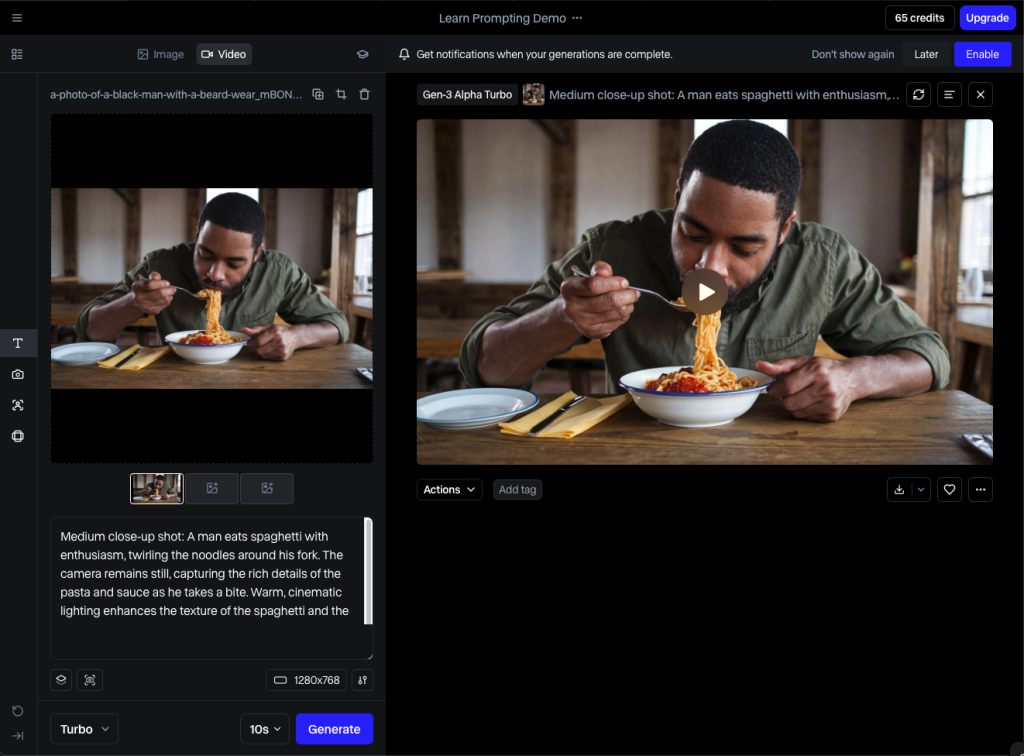
To get started, sign up on the Runway website, input a prompt like “A futuristic cityscape at dusk with flying cars,” and watch the AI generate a clip. Experiment with editing tools to refine it—perfect for creating sci-fi shorts or promotional teasers. For best results, use descriptive prompts and iterate based on previews.
If you’re into narrative storytelling, Runway’s tools can elevate simple ideas into polished visuals, saving hours compared to traditional software.
2. Revid.ai: Template-Driven Repurposing for Social Media Virality
Revid.ai is a specialized AI bot designed for quick video creation, especially for repurposing content into engaging social media formats. It’s a go-to for content creators who need to turn blog posts, podcasts, or long videos into bite-sized clips without manual editing.
Standout features include a suite of repurposing templates (e.g., converting YouTube longs to shorts or audio to video), cinematic styling options, and AI talking avatars that add a human touch. The Auto Mode automates daily video production, while trending TikTok inspirations help you stay relevant. Free tools like the Product Video from Website generator and YouTube Caption Creator add extra value.
The free tier provides access to these core tools without limits on basic usage, though advanced exports may include watermarks. It’s one of the more unrestricted options, making it suitable for frequent creators.
Pros:
- Excellent for social media optimization with ready-made templates.
- Fast generation times, often in minutes.
- Integrates trending elements to boost virality.
Cons:
- Less focus on original generative AI compared to others.
- Templates can feel restrictive for highly custom projects.
- Potential quality variance in avatar animations.
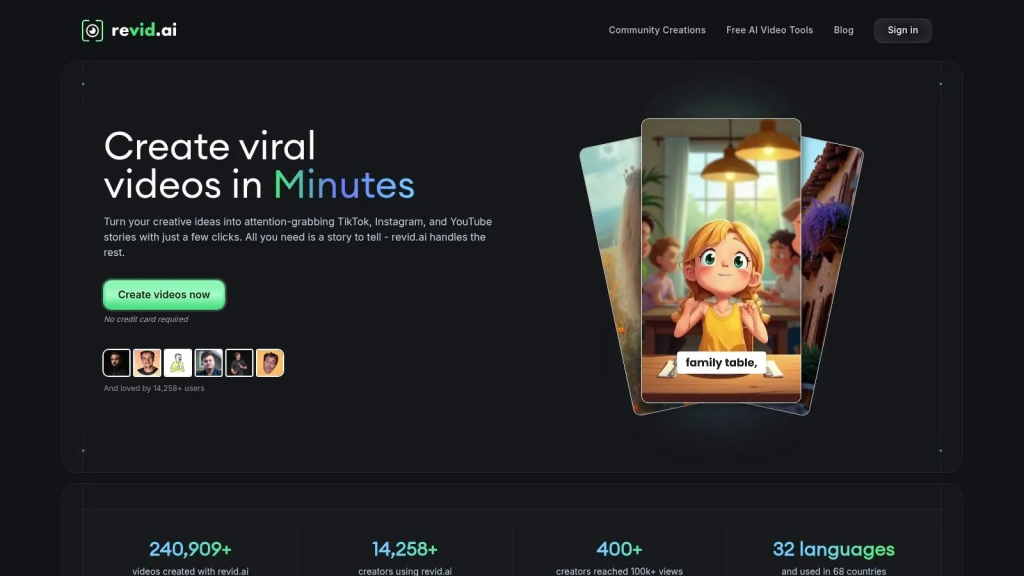
Getting started is straightforward: Upload your source content, select a template, and let the AI handle scripting, visuals, and voiceovers. For example, paste a blog URL to create a promotional video. Tip: Customize avatars and add personal branding to make outputs feel unique—great for e-commerce or influencer marketing.
This tool shines in high-volume content strategies, helping users repurpose assets efficiently.
3. Capsule: Streamlined AI Editing for Branded Team Workflows
Capsule is an AI-powered video editor tailored for teams, emphasizing simplicity and branding consistency. It automates repetitive tasks, making it a solid choice for businesses creating internal videos, tutorials, or marketing collateral.
Core features revolve around transcript-based editing, where you modify text to alter the video. Add dynamic elements like speaker IDs, captions, and CTAs with ease. The CoProducer AI suggests soundtracks, enhances audio, and autocuts silences, while design systems ensure all videos match your brand guidelines.
The free tier includes standard components and basic features, with no strict limits on projects but watermarks on exports. It’s generous for small teams or solo users.
Pros:
- Intuitive for collaborative workflows with real-time feedback.
- Strong branding tools to maintain consistency.
- Quick audio and visual enhancements.
Cons:
- More focused on editing than full generation from scratch.
- Limited advanced generative options.
- Interface may feel basic for power users.
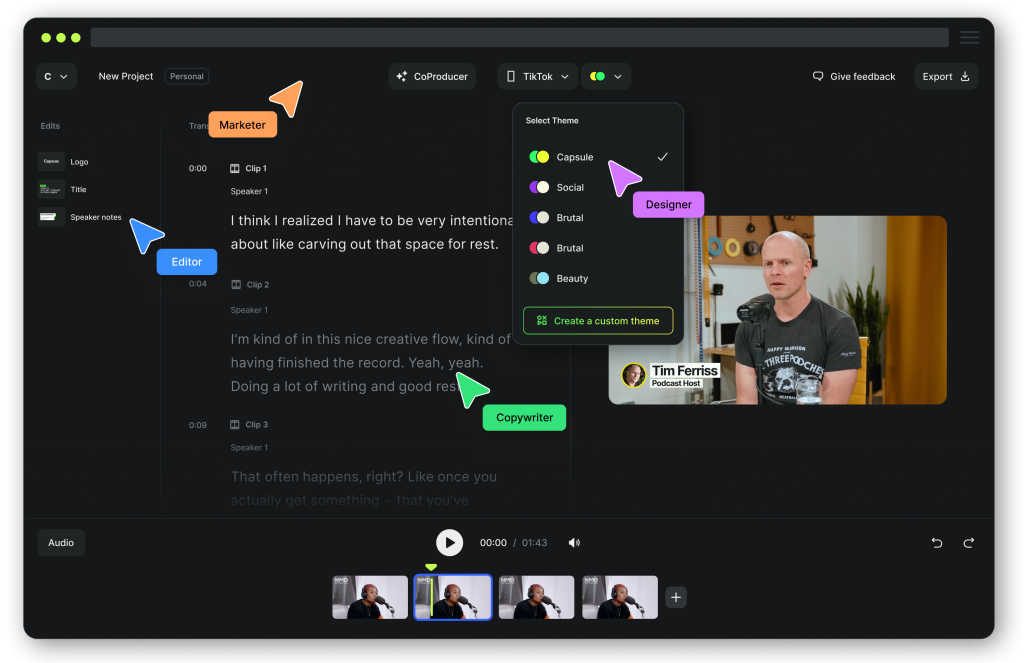
To use it, upload footage, transcribe, and edit the script—Capsule handles the rest. For instance, turn a webinar recording into highlighted clips. Pro tip: Leverage custom themes for repeated projects, like weekly updates, to save time.
Capsule’s team-oriented approach makes it constructive for scalable content production.
4. Descript: Transcript-Centric Editing with AI Polish
Descript redefines video editing by treating it like a word document—edit the transcript, and the video updates accordingly. It’s perfect for podcasters, educators, and journalists who deal with spoken content.
Key features include adding B-roll from a stock library, the Underlord toolkit for audio cleanup, auto multicam syncing, and generating highlights or clips. It supports 1080p exports and integrates well with other tools.
The free tier offers 1 hour of transcription per month with watermarks, sufficient for short projects or testing.
Pros:
- Revolutionary text-based editing speeds up workflows.
- Excellent for audio refinement and multi-speaker videos.
- User-friendly for non-professionals.
Cons:
- Transcription limit can be restrictive.
- Less emphasis on generative video creation.
- Requires accurate audio for best results.
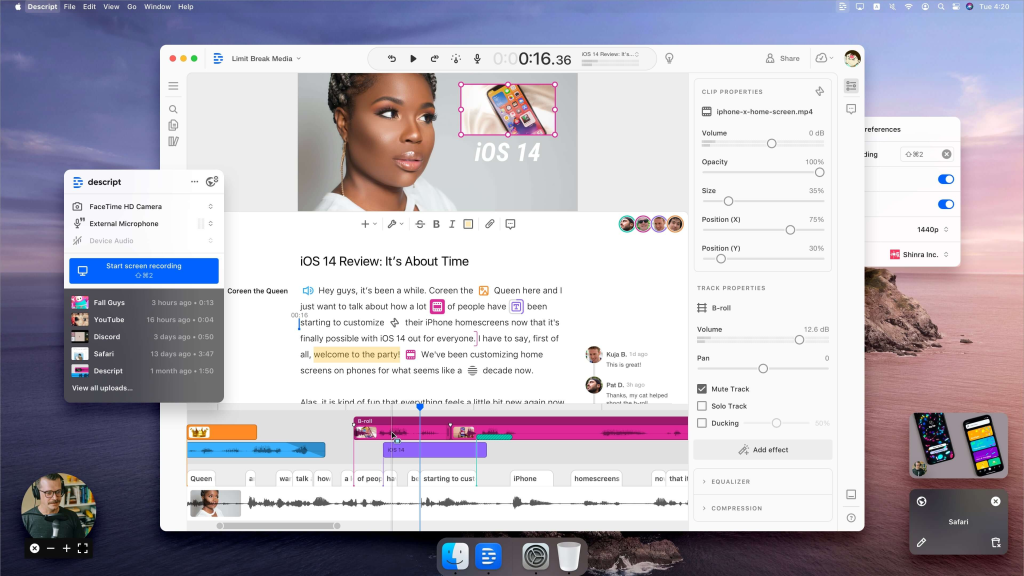
Start by recording or uploading audio/video, then edit the transcript to remove filler words or rearrange sections. Add visuals via AI suggestions. Tip: Use it for interview videos—auto-detect speakers and add captions for accessibility.
Descript’s innovative method empowers creators to focus on content over technicalities.
5. Wondershare Filmora: AI-Enhanced Traditional Editing
Wondershare Filmora blends classic video editing with AI smarts, offering tools for polishing footage without overwhelming complexity. It’s ideal for beginners wanting a familiar interface with modern boosts.
Features include AI smart cutout for background removal, audio denoising, motion tracking, silence detection, and audio-to-video conversion for podcasts. A template library and auto beat sync streamline creation.
The free tier provides full access with watermarks, allowing unlimited projects.
Pros:
- Comprehensive editing suite with AI add-ons.
- Extensive effects and transitions library.
- Cross-platform support (desktop and mobile).
Cons:
- Watermarks prominent on free exports.
- Not purely generative; requires user input.
- Can feel dated compared to cloud-based bots.
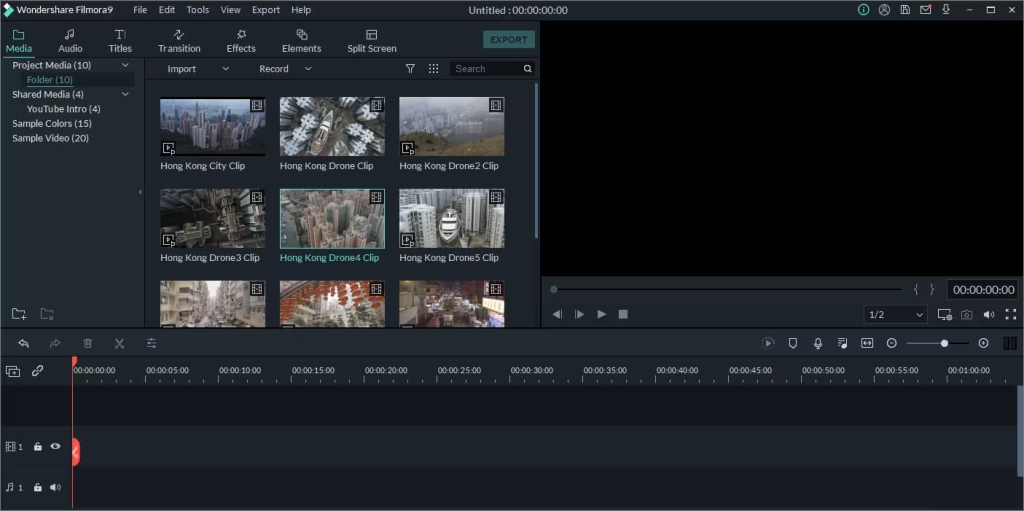
Import media, apply AI tools like background removal, and export. For example, create a vlog with auto-synced music. Tip: Combine AI features with manual tweaks for hybrid control.
Filmora bridges traditional and AI editing, making it versatile for various skill levels.
Conclusion: Choosing the Right Free AI Video Bot for Your Needs
These top 5 free AI bots—Runway, Revid.ai, Capsule, Descript, and Wondershare Filmora—offer diverse approaches to video creation, from generative magic to efficient editing. When selecting one, consider your primary use case: generative for originals (Runway), repurposing for social (Revid.ai), team collaboration (Capsule), transcript-focused (Descript), or all-around editing (Filmora). Start with free tiers to experiment, and remember to optimize prompts for better outputs. As AI advances, these tools will only get better, empowering more creators to share their stories. Dive in, create, and watch your content thrive!