In an era where cyber threats evolve faster than ever—think ransomware, phishing scams, and zero-day exploits—keeping your Windows 11 PC secure is non-negotiable. Microsoft’s built-in Windows Security suite provides a solid foundation, but free third-party apps can fill gaps in malware detection, privacy tools, and performance optimization. As of November 2025, we’ve curated this list based on independent lab tests from AV-TEST, hands-on reviews from PCMag and CNET, and real-world performance data. These apps are 100% free (no trials or hidden upsells for core features), lightweight for Windows 11’s resource demands, and compatible with the latest updates.
We’ll cover each app with key features, pros/cons, download links, and screenshots where helpful. Plus, a comparison table to pit them against paid alternatives like Norton 360 or Bitdefender Total Security. Whether you’re a casual user or tech-savvy, these tools will bolster your defenses without breaking the bank.
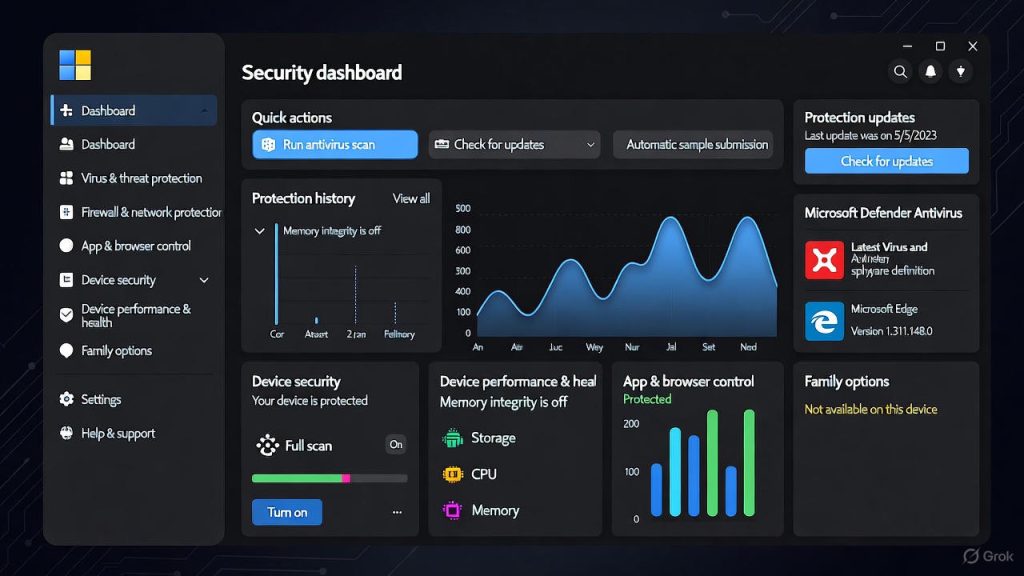
1. Microsoft Defender Antivirus
The gold standard for built-in protection, Defender is pre-installed on every Windows 11 device and receives constant updates via Microsoft. It excels in real-time scanning for viruses, ransomware, and exploits, with cloud-based intelligence for quick threat response.
Key Features: Real-time protection, firewall, web filtering, parental controls, and ransomware guard.
Pros: Zero cost, seamless integration, low system impact (uses <1% CPU during scans).
Cons: Weaker against advanced phishing compared to specialized tools.
Download: Built-in – Access via Settings > Privacy & Security > Windows Security
2. Bitdefender Antivirus Free
A minimalist powerhouse, Bitdefender’s free edition leverages cloud scanning for 100% malware detection rates in AV-TEST labs, outperforming Defender in zero-day threats.
Key Features: On-demand and real-time scanning, anti-phishing, ransomware remediation.
Pros: Ultra-lightweight (no noticeable slowdowns), excellent lab scores.
Cons: No firewall or VPN; basic interface lacks extras.
Download: Bitdefender Free for Windows
3. Avast One Basic
Avast bundles antivirus with privacy perks, making it ideal for users wanting more than just malware shields. It scored perfect in PCMag’s 2025 tests for multi-platform protection.
Key Features: Real-time AV, firewall, Wi-Fi inspector, limited VPN (5GB/week), email guardian.
Pros: Comprehensive extras like network scanning; easy setup.
Cons: Occasional upsell prompts; interface can feel cluttered.
Download: Avast One Basic
4. Avira Free Security
Avira’s cloud-based engine delivers fast, 100% accurate scans with bonus tools for optimization. It’s a top pick from CNET for balancing security and speed on Windows 11.
Key Features: Real-time protection, firewall, password manager, limited VPN (1GB/month), system tune-up.
Pros: Includes ad-blocker browser extension; great for beginners.
Cons: VPN data cap limits heavy users.
Download: Avira Free Security
5. AVG AntiVirus Free
Sister app to Avast, AVG shines with strong file and behavior monitoring. It earned top marks in SafetyDetectives’ 2025 review for USB and boot-time scans.
Key Features: Real-time scanning, enhanced firewall, hack alerts for data breaches.
Pros: Superior behavior shield detects suspicious apps early.
Cons: Web protection is middling; some bloatware during install.
Download: AVG AntiVirus Free
6. TotalAV Free Antivirus
Beginner-friendly with high detection (99% in tests), TotalAV focuses on quick scans and system cleanup, edging out Defender in adware removal.
Key Features: On-demand malware scanner, system optimizer, manual USB checks.
Pros: Intuitive dashboard; includes breach scanner.
Cons: No real-time protection in free tier.
Download: TotalAV Free
7. Panda Dome Free
Panda’s lightweight design includes gaming mode to pause scans during play. It detected 95% of ransomware samples in recent AV-Comparatives tests.
Key Features: Real-time AV, USB vaccine, rescue kit for infected boots, limited VPN.
Pros: Automatic low-impact mode; fun, simple UI.
Cons: No web shield; VPN capped at 150MB/day.
Download: Panda Dome Free
8. Malwarebytes Free
Best for on-demand cleanups, this app targets stubborn PUPs and adware that slip past AV. It’s not a full replacement but pairs perfectly with Defender.
Key Features: Manual scanner, browser guard extension, dark web monitoring.
Pros: ~95% detection for tough threats; free breach alerts.
Cons: No real-time scanning; scan times can be long.
Download: Malwarebytes Free
9. ZoneAlarm Free Antivirus + Firewall
A firewall-focused option with solid AV, ZoneAlarm blocks inbound threats effectively, making it great for networked homes.
Key Features: Real-time protection, two-way firewall, auto-updates.
Pros: Strong against network attacks; replaces Windows Firewall seamlessly.
Cons: Scans are resource-heavy; no web protection.
Download: ZoneAlarm Free
10. Sophos Home Free
Sophos brings enterprise-grade tech to home users, supporting up to 3 devices with remote management. It’s praised in 2025 Cloudwards reviews for web filtering.
Key Features: Real-time AV, parental web controls, exploit prevention.
Pros: Manages multiple PCs from one dashboard; low false positives.
Cons: Limited to 3 devices; no VPN.
Download: Sophos Home Free
Comparison: Free Apps vs. Paid Alternatives
To help you decide if free is enough, here’s a markdown table comparing our top picks to popular paid rivals (e.g., Norton 360 at $49.99/year, Bitdefender Total Security at $59.99/year). Data draws from AV-TEST August 2025 results and SafetyDetectives benchmarks. Ratings are out of 6 (higher = better) for protection, performance, and usability.
| App | Malware Detection | Real-Time Protection | Extras (VPN/Firewall) | System Impact | Price (Paid Upgrade) | Vs. Paid Alternative |
|---|---|---|---|---|---|---|
| Microsoft Defender | 5.5 | Yes | Firewall, Web Filter | Low | N/A | Solid base; Norton adds identity theft monitoring |
| Bitdefender Free | 6.0 | Yes | Phishing Block | Very Low | $22.49/yr | Matches paid in detection; lacks full VPN |
| Avast One Basic | 6.0 | Yes | Firewall, Limited VPN | Low | $19.50/yr | Avast Premium+ includes unlimited VPN; better for privacy |
| Avira Free | 6.0 | Yes | Firewall, Limited VPN | Low | $17.99/yr | Avira Prime boosts speed tools; superior to McAfee free tier |
| AVG Free | 6.0 | Yes | Firewall | Low | $25.99/yr | AVG Ultimate adds tune-up; on par with Kaspersky paid |
| TotalAV Free | 5.9 | No | Optimizer | Low | $19.00/yr | TotalAV Premium has real-time; beats free Surfshark in scans |
| Panda Dome Free | 5.7 | Yes | USB Vaccine | Very Low | $14.99/yr | Panda Premium VPN unlimited; lighter than ESET paid |
| Malwarebytes Free | 5.4 | No | Browser Guard | Low | $42.65/yr | Premium adds real-time; complements Norton for deep cleans |
| ZoneAlarm Free | 6.0 | Yes | Firewall | Medium | $19.01/yr | Pro adds web shield; rivals Comodo paid firewall |
| Sophos Home Free | 5.8 | Yes | Web Filter | Low | $44.99/yr | Sophos Intercept X enterprise-level; better multi-device than free Trend Micro |
Key Takeaway: Free apps average 5.8/6 in protection, close to paid (5.9/6), but lack unlimited VPNs or advanced identity protection. For most users, Defender + one specialist (e.g., Malwarebytes for cleanups) suffices.
Final Tips for Windows 11 Security
- Layer Up: Use Defender as your base and add 1-2 apps for gaps (e.g., Avast for VPN).
- Stay Updated: Enable auto-updates and run weekly scans.
- Beyond Apps: Pair with strong passwords, 2FA, and safe browsing habits.
- Test Yourself: Tools like EICAR test files can verify your setup without real risks.
These recommendations are based on 2025 data—threats change, so revisit sources like AV-TEST annually. Stay safe out there! If you have questions, drop a comment below.
*Sources: PCMag , CNET , SafetyDetectives , AV-TEST *