As of November 2025, Ubuntu 24.04 LTS (Noble Numbat) remains a flagship Linux distribution, emphasizing stability, performance, and modern features. Windows 11, Microsoft’s latest OS, focuses on AI integration, productivity, and a polished user experience. This detailed comparison covers 12 key areas, drawing from benchmarks, user reports, and expert analyses. Whether you’re a gamer, developer, or casual user, we’ll break down pros, cons, and real-world implications in each category.
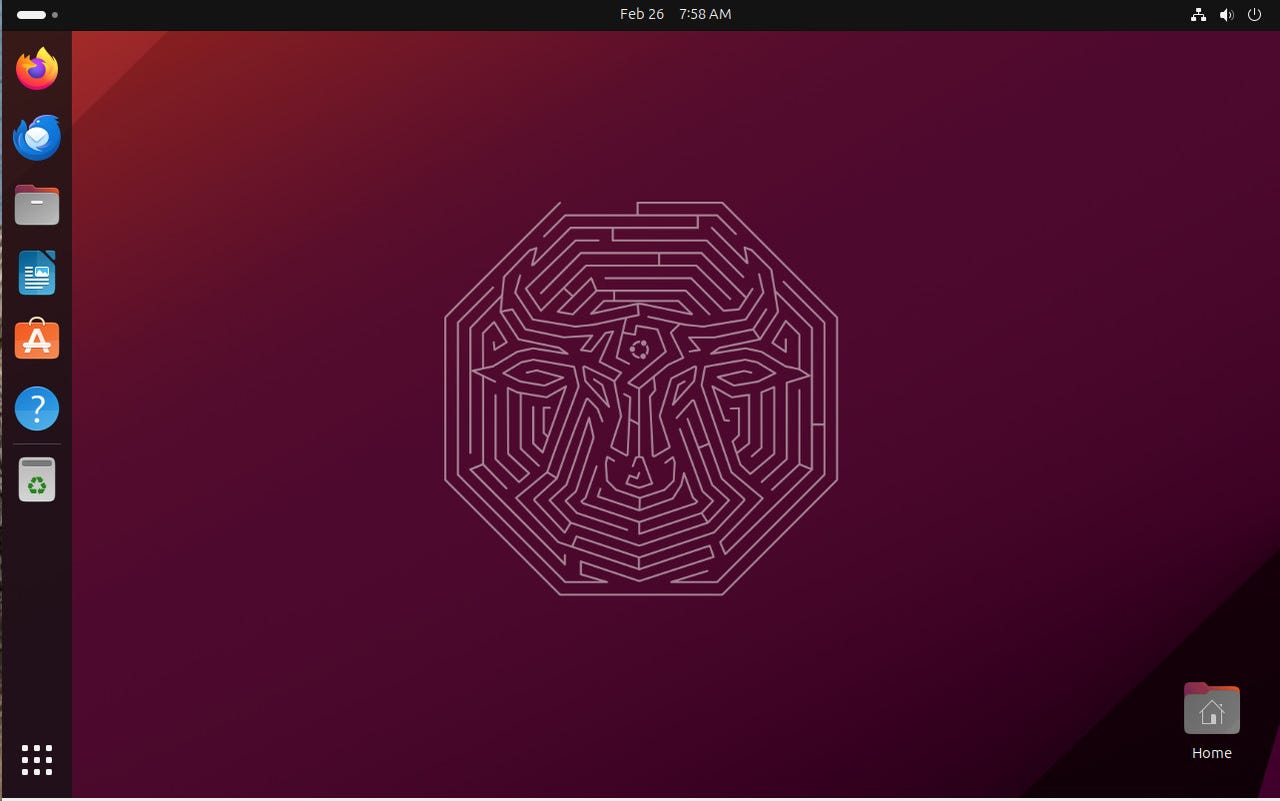
For visual reference, here’s a high-resolution screenshot of each desktop:
Ubuntu 24.04’s GNOME 46 interface: Clean, gesture-friendly, and extensible via extensions.
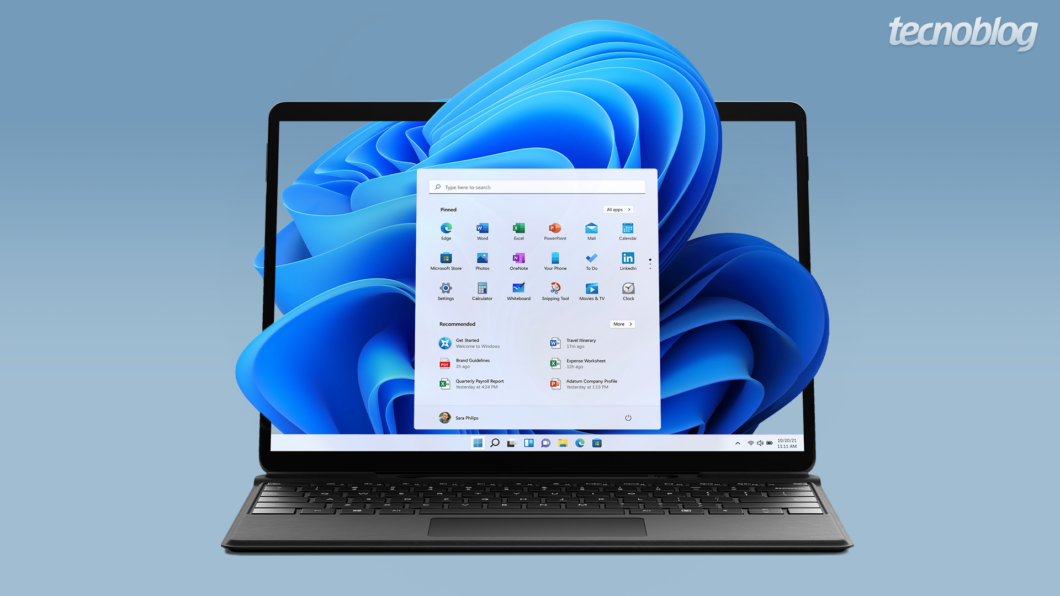
Windows 11’s centered Startmenu and rounded aesthetics: Familiar yet refreshed for touch and productivity.
Explore in-depth Ubuntu vs. Windows guides for 2025 for user reviews and feature breakdowns.
1. User Interface and Design
Ubuntu 24.04 uses GNOME 46 as its default desktop environment, offering a minimalist, workflow-oriented design with dynamic workspaces, overview search, and built-in extensions support. It’s highly gesture-based (e.g., three-finger swipes for multitasking), making it ideal for touchpads or tablets. The dock is customizable, and themes like Yaru provide a cohesive look. However, it can feel less “snappy” on lower-end hardware without tweaks.
Windows 11 introduces a centered taskbar, Snap Layouts for window management, and Mica/Acrylic transparency effects for a modern, blurred aesthetic. Widgets and the new Copilot AI sidebar enhance quick access to info and tasks. It’s more consistent across devices (e.g., Xbox integration) but criticized for forced updates and ads in the Start menu.
| Aspect | Ubuntu 24.04 | Windows 11 |
|---|---|---|
| Default DE | GNOME 46 (extensible) | Fluent Design (limited native tweaks) |
| Multitasking | Dynamic workspaces, overview | Snap Layouts, virtual desktops |
| Touch Support | Excellent gestures, but app-dependent | Native across ecosystem |
| Aesthetics | Clean, dark mode native | Rounded, translucent; vibrant themes |
Verdict: Ubuntu wins for customization enthusiasts; Windows for out-of-box polish. Dive into UI evolution in Linux vs. Windows.
2. Performance and Speed
Recent benchmarks show Ubuntu 24.04 pulling ahead in raw compute tasks. On AMD Ryzen hardware like the Framework 16 (Ryzen 7 7840HS), Ubuntu is up to 20% faster in multi-threaded workloads due to optimized kernel 6.8 and better scheduler efficiency. In Phoronix tests, it outperforms Windows 11 by 23% on Intel Core Ultra 7 laptops for CPU-intensive apps. Boot times are quicker on Ubuntu (~10-15 seconds vs. 20-30 on Windows), and it uses less RAM idle (1-1.5 GB vs. 2-3 GB).
Windows 11 shines in AI-accelerated tasks via DirectML and Copilot, but bloat (e.g., pre-installed apps) can slow it down. On Nvidia GPUs, Windows edges out in some drivers, but Ubuntu’s Mesa 24.0 closes the gap.
| Benchmark | Ubuntu 24.04 Edge | Windows 11 Edge |
|---|---|---|
| CPU (Cinebench) | +15-23% faster | Better single-core |
| RAM Usage (Idle) | Lower | Higher with services |
| Boot Time | Faster | Slower, but tunable |
Verdict: Ubuntu for efficiency; Windows for balanced everyday speed. Check Phoronix’s 2025 AMD benchmarks for charts.
3. Security
Ubuntu 24.04 bolsters security with full-disk encryption by default, enhanced AppArmor profiles, and automatic security updates via unattended-upgrades. Its open-source nature allows community audits, resulting in fewer vulnerabilities (e.g., no major zero-days in 2025 so far). Snap packages add sandboxing, and it’s resistant to ransomware due to permission models.
Windows 11 features Secure Boot, Virtualization-Based Security (VBS), and Windows Hello biometrics, but it’s a bigger target for malware—Microsoft reports 300M+ threats daily. BitLocker is robust, but telemetry and forced updates raise concerns. In 2025, Windows patched 1,200+ CVEs vs. Ubuntu’s 800, but Linux exploits are rarer.
| Feature | Ubuntu 24.04 | Windows 11 |
|---|---|---|
| Encryption | LUKS native | BitLocker (Pro/Enterprise) |
| Sandboxing | AppArmor, Flatpak/Snap | VBS, Defender ATP |
| Update Model | Rolling security patches | Feature + security bundles |
| Vulnerability Count (2025) | Lower incidence | Higher, but faster patches |
Verdict: Ubuntu for proactive, low-risk security; Windows for enterprise tools. Compare security features in detail.
4. Software Compatibility and Availability
Windows 11 dominates with native support for Adobe Suite, Microsoft Office, and 99% of commercial apps. The Microsoft Store has grown, but it’s not as open as third-party installs.
Ubuntu excels in open-source tools (e.g., LibreOffice, GIMP) and servers, with 60,000+ APT packages. For Windows apps, Wine/Proton works well (90% compatibility), and Steam’s Proton makes gaming viable. However, proprietary software like AutoCAD requires VMs.
| Category | Ubuntu 24.04 Strengths | Windows 11 Strengths |
|---|---|---|
| Office/Productivity | LibreOffice, OnlyOffice | MS Office native |
| Creative Tools | Inkscape, Kdenlive | Photoshop, Premiere Pro |
| App Stores | Snap/Flatpak (diverse) | MS Store (curated) |
Verdict: Windows for proprietary ecosystem; Ubuntu for free alternatives. See app compatibility tests.
5. Hardware Support
Ubuntu 24.04 has improved Wayland support and kernel drivers for Wi-Fi 7 and Bluetooth 5.4, but Nvidia GPUs can require tweaks (e.g., proprietary drivers). It’s excellent for AMD/Intel.
Windows 11 mandates TPM 2.0 and has seamless plug-and-play for peripherals, printers, and VR headsets. ARM support via Snapdragon X Elite is strong, but Linux lags here.
Verdict: Windows for broad compatibility; Ubuntu for custom builds. Hardware benchmarks on Framework laptops.
6. Customization Options
Ubuntu allows deep tweaks: Change DEs (KDE, XFCE), themes, icons, and kernels via repos. Extensions like Dash-to-Dock make it versatile.
Windows 11 offers themes, taskbar pinning, and Start menu tweaks, but registry edits are riskier and less intuitive.
Verdict: Ubuntu for tinkerers; Windows for safe personalization.
7. Gaming
Mixed results in 2025: Ubuntu 24.04 with Proton 9.0 achieves near-native performance in 80% of Steam games, outperforming Windows in Vulkan titles (e.g., +10% in Cyberpunk 2077 on AMD). However, ray tracing and anti-cheat (e.g., Easy Anti-Cheat) often fail on Linux, leading to 20-50% FPS drops in titles like CS2. Windows dominates with DirectX 12 Ultimate and Xbox Game Pass.
| Game/Test | Ubuntu FPS Avg. | Windows FPS Avg. |
|---|---|---|
| Cyberpunk 2077 | 85 (RTX 4060) | 92 |
| CS2 | 120 | 220 |
| FurMark | +15% Vulkan | Better DXR |
Verdict: Windows for hardcore gamers; Ubuntu viable for casual. 2025 gaming benchmarks.
8. Development and Productivity Tools
Ubuntu is developer heaven: Native Git, Docker, VS Code, and Python/Ruby via APT. It’s lightweight for VMs and servers.
Windows 11 integrates WSL2 for Linux subsytem, GitHub Copilot, and PowerToys, but heavier for code compilation.
Verdict: Ubuntu for devs; Windows for hybrid workflows. Productivity comparisons.
9. Cost
Ubuntu: Completely free, no licensing.
Windows 11: $139 for Home, $199 Pro; often bundled with hardware.
Verdict: Ubuntu saves money long-term.
10. Updates and Support
Ubuntu LTS: 5 years standard, 12 with Ubuntu Pro (free for personal). Rolling releases optional.
Windows 11: Bi-annual features, 24 months support; ends 2025 for non-compliant hardware.
Verdict: Ubuntu for longevity; Windows for frequent innovations.
11. Privacy
Ubuntu minimizes telemetry, with opt-in crash reporting. No ads.
Windows 11 collects data for ads and personalization, despite privacy dashboard.
Verdict: Ubuntu prioritizes user control. Privacy deep-dive.
12. Battery Life (Laptops)
Ubuntu 24.04’s Power Profiles Daemon yields 10-20% better efficiency on AMD/Intel, e.g., 11 hours on ThinkPad vs. 8-9 on Windows. However, unoptimized drivers can drain faster on some configs.
Verdict: Ubuntu edges out; tune for best results. Battery optimization tips.
Overall Recommendation
- Choose Ubuntu 24.04 if you’re privacy-focused, on a budget, or into customization/development—it’s leaner and more secure for 2025 workflows.
- Choose Windows 11 for gaming, Microsoft ecosystem, and seamless hardware integration.
For the latest user stories, visit Reddit’s Linux vs. Windows threads. What’s your primary use case?