Linux isn’t just an operating system—it’s a playground for tinkerers, a fortress for servers, and a canvas for stunning visual masterpieces. As of November 2025, the Linux kernel is humming along at version 6.17 (released September 2025), powering everything from your Android phone to the International Space Station. Whether you’re a newbie or a seasoned ricer, this article dives into the history, quirks, customizations, and sheer joy of Linux life.
A Penguin’s Humble Beginnings: Fun Linux History & Facts
Meet Tux, the chubby, unflappable penguin mascot of Linux. Why a penguin? Legend has it that Linus Torvalds (Linux’s creator) got nipped by a penguin at a zoo in 1996—and the idea stuck!

Mind-blowing facts to impress your friends:
- Linux was announced on August 25, 1991, by a 21-year-old Finnish student named Linus Torvalds as a “hobby” project. He thought it “won’t be big and professional.” Oops.
- Over 96% of the world’s top 1 million servers run Linux.
- Android is Linux under the hood – meaning billions of smartphones are powered by it.
- Linux runs 100% of the world’s top 500 supercomputers, nuclear submarines, the New York Stock Exchange, and even Japanese bullet trains.
- Asteroids named after Linux legends: 9793 Torvalds, 9885 Linux, and 9965 GNU.
- The kernel has over 30 million lines of code, contributed by thousands (mostly paid by companies like Intel, Google, and Red Hat).
Linux turns 34 in 2025 – older than many of its users, yet faster and more secure than ever!
Popular Linux Distros in 2025: Pick Your Flavor
There are hundreds of distros, but here are the crowd favorites:
| Distro | Best For | Why It’s Awesome in 2025 |
|---|---|---|
| Ubuntu | Beginners & All-Rounders | Rock-solid LTS releases, massive community |
| Linux Mint | Windows switchers | Cinnamon desktop feels familiar & polished |
| Fedora | Cutting-edge users | Latest software, sponsored by Red Hat |
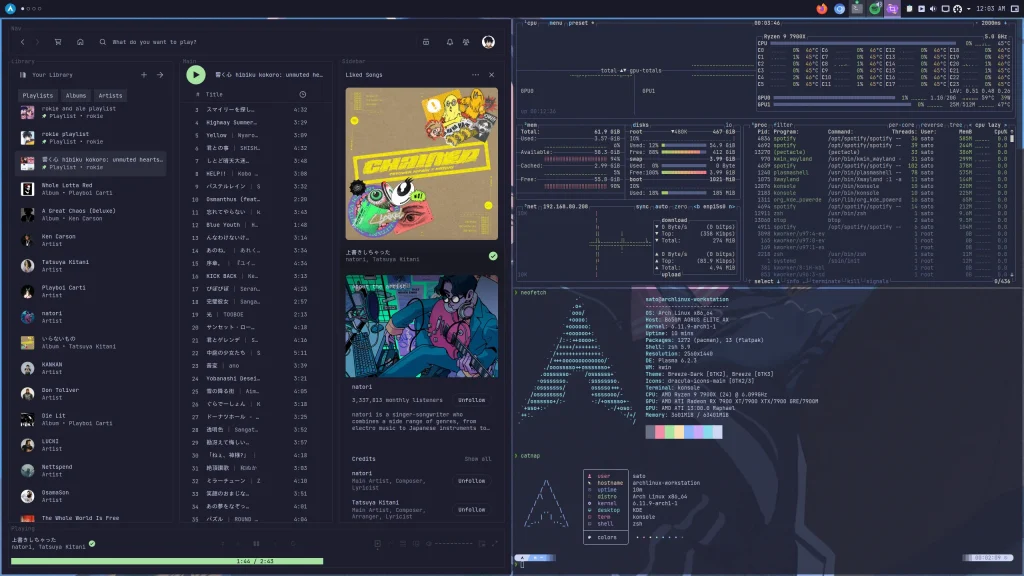
| Arch Linux | Power users & ricers | “I use Arch, btw” – rolling release paradise |
| Pop!_OS | Gaming & Productivity | System76’s COSMIC desktop (Rust-based!) incoming |
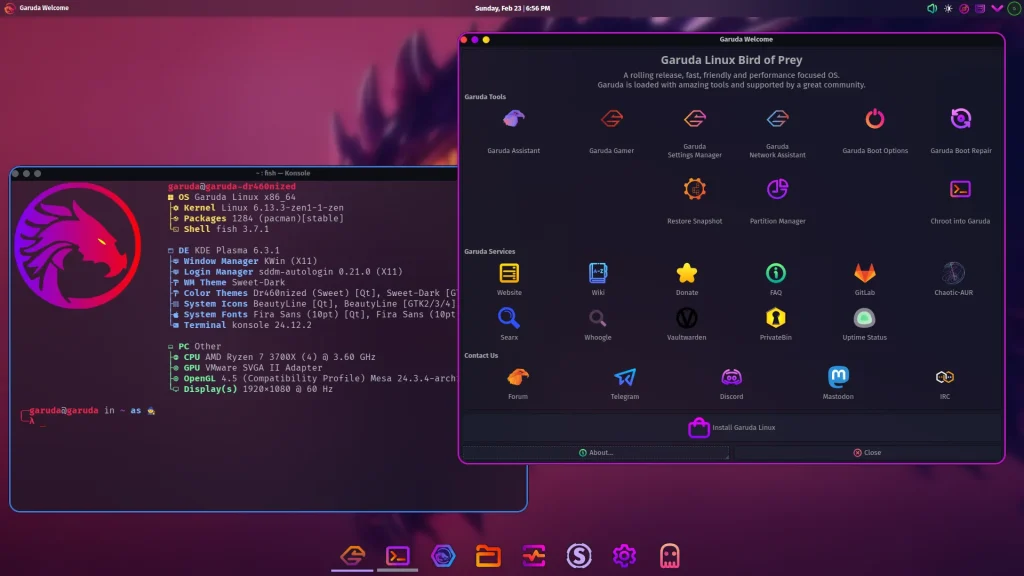
| Garuda Linux | Eye-candy enthusiasts | Arch-based with insane out-of-box themes |
| Debian | Stability kings | The rock that Ubuntu stands on |
Pro tip: Try them all in a virtual machine or live USB before committing!
Desktop Environments: Where the Magic (and Customization) Happens
Linux lets you swap “desktops” like outfits. The big three in 2025:
- KDE Plasma: The king of customization. Blur, animations, widgets – if you can dream it, Plasma can do it.
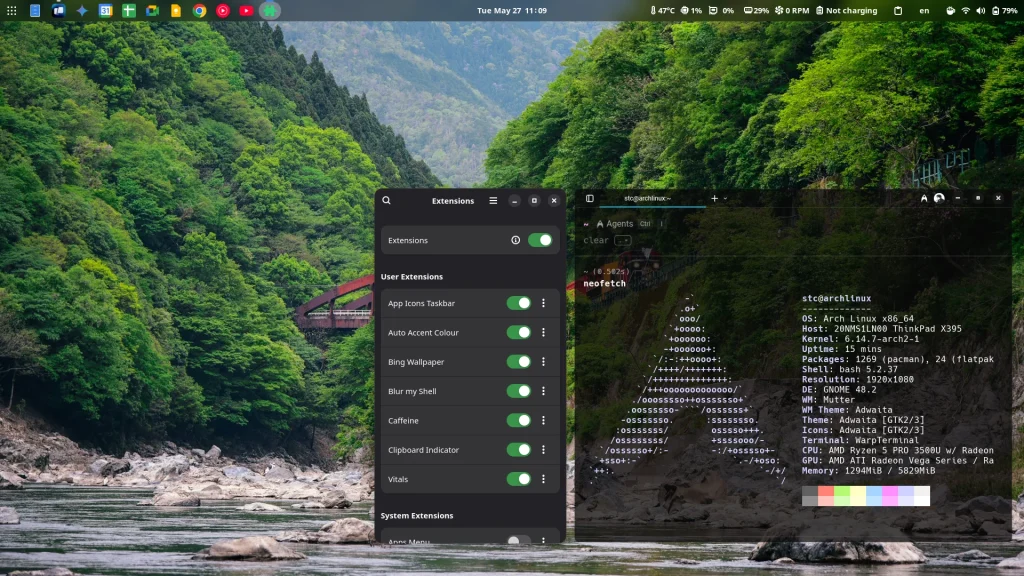
- GNOME: Minimalist, gesture-heavy, and gorgeous with extensions.
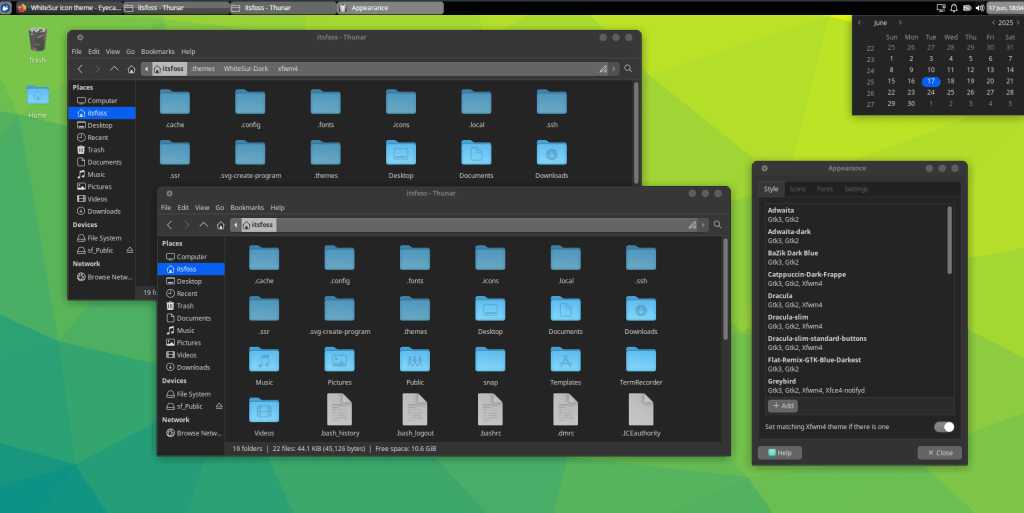
- XFCE: Lightweight, classic, but can look ultra-modern with themes.
Jaw-Dropping Customizations: “Ricing” Your Desktop
“Ricing” = making your desktop look like art. Head to r/unixporn for inspiration – it’s addictive.
KDE Plasma masterpieces (often on Garuda Linux Dr460nized or with Catppuccin themes):

GNOME with extensions (Dash to Dock, Blur My Shell, etc.):
XFCE looking premium (WhiteSur or Graphite themes):
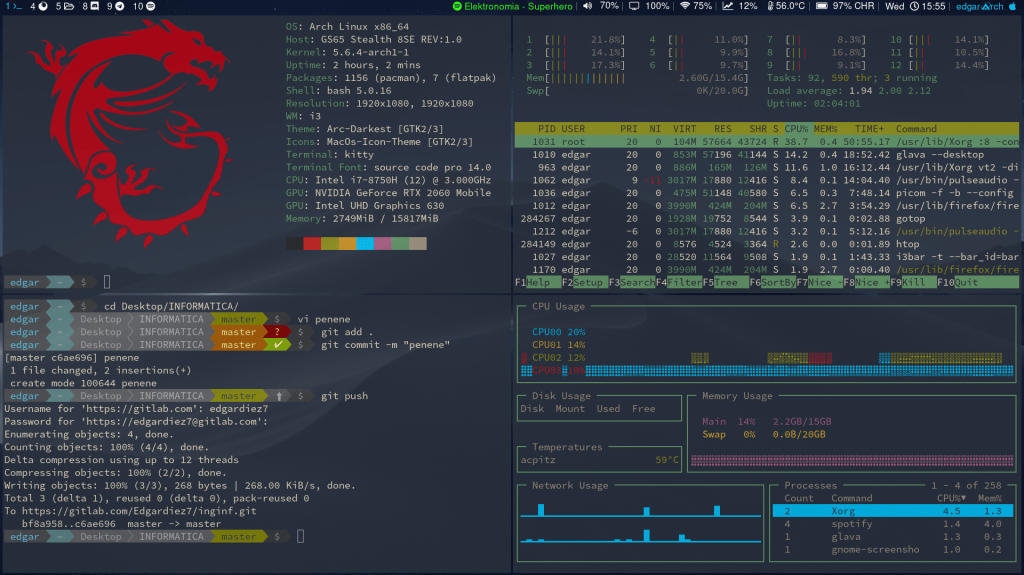
Arch ricing extremes (i3/bspwm/awesome – minimal but stunning):
Fun Terminal Tricks to Feel Like a Hacker
The terminal isn’t boring – it’s hilarious!
sl→ A steam locomotive chugs across your screen (because you typedlswrong).cowsay "Hello"→ A cow says anything. Add| lolcatfor rainbow colors.cmatrix→ Enter the Matrix.aafire→ Your terminal catches fire (ASCII art flames).oneko→ A cute cat chases your mouse pointer!fortune | cowsay | lolcat→ Daily wisdom from a rainbow cow.
Install with: sudo apt install sl cmatrix libcurses-perl oneko fortunes (Debian/Ubuntu) or equivalent.
Pro tip: Add fortune | cowsay to your ~/.bashrc for motivational startup messages.
Quick Tweaks to Level Up Your Linux Game
- Enable fractional scaling for HiDPI screens (Settings → Displays).
- Install GNOME extensions from extensions.gnome.org (need browser add-on).
- Try Wayland for smoother animations (most distros default to it now).
- Zram for insane performance on low-RAM machines:
sudo apt install zram-config. - Auto-switch dark mode: Use Night Theme Switcher extension.
Final Thoughts: Why Linux Rules in 2025
Linux gives you freedom – no forced updates, no telemetry spying, infinite customization, and it’s free. From Garuda’s dragon-themed beauty to a minimalist Arch tile, your desktop can be uniquely yours.
Ready to dive in? Grab a live USB of Linux Mint or Pop!_OS, boot it up, and start ricing. The penguin awaits!
What’s your favorite distro or rice? Drop it in the comments – the community is the best part of Linux! 🐧