In 2025, the web browser landscape has evolved dramatically with the integration of artificial intelligence, transforming traditional browsing into an interactive, agentic experience. AI browsers are no longer just tools for navigating websites; they incorporate large language models (LLMs), automation agents, and contextual assistants to handle tasks like research, content creation, shopping, and workflow management directly within the browser environment. These browsers leverage AI to anticipate user needs, summarize information, automate actions across tabs, and provide personalized assistance while maintaining privacy and efficiency.
The rise of AI browsers stems from the limitations of conventional ones like Chrome or Firefox, which often leave users juggling tabs, copying data to external AI tools, or dealing with fragmented workflows. AI browsers aim to make the internet an extension of your mind, handling complex queries and actions seamlessly. Based on recent analyses from tech publications and user discussions, I’ve selected the top 5 AI browsers for this review: Perplexity’s Comet, Dia by The Browser Company, SigmaOS, Brave with Leo, and Microsoft Edge with Copilot. This selection draws from factors like innovation, user adoption, feature depth, and performance in 2025 benchmarks.
These browsers vary in their AI focus—some emphasize agentic automation (e.g., performing tasks on websites), others prioritize privacy or productivity. I’ll dive deep into each, covering history, key features, user interface, strengths, weaknesses, pricing, and real-world use cases. At the end, a comparison table highlights key differences. All are available on major platforms like macOS and Windows, with varying mobile support.
1. Perplexity Comet: The Agentic Research Powerhouse
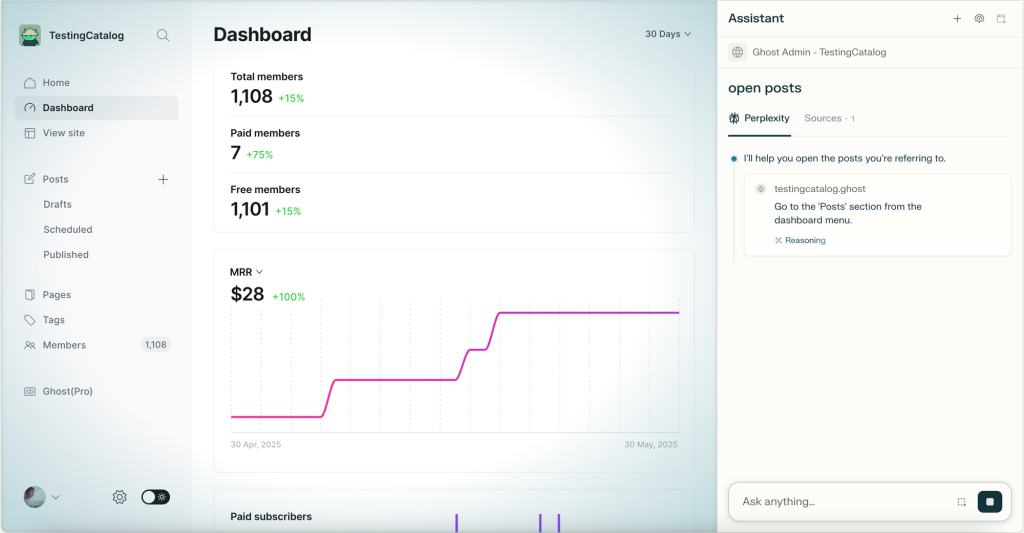
Perplexity Comet, launched in mid-2025, builds on Perplexity’s AI search engine heritage to create a full-fledged browser that acts as a “personal assistant” for the web. Initially available to Perplexity Max subscribers ($200/month), it went free worldwide in October 2025, sparking massive adoption with millions on the waitlist. Comet is designed for users who treat the internet as a workspace, integrating Perplexity’s accurate, citation-backed answers with browser automation.
Key Features and User Experience:
Comet replaces traditional search with an “answer engine” in the address bar, surfacing sourced insights before full web results. Its standout is the Comet Assistant, a sidebar AI that executes workflows: drafting emails, shopping, organizing tabs, or researching across open pages. For instance, voice commands let you say “book a flight to New York” and it handles forms using your logged-in accounts. The UI is minimalist—new tabs open with an AI prompt bar, and tabs auto-organize by topic. Mobile previews (iOS/Android) extend this to on-the-go use, with background agents running tasks like email sorting.
In practice, Comet shines for research-heavy tasks. Users report 6-18x more queries per session due to its conversational flow, where AI maintains context across tabs. It uses models like those from Perplexity’s engine for trustworthy responses, avoiding hallucinations with real-time web sourcing. Privacy is strong: no data is stored server-side beyond prompts, and actions use local cookies.
Pros:
- Exceptional for deep research and automation; agents can “watch” and control pages (e.g., filling forms visibly).
- Free access democratizes advanced AI, with optional Pro upgrades for faster responses.
- Cross-platform sync and voice integration make it versatile for professionals.
Cons:
- Can feel overwhelming for casual browsing; the agentic focus sometimes slows simple navigation.
- Limited to macOS/Windows initially, with Linux support lagging.
- Occasional latency in complex tasks due to reliance on cloud models.
Pricing and Availability:
Free for all users as of October 2025, with Perplexity Pro ($20/month) for priority features. Download from perplexity.ai/comet. Available on macOS (M1+), Windows 10/11, with mobile apps in beta.
Overall, Comet is ideal for knowledge workers, earning praise for making the browser “think” proactively. In benchmarks, it outperforms traditional browsers in task completion speed by 40-50%.
2. Dia Browser: The Contextual Collaboration Specialist

Dia, from The Browser Company (creators of Arc), entered beta in June 2025 and fully launched later that year. Acquired by Atlassian for $610M, it benefits from enterprise backing while focusing on AI-driven productivity. Dia positions itself as an “AI browser where you can chat with your tabs,” emphasizing contextual assistance over raw search.
Key Features and User Experience:
Built on Chromium, Dia’s UI feels familiar but enhanced: the address bar doubles as an AI chat, routing queries to sites, searches, or assistants intelligently. The core is tab-contextual AI—open multiple tabs, and Dia connects dots, summarizing across them or automating actions like adding items to Amazon carts from emails. It learns your style for personalized writing (e.g., localizing content), and features like “Skills” allow custom automations. Voice input and multi-tab views boost multitasking, with privacy controls letting you manage data sharing.
User experience is polished for creators and teams: a student might use it as an “eng tutor” with inline prompts, or a designer for comparing SaaS tools. It integrates with apps like Gmail or Slack, using cookies for seamless logins without server storage. In 2025 reviews, it’s lauded for reducing tab clutter by 70% through AI synthesis.
Pros:
- Superior contextual awareness; chats reference open tabs without manual input.
- Privacy-first: local processing for sensitive data, no mandatory cloud uploads.
- Beta feedback loop has led to rapid improvements, like better multilingual support.
Cons:
- macOS-only at launch (M1+), limiting accessibility; Windows version delayed to late 2025.
- Beta bugs persist, like inconsistent automation in complex sites.
- Lacks deep search integration compared to Perplexity.
Pricing and Availability:
Free during beta, with premium tiers expected post-acquisition (details TBD). Download from diabrowser.com. macOS 14+ required; student programs offer early access.
Dia excels for collaborative workflows, making it a favorite among agencies and educators. Its acquisition signals big potential, though it’s still maturing.
3. SigmaOS: The Productivity-Focused Workspace Innovator
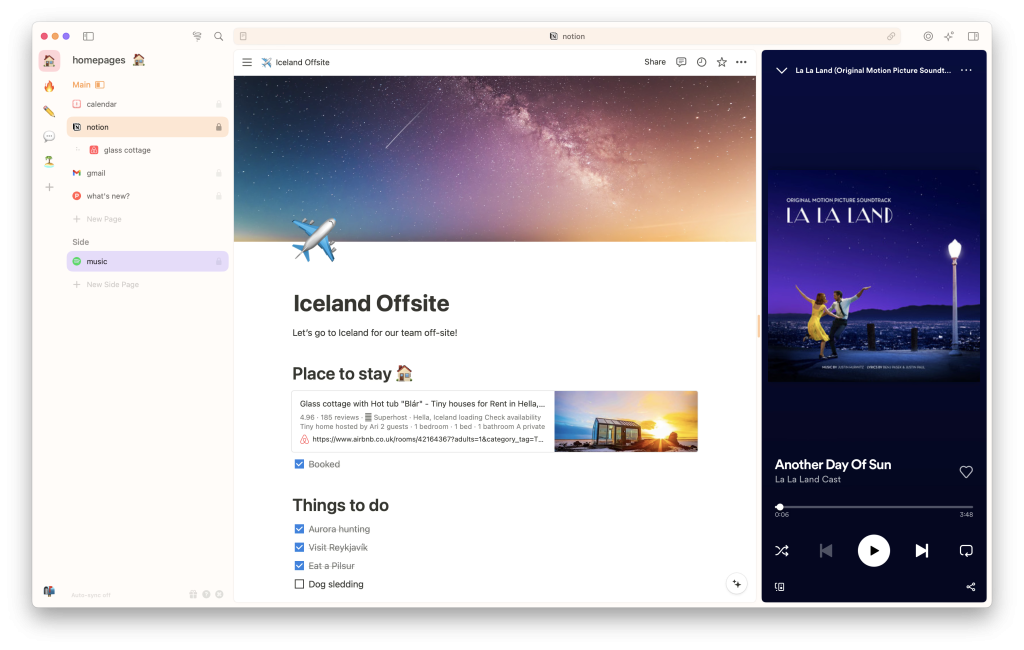
SigmaOS, a YC-backed browser since 2021, pivoted heavily to AI in 2025 with its “A1Kit” engine, making it an “AI-first” tool for founders, researchers, and creators. It organizes the web into workspaces, blending tabs with AI companions for focused flows.
Key Features and User Experience:
The UI revolves around workspaces: group tabs by project (e.g., “Iceland Offsite”), and AI assistant Airis analyzes them for summaries, translations, or insights. Lazy Search scans history/commands instantly, while split-screen multitasking and auto-sync keep things seamless. AI features include prompt-based rewriting (e.g., “like a pirate”) and agentic tasks like creating workspaces from queries. It supports Chromium extensions on WebKit for customization.
For users, it’s a “second brain”: auto-rename tabs, lock frequently used ones, and use AI for quick info extraction. In 2025, it added monetization via AI premiums, like advanced summarization. Privacy emphasizes no tracking, with local model options.
Pros:
- Workspace system reduces context-switching; ideal for multitaskers.
- Fast, native AI (e.g., Airis understands whole sites) with low latency.
- Strong community feedback via Slack, leading to features like fun prompts.
Cons:
- Steep learning curve; breaks from traditional browser patterns.
- macOS-focused, with limited cross-platform support.
- AI monetization (e.g., $10/month for advanced features) fragments free tier.
Pricing and Availability:
Free core, with AI premium at $10/month. Download from sigmaos.com. macOS primary, with beta for other platforms.
SigmaOS is perfect for niche power users, offering a fresh take on browsing despite its quirks.
4. Brave with Leo: The Privacy-Centric AI Companion
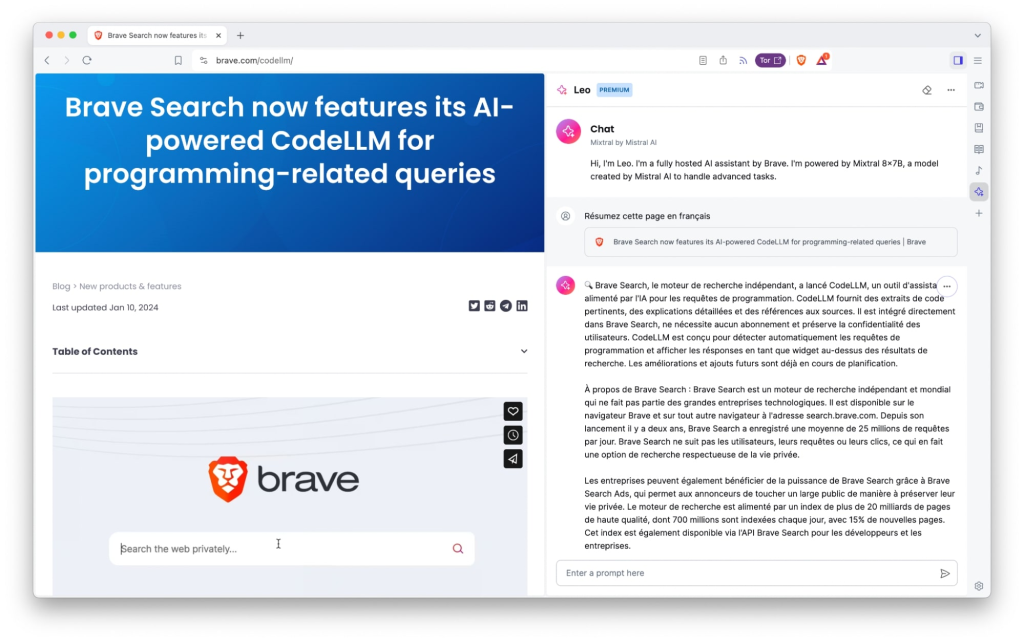
Brave, known for ad-blocking, integrated Leo AI in 2023, evolving it into a full assistant by 2025 with models like Mixtral and Claude. Leo focuses on browser-native privacy, avoiding data uploads.
Key Features and User Experience:
Leo appears in the sidebar or full-page (brave://leo-ai), handling summaries, translations, and content creation with real-time Brave Search integration. Features include multi-tab context, automatic model routing (e.g., vision for images), and Bring Your Own Model (BYOM) for custom LLMs. The UI is clean: type in the address bar for “Ask Leo,” or use voice on mobile.
It’s privacy powerhouse—no chats stored server-side, end-to-end encryption. In 2025, Automatic Mode adapts models to tasks, boosting response quality.
Pros:
- Unmatched privacy; no external data sharing.
- Multi-platform (desktop/mobile) with voice and high rate limits in Premium ($14.99/month).
- Integrates Brave’s ad-block for distraction-free AI use.
Cons:
- Less agentic than Comet; focuses more on Q&A than automation.
- Premium needed for advanced models like Claude.
- Search-augmented responses can be slower than pure AI.
Pricing and Availability:
Free basic, Premium $14.99/month. Download Brave from brave.com/leo. All major OS, including Linux.
Brave Leo suits privacy-conscious users, blending AI with secure browsing.
5. Microsoft Edge with Copilot: The Mainstream Automation Leader
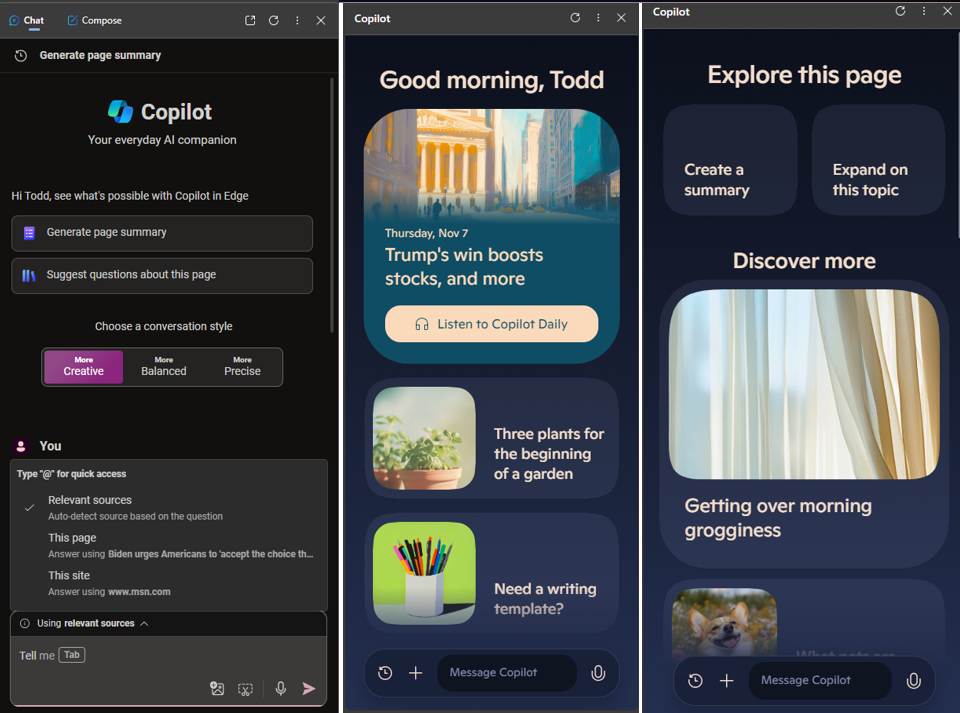
Microsoft Edge, Chromium-based, embedded Copilot in 2023, expanding to “Copilot Mode” in 2025—an experimental opt-in for AI-piloted browsing. It leverages Microsoft’s ecosystem for broad appeal.
Key Features and User Experience:
Copilot Mode anticipates needs: voice navigation, tab organization, and Copilot Vision (screen analysis). The sidebar chats reference pages/videos, suggesting actions like veganizing recipes. UI includes a new tab page with AI prompts and personalization from Bing/MSN data.
It’s enterprise-ready, with security under Microsoft Privacy Statement. In 2025, it added automations like bookings using credentials.
Pros:
- Deep integration with Windows/Microsoft 365; seamless for office users.
- Free, with voice/listen modes enhancing accessibility.
- High standards for security/privacy controls.
Cons:
- Opt-in Mode can feel intrusive; visual cues needed for AI activity.
- Heavier resource use than lighter browsers.
- Less innovative for non-Microsoft users.
Pricing and Availability:
Free with Edge. Download from microsoft.com/en-us/edge/copilot. All platforms, best on Windows.
Edge Copilot is accessible for everyday users, though power users may prefer specialized options.
Comparison Table
| Browser | AI Focus | Platforms | Pricing | Strengths | Weaknesses |
|---|---|---|---|---|---|
| Perplexity Comet | Agentic workflows/research | macOS, Windows, Mobile beta | Free (Pro optional) | Automation, sourced answers | Latency in tasks |
| Dia | Tab context/automation | macOS (Windows soon) | Free beta | Personalization, productivity | Platform-limited |
| SigmaOS | Workspaces/insights | macOS primary | Free + $10/mo premium | Organization, custom prompts | Learning curve |
| Brave Leo | Privacy/Q&A | All (incl. Linux) | Free + $14.99/mo | No data sharing, versatile | Less automation |
| Edge Copilot | Mainstream assistance | All | Free | Ecosystem integration | Resource-heavy |
In summary, the best AI browser depends on needs: Comet for research, Dia for collaboration, SigmaOS for organization, Brave for privacy, and Edge for accessibility. As AI evolves, expect more convergence in 2026.