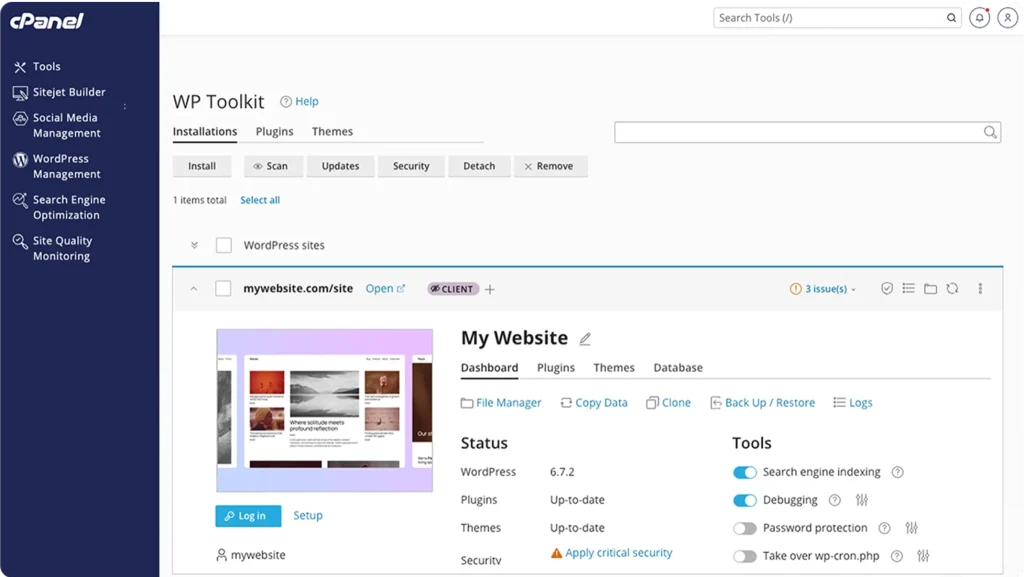
Building a website used to feel like a daunting task—endless coding, design tweaks, and content creation that could take days or even weeks. But with advancements in AI, things have changed dramatically. If you’re managing a site through cPanel, the integrated Sitejet Builder offers a smart, user-friendly way to get online quickly. It’s especially handy for small business owners, freelancers, or anyone who wants a professional look without the hassle. In this article, we’ll explore what makes this tool stand out, how the AI features work, and why it might be a great fit for your next project. Check out LogicWeb’s Sitejet tour page here.
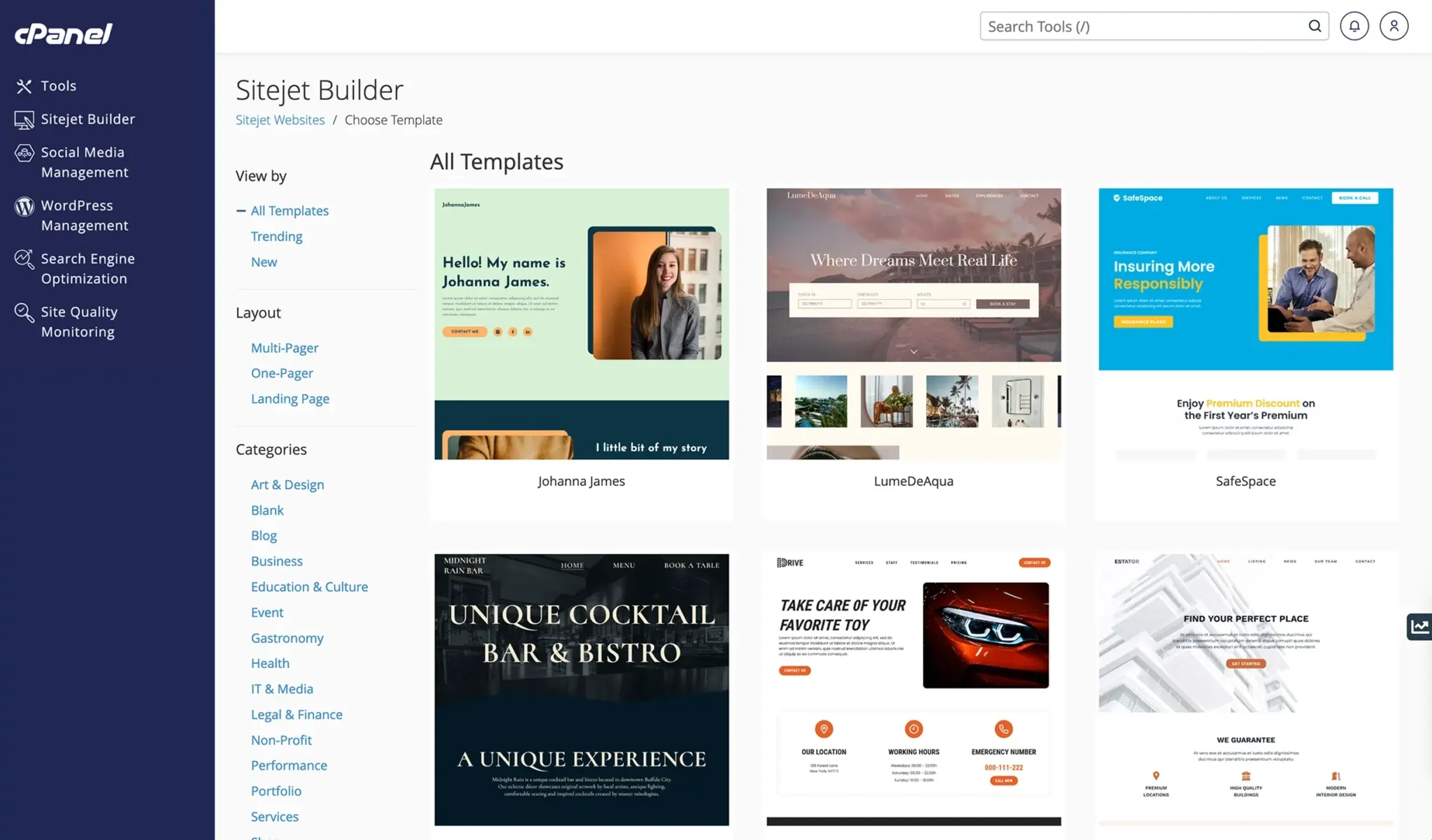
Sitejet Builder: Customizable Website Builder Platform in cPanel
What is cPanel’s Sitejet Builder?
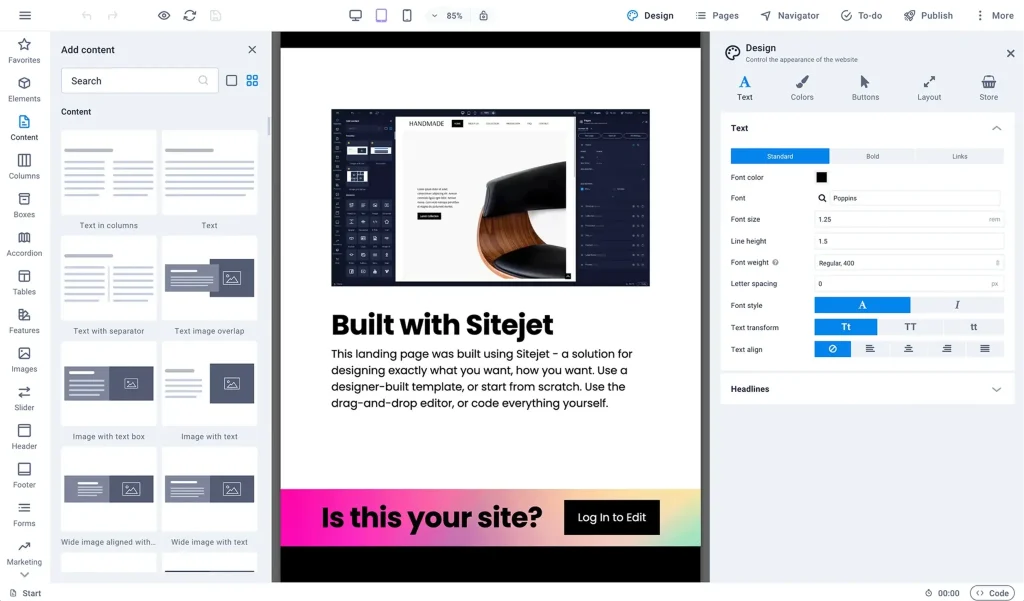
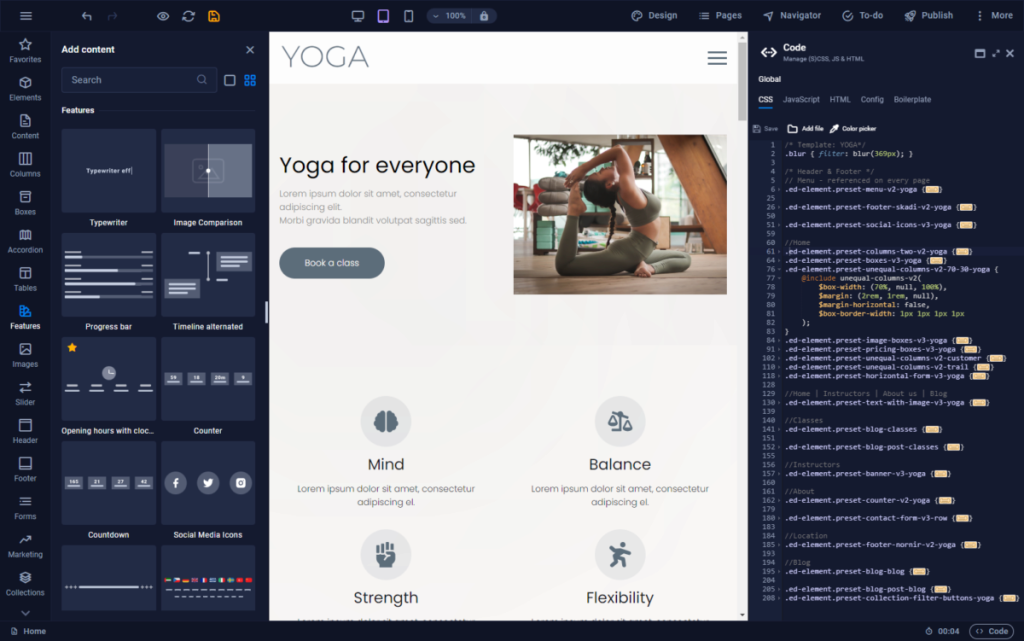
Sitejet Builder is a drag-and-drop website creation tool seamlessly built into cPanel, the popular web hosting control panel. It combines simplicity with powerful features, allowing users to create responsive, SEO-optimized sites without needing to code. Originally developed by Sitejet, it’s now part of cPanel’s ecosystem, making it accessible right from your hosting dashboard.
Think of it as a bridge between beginner-friendly builders like Wix and more advanced platforms— but tailored for hosting environments. It’s designed for speed and ease, whether you’re starting from scratch or using one of over 140 professionally designed templates. Categories range from business and portfolios to blogs and e-commerce, covering a wide array of needs.
One of the standout aspects is its integration: no extra installations required. If your host uses cPanel (which many do), you can launch Sitejet directly from the interface. This keeps everything centralized, from domain management to site publishing.
Sitejet Builder: Customizable Website Builder Platform in cPanel
The AI Magic: How Sitejet’s AI Features Work
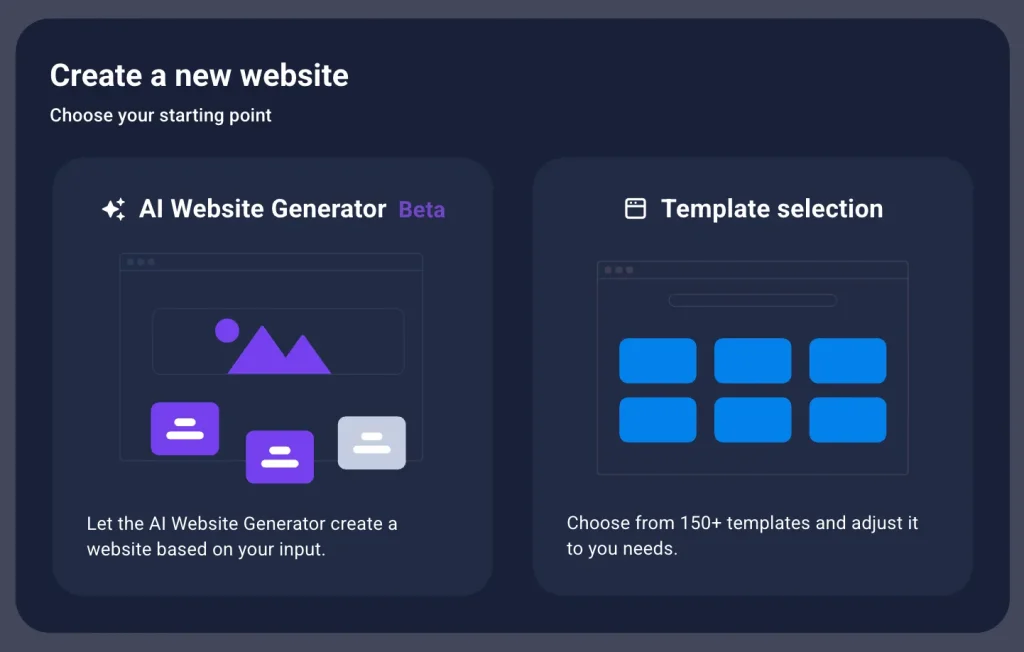
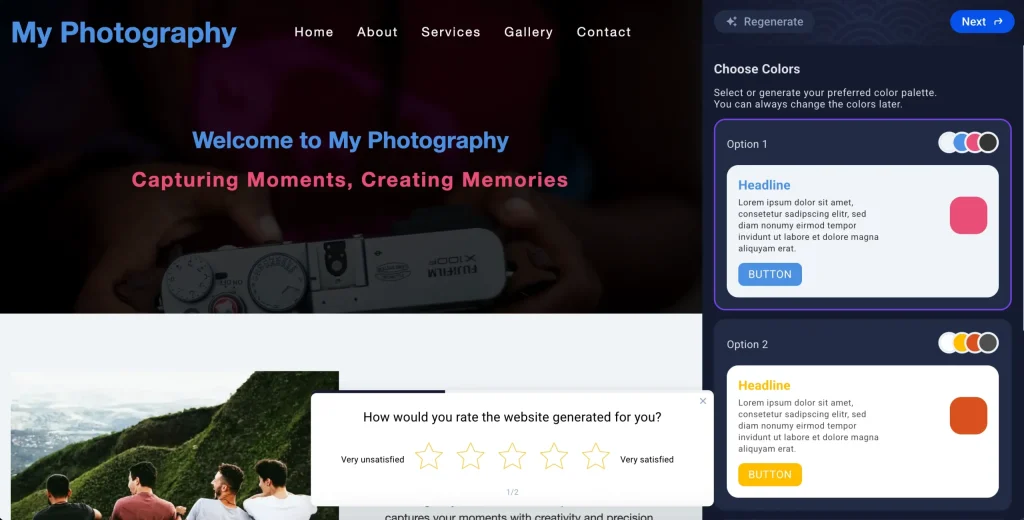
At the heart of Sitejet Builder is its AI Website Generator, a feature that feels like having a personal web designer on call. You provide a few simple prompts—like your business name, industry, and key details—and the AI handles the heavy lifting. It generates a complete site with layout, sections, images, and even copy.
Here’s a quick breakdown of the process:
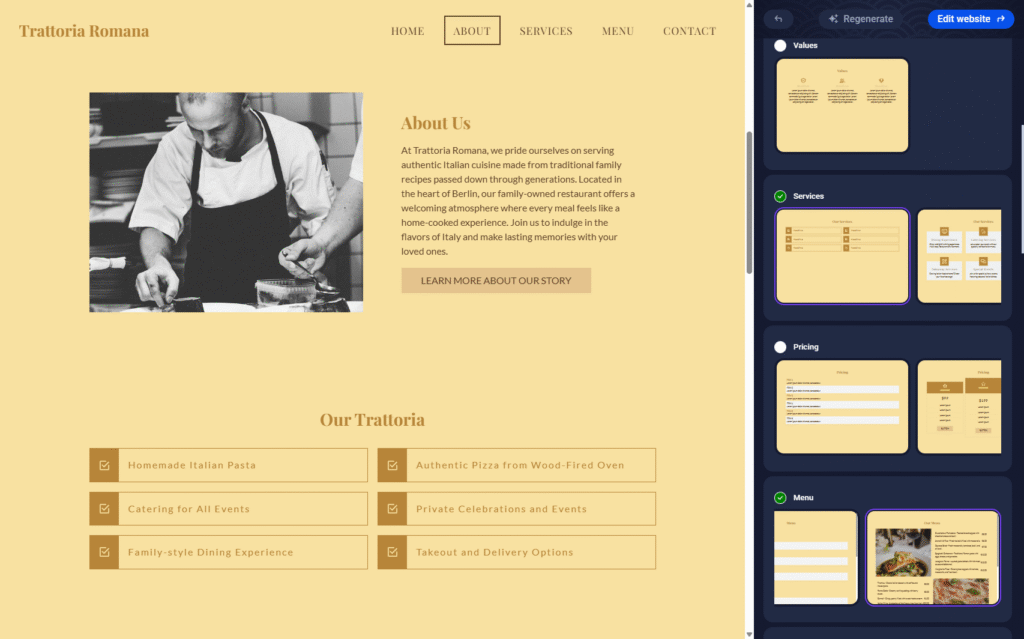
- Input Prompts: Describe your site (e.g., “A cozy Italian restaurant in Berlin”).
- AI Generation: The tool creates structure, suggests colors, fonts, and content.
- Customization: Tweak with the drag-and-drop editor or regenerate elements.
- Publish: Go live in minutes, all within cPanel.
The AI also includes a text generator for compelling copy, helping with headlines, descriptions, and calls-to-action. It’s powered by smart algorithms that ensure mobile-friendliness and SEO basics are baked in from the start.
For a visual demo, check out this helpful YouTube tutorial on using the AI generator: Build a Website Instantly with RackNerd’s AI Website Builder in cPanel. It walks through the steps in real-time, showing how fast it can be.
Key Features That Make Sitejet Builder Shine
Beyond the AI, Sitejet packs a punch with tools that cater to both novices and pros. Here’s a table highlighting some standout features:
| Feature | Description | Benefit |
|---|---|---|
| Drag-and-Drop Editor | Intuitive interface for adding elements like images, text, and forms. | No coding skills needed—build like you’re arranging puzzle pieces. |
| SEO Tools | Built-in analysis for keywords, meta tags, and site speed. | Helps your site rank better on search engines without extra plugins. |
| Responsive Templates | Over 140 mobile-ready designs across categories. | Ensures your site looks great on any device. |
| Custom Widgets | Add contact forms, blogs, social feeds, or even e-commerce elements. | Expands functionality for more dynamic sites. |
| File Management | Upload media directly and access free stock photos/videos. | Streamlines content addition. |
| AI Text Assistance | Generate or refine content on the fly. | Saves time on writing, especially for non-writers. |
Users often praise its user-friendly interface and comprehensive support. For agencies, features like project management tools in the Studio version add even more value, though the cPanel integration focuses on core building.
Getting Started: A Step-by-Step Guide
Ready to try it? If you have cPanel access, it’s straightforward. Log into your cPanel dashboard, find the Sitejet Builder icon under “Software” or similar, and dive in.
- Choose Your Starting Point: Opt for AI generation or a template.
- Enter Details: For AI, provide business info; for templates, select and customize.
- Edit Content: Use the editor to drag elements, add text via AI, and upload images.
- Optimize: Check SEO suggestions and preview on mobile.
- Publish: Hit publish—your site is live!
For a full walkthrough, watch this beginner-friendly video: Sitejet Builder Tutorial: Guide to Building and Customizing Your Website.
Pricing varies by host, but it’s often included free in cPanel plans. Check with your provider for details.

Real-World Examples and User Stories
Imagine creating a site for a local restaurant: The AI might generate a homepage with mouthwatering images, a menu section, and a booking form—all in under 10 minutes. Users on Reddit have shared how it’s ideal for quick setups, with one noting its templates and AI make it “the best” for non-designers.
In hosting communities, folks appreciate the seamless cPanel tie-in, reducing setup time. For e-commerce, recent updates add commerce tools, like product catalogs and checkouts.
A quick X post from a user highlights its ease: “¡Ya disponible en X5 Servers! Con tu hosting accede gratis al nuevo cPanel AI integrado con Sitejet Builder.”
Pros and Cons: A Balanced View
Like any tool, Sitejet has its strengths and areas for growth. Pros include rapid deployment, AI assistance, and strong integration. It’s great for brochure-style sites or quick prototypes.
On the flip side, some users find it less flexible for highly custom needs compared to WordPress, and occasional stability issues have been mentioned. It’s best for those staying within its ecosystem.
Wrapping Up: Is Sitejet Builder Right for You?
If you’re looking for an AI-powered way to build websites efficiently through cPanel, Sitejet Builder is worth exploring. It democratizes web design, making it accessible and fun. Whether for a personal blog or business site, the blend of AI smarts and intuitive tools can save you time and effort.
For more, visit the official cPanel Sitejet page: cpanel.net/sitejet-builder. Or dive into a demo video like Create a Professional Website in Minutes with Sitejet’s AI Builder. Give it a try and see how AI can transform your web presence!