
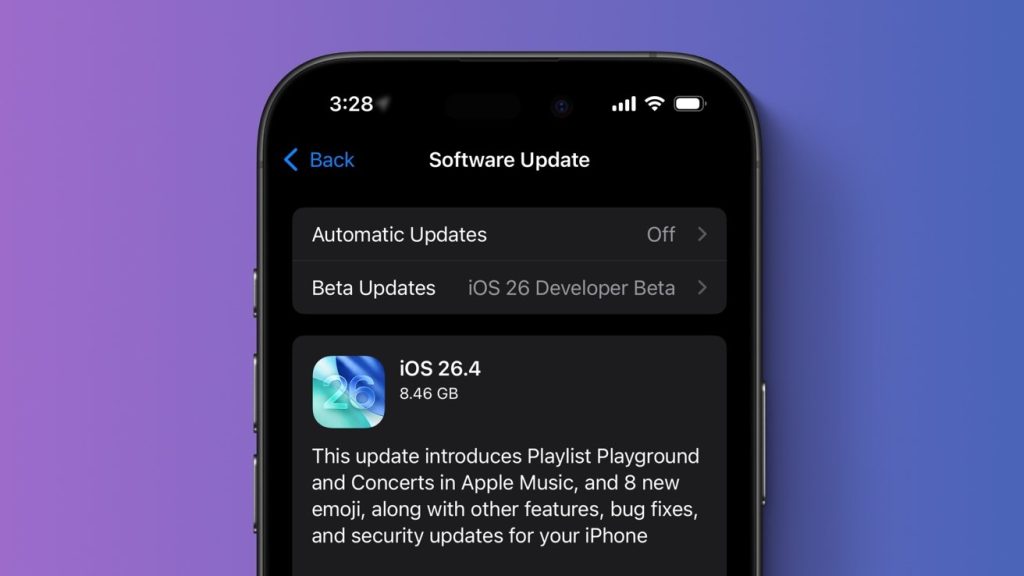
iOS 26.4 is here with Playlist Playground, new emoji, more
Apple has officially released iOS 26.4 as of March 24, 2026, delivering a polished mix of user-friendly enhancements, creative tools, and under-the-hood improvements. This isn’t a headline-grabbing redesign like iOS 26’s major overhaul, but it’s packed with 13+ practical upgrades that make everyday iPhone use more enjoyable, accessible, and secure. From AI-powered Apple Music playlists to fresh emojis and long-awaited keyboard fixes, iOS 26.4 feels like the refinement your iPhone has been waiting for.
If you’re searching for “iOS 26.4 release notes,” “what’s new in iOS 26.4,” or “iOS 26.4 new features,” you’re in the right place. We’ll break down every major addition, complete with visuals, so you can see exactly what’s changed. Plus, we’ll cover bug fixes, security updates, and how to install it today.
Apple Music Gets a Creative Boost with Playlist Playground and More
Apple Music steals the spotlight in iOS 26.4 with several standout features that turn listening into a more personalized, immersive experience.
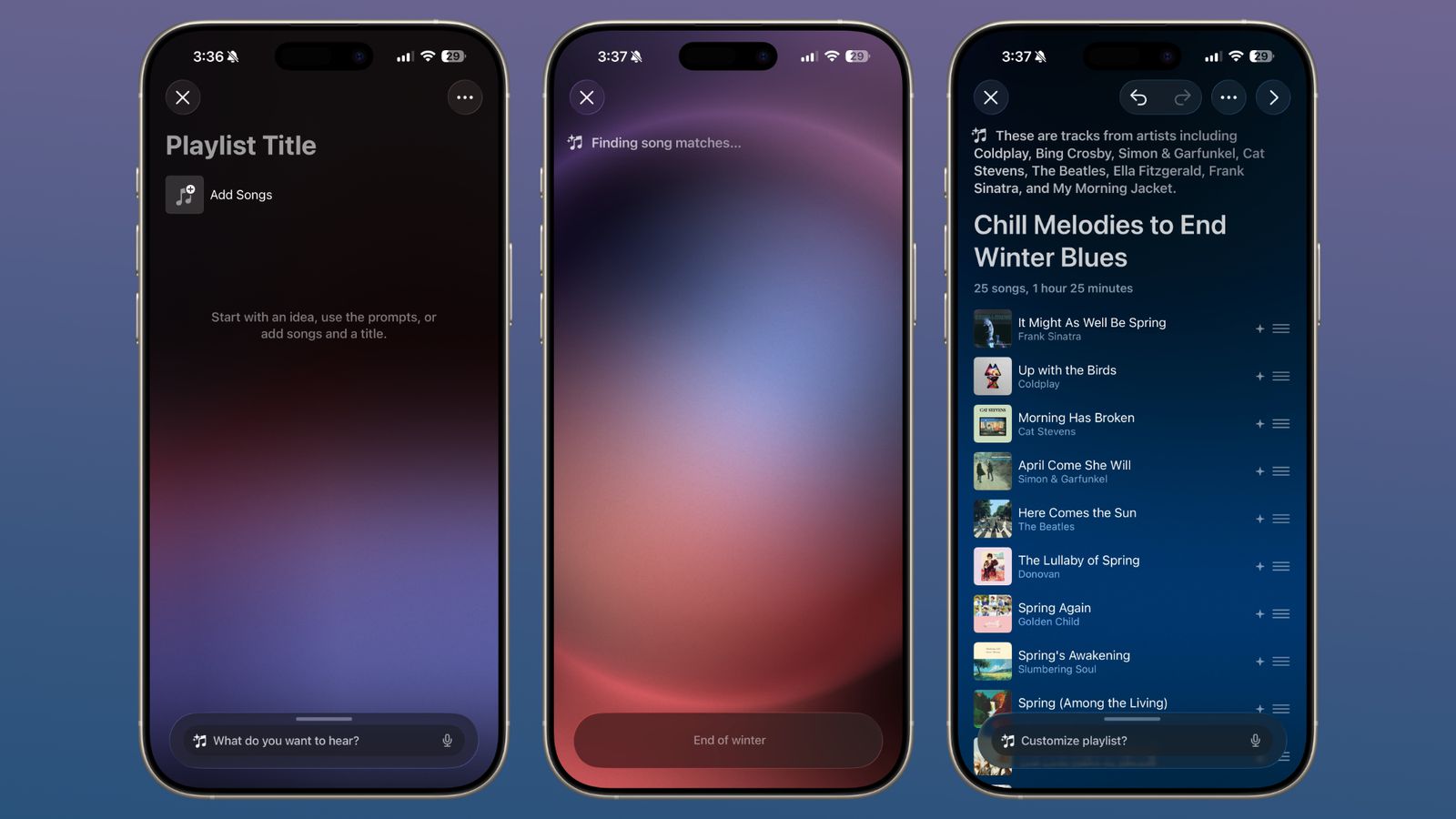
Apple Music ‘Playlist Playground’ in iOS 26.4 Creates Playlists From Text Prompts – MacRumors
Playlist Playground (beta) is the star: simply type a text prompt like “chill melodies to end winter blues” or “disco songs that defined the 1970s,” and Apple Music’s AI generates a full playlist—complete with title, description, and 25-track list. You can refine it further with additional prompts, swap songs, add a custom cover, and save it instantly. Currently limited to the U.S., it’s a game-changer for discovering music tailored to your mood or moment.

Apple Music 5.2 for Android adds iOS 26.4 Playlist Playground
The new Concerts feature helps you stay connected to your favorite artists. It surfaces nearby shows, tour dates for artists in your library, and even recommends new acts based on your listening habits—powered by partnerships like Ticketmaster. No more missing out on live music.

Apple Music now helps you keep up with concerts from your favorite artists – 9to5Mac
Additional Apple Music highlights include:
- Offline Music Recognition in the Control Center—Shazam now works without internet and syncs results when you reconnect.
- Ambient Music widgets for Sleep, Chill, Productivity, and Wellbeing, bringing curated playlists straight to your Home or Lock Screen.

iOS 26.4 adds brand new widgets for your iPhone’s Home Screen – 9to5Mac
- Full-screen album and playlist backgrounds for a more immersive look.
- Redesigned album/playlist pages and the ability to add songs to multiple playlists at once.
Whether you’re a casual listener or a playlist curator, these updates make Apple Music smarter and more fun than ever.
As you experiment with these new creative tools—whether for personal playlists or app development—reliable backend infrastructure matters. LogicWeb’s high-performance VPS services at logicweb.com offer the speed and stability developers need to test and host iOS-related projects seamlessly.
8 Brand-New Emojis Arrive in iOS 26.4
Emoji lovers, rejoice! iOS 26.4 adds eight vibrant new characters to the keyboard:

Get ready iPhone users, these 8 new emojis are coming this week | Macworld
- 🐋 Orca
- 🎺 Trombone
- 🪨 Landslide
- 🩰 Ballet dancer
- 😵💫 Distorted face
- 🪪 Treasure chest
- 🦍 Hairy creature (Sasquatch/Bigfoot)
- 💥 Fight cloud
New skin tone options for wrestling and bunny-ear dancers round out the update. These emojis bring fresh expressiveness to messages, social posts, and Notes—perfect for everything from concert vibes to playful reactions.
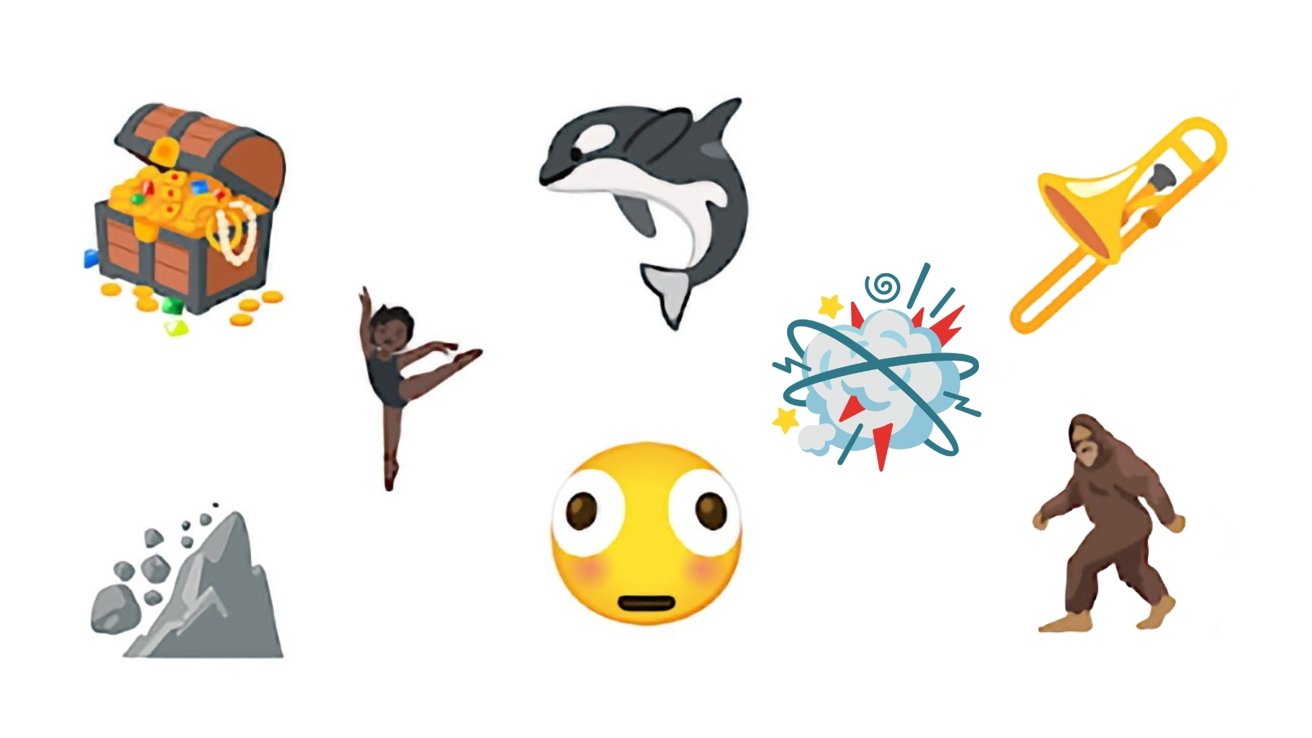
Bigfoor, Orca, and six more new emoji debut with iOS 26.4 beta 4
Accessibility Improvements Make iOS More Inclusive
Apple continues its commitment to accessibility with thoughtful tweaks in iOS 26.4:
- Reduce Bright Effects minimizes flashy animations when tapping buttons or elements—ideal for users sensitive to bright flashes.
- Subtitle and caption settings are now one tap away via the captions icon during media playback for easier customization and previews.
- Reduce Motion more reliably tones down Liquid Glass animations for those who prefer less on-screen movement.
These changes, combined with new Live Captions support in additional languages, make iOS 26.4 one of the most user-friendly releases yet.
Productivity, Family, and Everyday Wins
Other standout additions include:
- Reminders now lets you mark items as “urgent” from the Quick Toolbar or long-press, triggering an alarm. Smart Lists can filter urgent reminders for better organization.

iOS 26.4 gives Reminders’ best new feature the one thing it was missing – 9to5Mac
- Freeform joins Apple Creator Studio with advanced AI image creation/editing tools and a premium content library of graphics, photos, and illustrations.
- Family Sharing Purchase Sharing lets adult members use their own payment methods for App Store and in-app purchases—no more relying on the organizer.
- Stolen Device Protection is now enabled by default across all iPhones, adding extra Face ID/Touch ID safeguards.
- Improved keyboard accuracy for fast typists, fixing missed characters and autocorrect quirks.
- Apple Podcasts gains seamless video support with HLS streaming, offline downloads, and smoother audio-to-video switching.
- New Ambient Music widgets, updated wallpaper galleries, Shortcuts actions (like Set Charge Limit), and Health app metrics (Average Bedtime and expanded Vitals graphs).
Small but mighty touches—like center-aligned passcode text, better hotspot data tracking, and RCS testing enhancements—round out the experience.
Bug Fixes, Security Updates & Performance
iOS 26.4 includes important security patches addressing over 35 vulnerabilities across Safari, Messages, and core services (full details on Apple’s security update page). It also resolves several bugs, including the keyboard typing issues mentioned above and various developer-reported crashes in Background Assets and StoreKit.
No major performance regressions reported—battery life and speed remain smooth on iPhone 16 series through older models.
Powering through these updates on robust servers? Whether hosting your iOS app backend or running a tech blog, LogicWeb’s VPS hosting at logicweb.com delivers enterprise-grade performance with 24/7 support—perfect for developers staying ahead of Apple’s ecosystem.
How to Update to iOS 26.4
- Go to Settings > General > Software Update.
- Tap Download and Install (requires ~8.5 GB free space and Wi-Fi).
- Enter your passcode and let the iPhone restart.
Back up first via iCloud or a computer for peace of mind. The update is available now for all compatible iPhones running iOS 26.
Why iOS 26.4 Matters—and What’s Next
iOS 26.4 proves Apple’s dedication to iterative excellence: smarter music discovery, expressive emojis, kinder accessibility, and rock-solid security. It’s the kind of update that quietly makes your iPhone feel fresher without overwhelming you with change.
Ready to experience it? Update today and enjoy the new features. For developers and creators leveraging these tools in apps or content, consider LogicWeb’s VPS services at logicweb.com—scalable, secure hosting that keeps your digital projects running smoothly.
Stay tuned for future iOS updates as Apple continues refining the iPhone experience. What’s your favorite iOS 26.4 feature? Drop a comment below!